


Participant
November 29, 2022
Answered

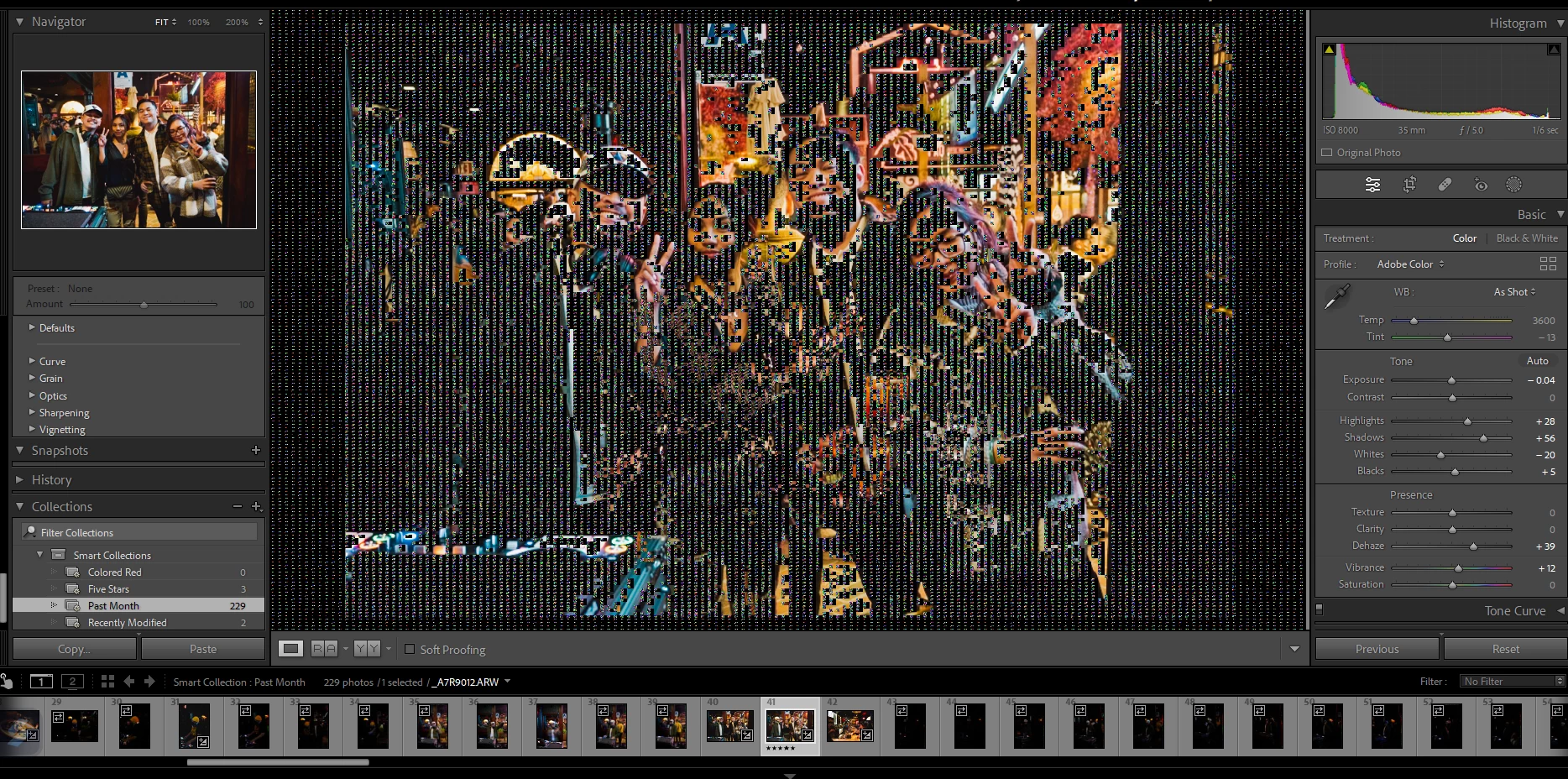
Seeing black digital bars in develop screen.

  • November 29, 2022
  • 3 replies
  • 521 views

Need help fixing this problem. I am working off a second monitor and this is what I see. When i move the window to my main laptop screen, this prooblem doesnt exist. It only exists on my second monitor.
This topic has been closed for replies.
Correct answer JimHess

First thing to try would be to go to your LrC preferences and disable the graphics processor option. "IF" that solves the problem then check to see if there is an update to your graphics processor that will resolve it. If not, then don't use that option.

3 replies

JimHessCorrect answer
Inspiring
November 29, 2022

First thing to try would be to go to your LrC preferences and disable the graphics processor option. "IF" that solves the problem then check to see if there is an update to your graphics processor that will resolve it. If not, then don't use that option.

Participant
November 29, 2022

Thank you! This worked. My laptop has the new Arc GPU thats integrated and I think there is just some optimization errors that Intel needs to work on for now. 

GoldingD
Legend
November 29, 2022
  • One GPU or two GPU's?
  • If two, are the GPU's same make and model or different?
  • If one, same type of port for both monitors or different (both day Display Port, one one DP the other HDMI, etc)?
  • And, do you have a cable issue?


Participant
November 29, 2022

Asus Zenbook
Processor 12th Gen Intel(R) Core(TM) i7-12700H 2.30 GHz
Installed RAM 16.0 GB (15.7 GB usable)
System type 64-bit operating system, x64-based processor