


Participant
Jun 25, 2020 1:38 AM UTC
Answered

How to bulk sync edits to multiple photos similar to lightroom classic

I just moved all my photos from lightroom classic lightroom cc.


Everything seems to be good expect one of the features that I use the most on the lightroom cc namely ability to edit one photo and then to apply the edits (include crop) to multiple photos by sync/apply feature. 


As far as I can tell I can only do this one photo at a time in LR cc by copy pasting one at a time which is insane if you work with 100s of photos. Am I missing something or is this crucial feature missing in CC?



This topic is closed to new replies. Start a new post to keep the conversation going.
Curt Wrigley
Curt WrigleyCorrect answer
Inspiring
Jun 26, 2020 1:38 AM UTC

Yes you can:


Thank you .  I never noticed that.

6 replies

Jim Wilde
Community Expert
Community Expert
Jun 25, 2020 3:11 PM UTC

The feature isn't actually missing, it's just poorly documented. After copying the edit settings you wish to sync to multiple other images, select the target images and instead of doing Cmd/Ctrl+V, you can do Shift+Cmd/Ctrl+V to paste the settings to all selected images.

Translate
Curt Wrigley
Inspiring
Jun 25, 2020 3:21 PM UTC

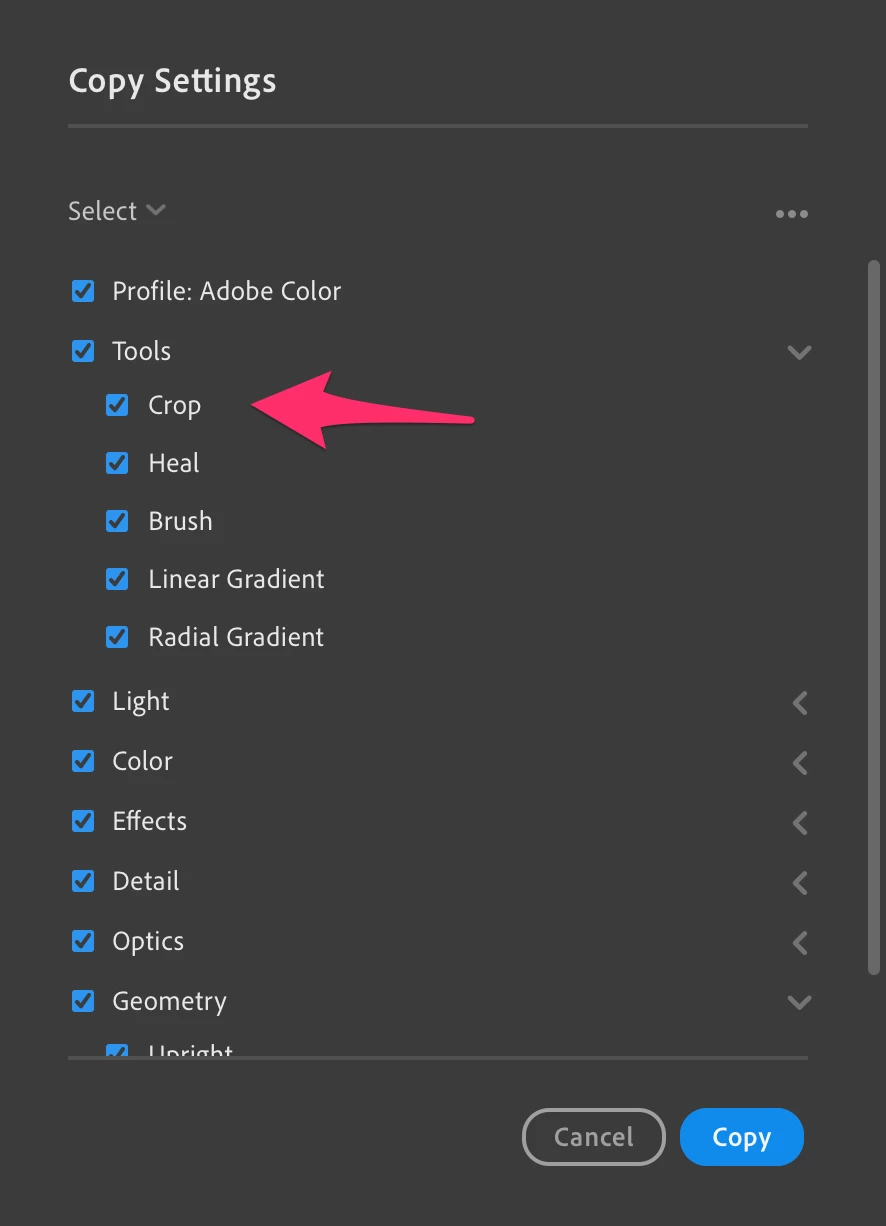
I dont believe that you can paste or sync the crop settings as to OP asked.


Saving a crop in a presset does not seem to work either.

Translate
Jim Wilde
Community Expert
Community Expert
Jun 25, 2020 6:18 PM UTC

Yes you can:


Translate
JohanElzenga
Community Expert
Community Expert
Jun 25, 2020 8:36 AM UTC

This feature is missing in Lightroom desktop.

Translate
-- Johan W. Elzenga