geekformante
Participant
Dec 22, 2023 5:24 PM UTC
Answered

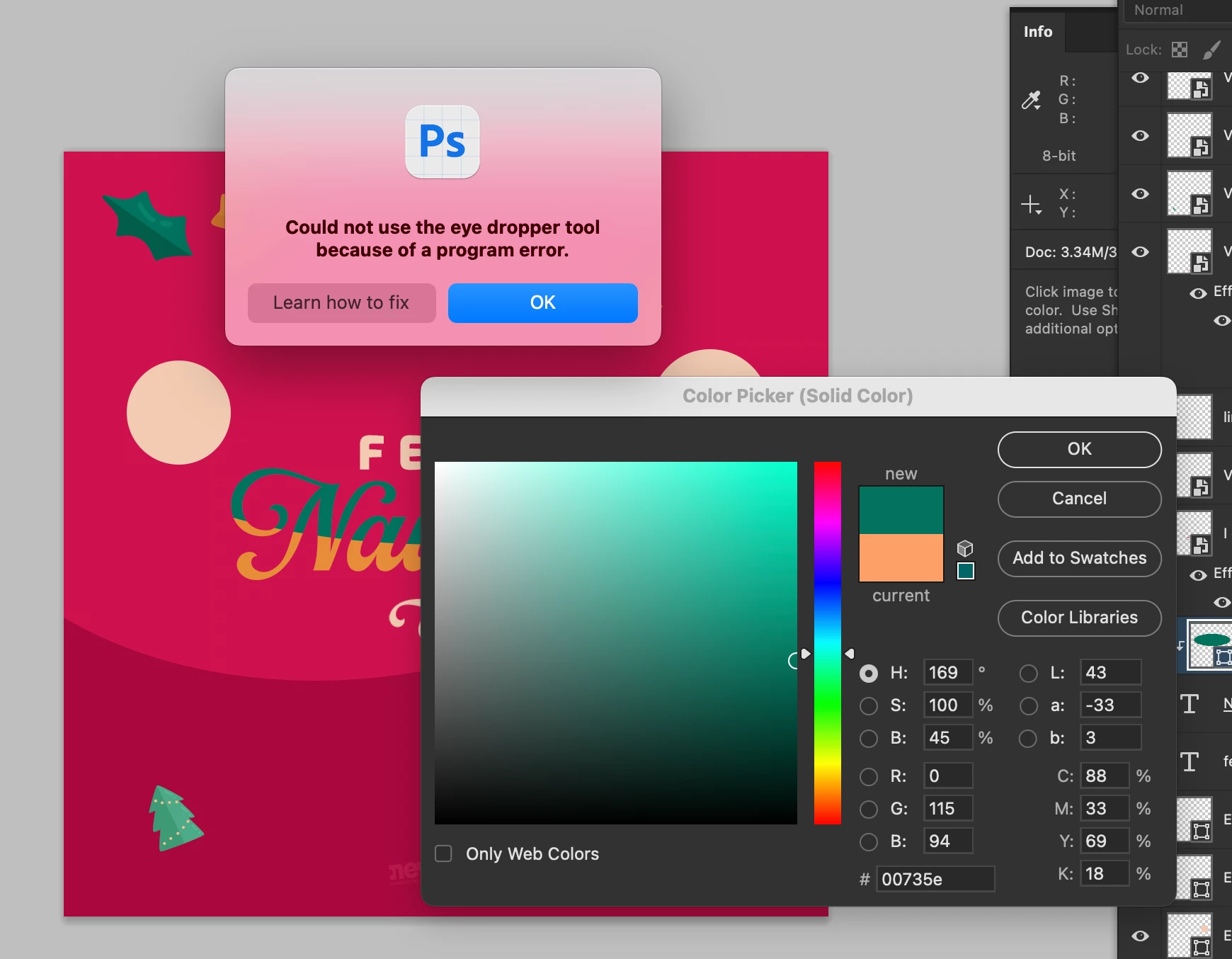
Eye dropper error: Could not use the eye dropper tool because of a program error

Hi.


Does anyone know how to fix this error? I can't pick colors from with the eye dropper. I have the most recent versión of Photoshop Beta: 25.4.0


I tried reseting preferences, erase them, hidding layers, etc.


Here is a capture of the problem:


Ged_Traynor
Ged_TraynorCorrect answer
Community Expert
Feb 5, 2024 10:05 AM UTC

140 replies

Participant
Feb 13, 2024 1:16 AM UTC

I have the same problem as well.


Translate
karenr19065266
Participant
Feb 12, 2024 12:56 PM UTC

Same eye dropper issue on Mac with 25.4 - downgraded to 25.3.1 and it's fine again. Let's hope Adobe take note of this thread and fix it on the next release!

Translate
Participating Frequently
Feb 12, 2024 12:04 PM UTC

Pull your finger out Adobe. Crazy this hasn't been fixed.

Translate
Participant
Feb 10, 2024 9:38 PM UTC

Did the morons at Adobe fix this SUPER obvious basic bug yet? Been months and these clowns can't get simple rollouts correct?

Probably best Framer didn't get acquired by Adobe. They would just just ruined it like they're doing with their existing suite of fail tools.


Translate
Soolo
Participant
Feb 9, 2024 9:42 PM UTC

I'm having the same issue.

Translate
Known Participant
Feb 9, 2024 7:51 PM UTC

Adding my complaint here to this. I'm having this problem that started today. Restarting eveything didn't fix it. I only get the error when I'm trying to change the colours in a gradient (via the Effects or the gradient stroke using a shape).

Translate
Kerso1991
Participant
Feb 9, 2024 10:55 AM UTC

Same issue for me!! when will there be an update?

Translate
Participant
Feb 9, 2024 11:06 AM UTC

they say beta is working... either downgrade or use beta I gues...

Translate
Inspiring
Feb 9, 2024 2:15 AM UTC

Same problem here.
Photoshop 25.4.0 on MacOS Sonoma 14.2.1.

Translate
Inspiring
Feb 8, 2024 6:12 AM UTC

Yep, I'm afraid I have to join this club as well. Cant get it to work. Using Mac, Sonoma 14.3, Photoshop fully up to date.

Translate
hanskfroschauer
Known Participant
Feb 8, 2024 9:03 AM UTC

Same here. Sonoma 14.3, Photoshop fully updated, Full Disk Access and Screenrecording permissions in order, etc. Very frustrating.

Translate
troyjack
Inspiring
Feb 7, 2024 10:46 PM UTC

Same.... 25.4.0 on Sonoma

Translate