


geekformante
Participant
December 22, 2023
Answered

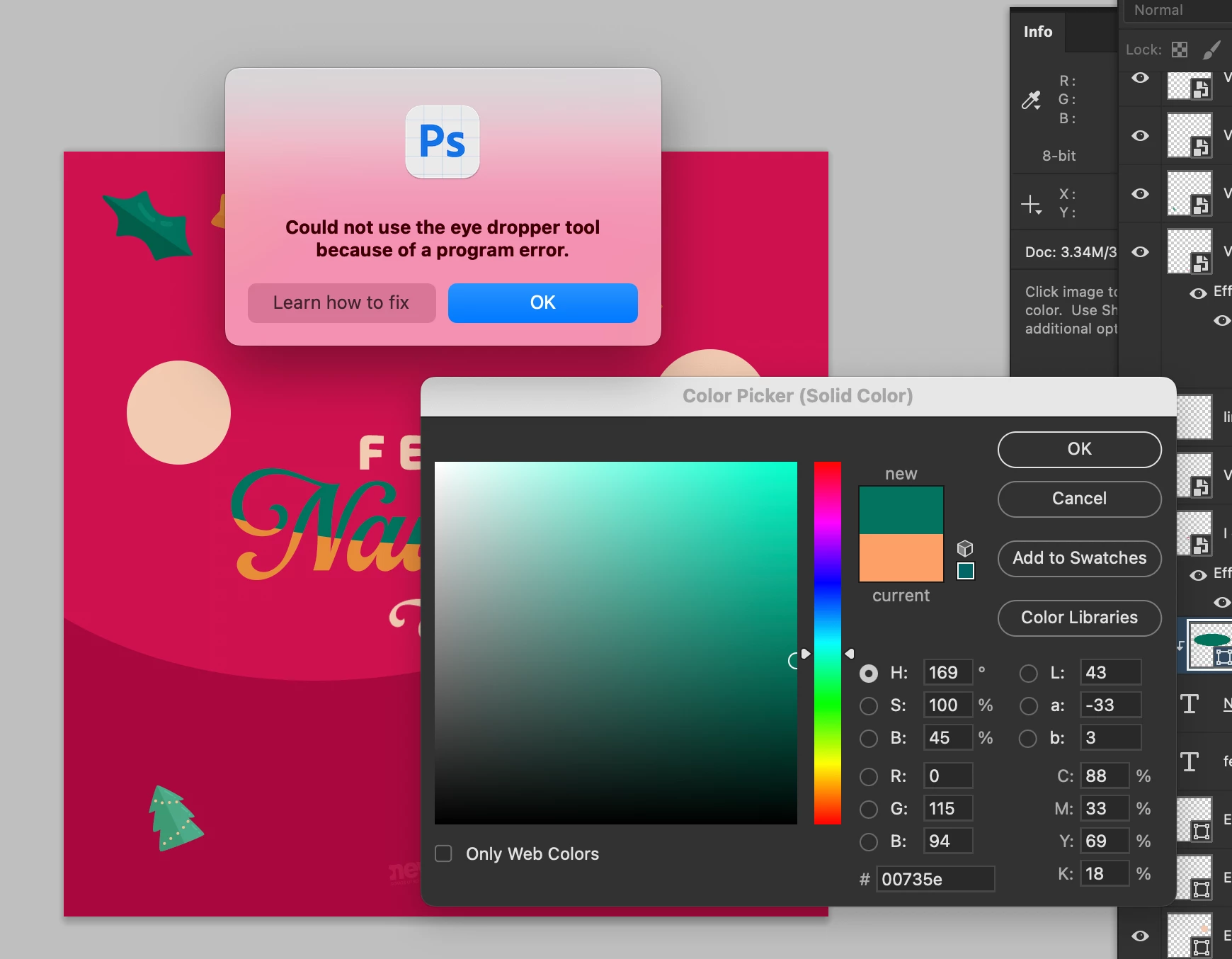
Eye dropper error: Could not use the eye dropper tool because of a program error

  • December 22, 2023
  • 102 replies
  • 35765 views

Hi.


Does anyone know how to fix this error? I can't pick colors from with the eye dropper. I have the most recent versión of Photoshop Beta: 25.4.0


I tried reseting preferences, erase them, hidding layers, etc.


Here is a capture of the problem:


102 replies

Participant
February 7, 2024

Segue o erro que identifiquei com a ferramenta conta-gotas, mas que pode estar atrelado a outras ferramentas. Photoshop atualizado e não sei o porque aparece essa mensagem constantemente.

Participant
February 7, 2024

whats the solution.. pleaseeee


Participant
February 7, 2024

same issue Adobe Photoshop 2024

katherine83599283
Participant
February 7, 2024

I'm having the same issues. SO frustrating! Also having issues now with application window moving behind other open windows in photoshop.  It has been happening in Illustrator, but now int PSD too!  

Soowani
Participant
February 6, 2024

Same issue here. 

Jakub Kasparek
Participating Frequently
February 6, 2024

same issue.

CShubert
Community Manager
Community Manager
February 5, 2024

In the lastest Ps beta build: Adobe Photoshop Version: 25.5.0 20240131.m.2486 6ce06b2 arm64

we are not seeing any issues with the eyedropper tool.


Thanks,

Cory - Photoshop Product Manager

Participating Frequently
February 5, 2024

how do we get this build for those who were pushed 25.4 through creative cloud

Participant
February 5, 2024

same issue... I just opted to 25.3.1 and fixed the problem


running with OS: Ventura 13.6.4

Participating Frequently
February 5, 2024

I've been having this exact same issue since installing 25.4.0.

C'mon Adobe. Fix what you broke.

CORECON
Participant
February 5, 2024

I just update today photoshop to 25.4 version and I have the same error, I hope can solve this issue.
