
Participant
November 22, 2022
Question

Enlarge Photoshop Tools and text

  • November 22, 2022
  • 2 replies
  • 419 views

Hello

I cannto enlarge the icons, tools and text size on my photoshop which is the latest version 24.0.1

updated...but there's no option to do this. I am working with an i-mac 12.6. 

Any help would be appreciated. It's impossible to work like this...
 

    This topic has been closed for replies.

    2 replies

    Conrad_C
    Community Expert
    Community Expert
    November 22, 2022

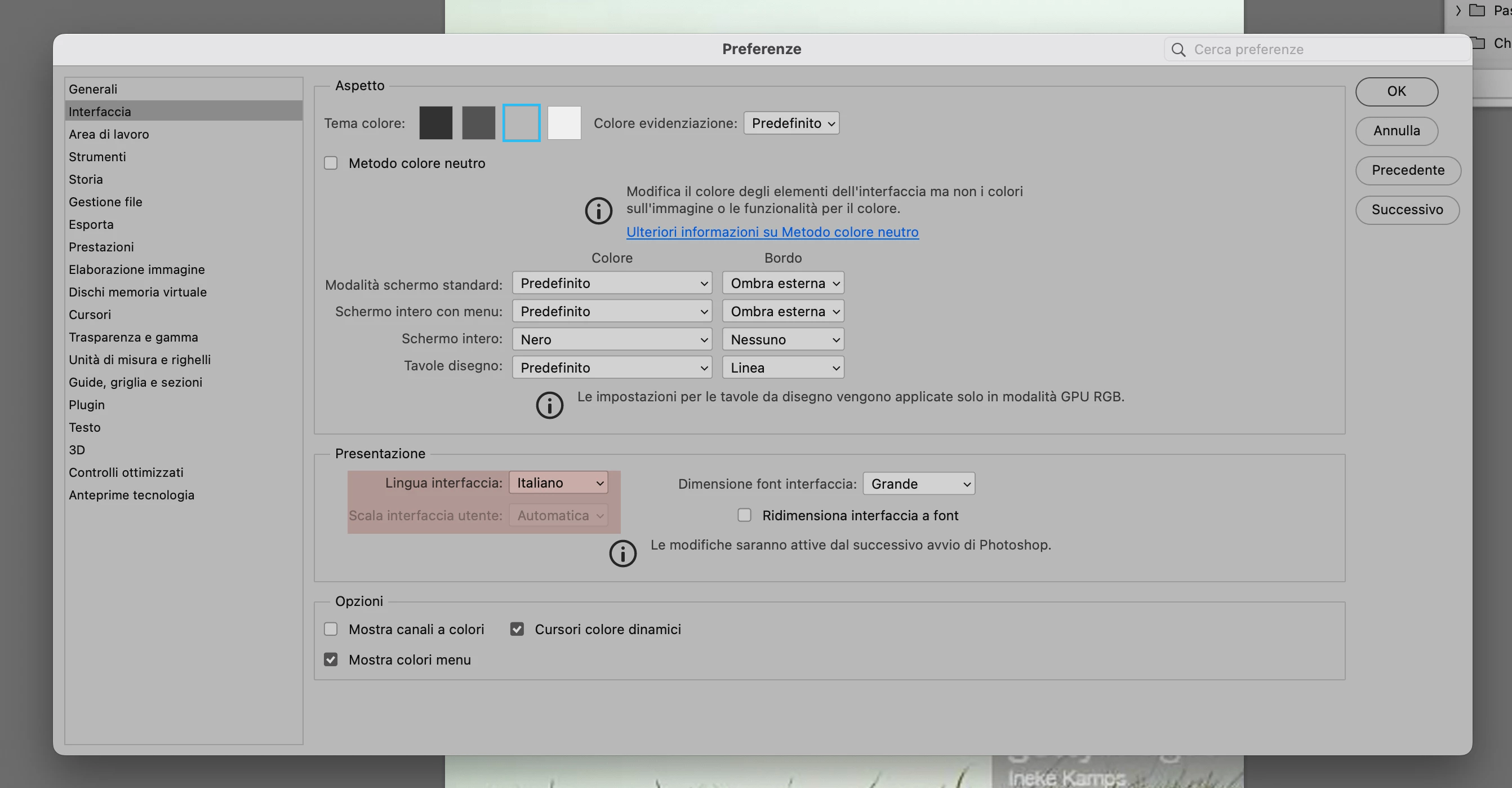
    It looks like you are using a Mac. The option you highlighted, UI Scaling, is disabled because it cannot work on a Mac. UI Scaling was added to Photoshop to support fractional scaling in Microsoft Windows, but Apple does not provide an equivalent feature in macOS. That is why the message in the option’s tool tip says “Macintosh computers always use auto scaling.”


    However, you can still use the UI Font Size option because that does work on a Mac. If you think the tools are also too small, then also select Scale UI to Font. If you increase UI Font Size and select Scale UI to Font, then the tools and UI do become larger on a Mac.


    Co-07Author
    Participant
    November 23, 2022

    Hi! Thank you so much. I will try that out. 

    Ged_Traynor
    Community Expert
    Community Expert
    November 22, 2022

    Moved to the Photoshop ecosystem forum from Using the Community