Participating Frequently
June 10, 2017
Answered

Foreground color doesn't fill white

  • June 10, 2017
  • 1 reply
  • 1210 views

Hey everyone,

Im new to photoshop and an trying to do a fill foreground color on an image with its blending mode set to color.  I select my color swatch to be white but when I fill it, its more of a dark grey than a bright white.  I have changed it to any other color and then filled it and that color works just fine, its just white.  Is there something I am doing wrong or does white just turn a dark grey.
    This topic has been closed for replies.
    Correct answer davescm

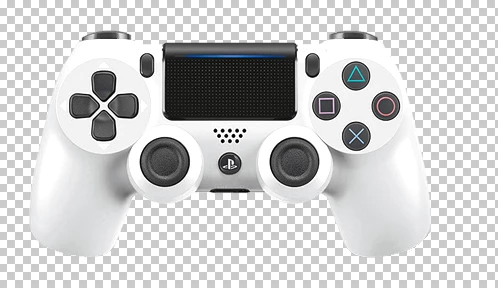
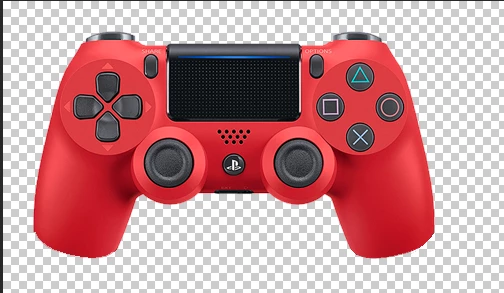
    I should have mentioned before that there are details in the original image that I need to have show through.  In the image below I basically need this to be white but I still want to be able so see all the "depth" lines if that makes sense. the big circle you see around the buttons and dpad, thumbtacks etc


    Like this?

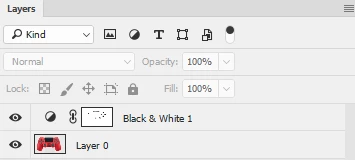
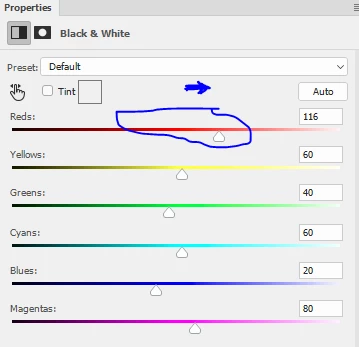
    It was just a black and white layer adjustment with the Reds turned up, then the mask painted with black over the bits of colour on the buttons:

    Dave

    1 reply

    davescm
    Community Expert
    Community Expert
    June 10, 2017

    If you are brushing , or filling , on a layer with blending mode set to color then you need to know what that blending mode does.

    The blending mode decides how the colours on a layer blend with the layer(s) underneath.

    In the case of the color blending mode it does not change the luminosity (i.e. the brightness) of the underlying image. It only changes the Hue and Saturation.  So you end up with the Hue and Saturation of the top layer and the luminosity of underlying layer.

    So if you brush with white it will take all the color out of the underlying image but will not lighten it at all.

    Dave

    SRIC08Author
    Participating Frequently
    June 10, 2017

    Ok, how can I get it to just fill the color I want it to and not take the original layer into effect.

    Sent from my iPhone

    davescm
    Community Expert
    Community Expert
    June 11, 2017

    SRIC08  wrote

    Ok,  how can I get it to just fill the color I want it to and not take the original layer into effect.

    Sent from my iPhone

    Set the blending mode to normal

    Dave