Known Participant
October 2, 2023
Answered

Photoshop 2024 [v25.1] - Color Sliders don't work [Color picker issue -merged]

  • October 2, 2023
  • 142 replies
  • 50834 views

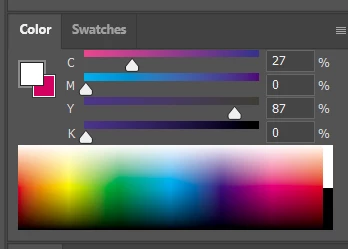
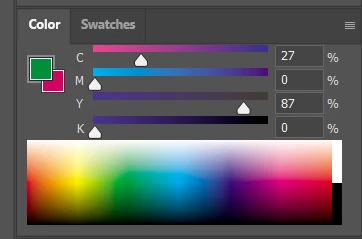
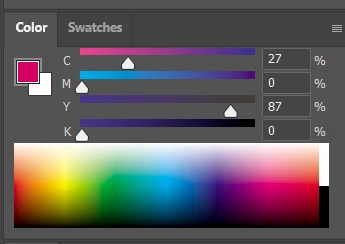
Color Sliders in my new Photoshop 2024 don't work at all - they don't change when i pick a color from the Spectrum or when i change Foreground/Bacground color with X key.

I reset Preferences, reinstaled PS and nothing works. Any ideas?

Photoshop 25.1.0, Windows 10.


This topic has been closed for replies.
Correct answer Kevin Stohlmeyer

@robzartworx there is a phased roll out for update 25.2 happening globally.

If you are in a managed environment (Enterprise/Teams/Edu) you may have to reach out to your plan admin to allow access to new updates within 30 days of release.

142 replies

Participant
November 8, 2023

Hi, have same issue with eyedroper and color panel in last Photoshop update 25.1 (not in beta) ... How i can fix it? or it will be fixed with next update? 


evelynlewis
Participant
November 8, 2023

I believe this is probably a bug.

I am a long time PS user and this is a new behavior from the color sliders and color picker. In the color tab group, if I have the color wheel or the hue cube open, it used to be that changing the color in use (for example selecting a color with the color picker) would automatically move to select that color on the wheel or in the hue cube. However, this no longer is happening for me.
It is frustrating because I can no longer achieve fine control over the color I'm painting with by selecting a color and then lightening/darkening it with the sliders or etc. The HSB sliders are also not affecting the color wheel, etc.

You can see in the attached picture how the S and B sliders are at zero but the color wheel has not updated.

Bojan Živković11378569
Community Expert
Community Expert
November 8, 2023
Shawn Rossi
Known Participant
November 8, 2023

Issue not resolved on PS 25.1 as of 11.07.23  MacOS Monterey 12.7.1

Resetting my preferences did nothing but set me back an hour today. The color sliders are still broke.

Participant
November 8, 2023

Mine still hasn't fixed.

Shawn Rossi
Known Participant
November 8, 2023

Same issue on this end. MacOS Monetrey 12.7.1 and PS 25.1

Resetting my preferences did not work. I am using PS Beta as a production build... then I see that Artboards is broken, won't collapse. PS 7 was the most solid build ever! We need a little version 7 love about right now, Adobe! 🤙

Participant
November 7, 2023

For anyone looking for a quick and dirty fix, just roll back to 25.0. Click the ellipses next to photoshop in creative cloud under 'all apps'. > other versions > 25.0


Participant
November 7, 2023

11-7 it's still broken. most annoying bug in recent memory.

Toronto Airport Taxi
Participant
November 7, 2023

I have same issue hopefully it will be fixed at the earliest 

Participating Frequently
November 7, 2023

Still not fixed. And I cannot anywhere see where I can update to v25.2.0! I've gone back to 24.7.2

Participant
November 7, 2023
Ged_Traynor
Community Expert
Community Expert
November 7, 2023