Known Participant
October 2, 2023
解決済み

Photoshop 2024 [v25.1] - Color Sliders don't work [Color picker issue -merged]

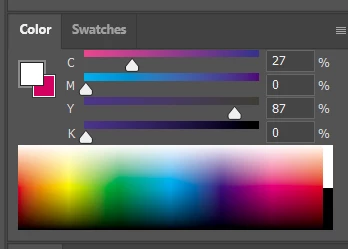
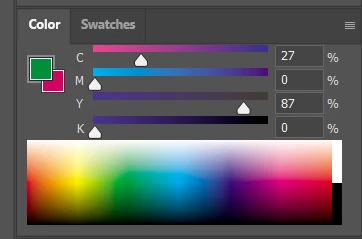
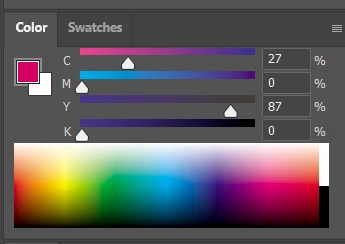
Color Sliders in my new Photoshop 2024 don't work at all - they don't change when i pick a color from the Spectrum or when i change Foreground/Bacground color with X key.

I reset Preferences, reinstaled PS and nothing works. Any ideas?

Photoshop 25.1.0, Windows 10.


このトピックへの返信は締め切られました。
解決に役立った回答 Kevin Stohlmeyer

@robzartworx there is a phased roll out for update 25.2 happening globally.

If you are in a managed environment (Enterprise/Teams/Edu) you may have to reach out to your plan admin to allow access to new updates within 30 days of release.

返信数 142

Participant
November 9, 2023

I am suffering from this problem too. The color picker is not working, the color slider is working. It is not moving when I pick another color and always stay at the first color I picked. Please fix this ASAP.

Participant
November 9, 2023

Adding to this, also having this problem.

Participant
November 9, 2023

I am having the same problem.

Participant
November 8, 2023

Trying pick a color, the value numbers on the right do not change.

Photoshop 25.1

MacOS Monterey

MacOS Sonoma

Kevin Stohlmeyer
Community Expert
Community Expert
November 8, 2023

Everyone - this bug has been noted and will be addressed in the upcoming release.

Participant
November 8, 2023

Still having issues with the colour wheel not updating even after the update on the 3rd

Fasih K.
Inspiring
November 8, 2023

There is also an Eye Dropper tool bug that's not picking the right color and shows a slightly different shade of the same color.

Fasih K.
Inspiring
November 8, 2023

Hi,

I was working on a project today.

I use color picker alot to take color samples and apply it on different object, in the new release it's not working as intended, and shows a different shade of same color while surpisingly the hash code was the same. This seem very strange.  I see two different color shades of the technically same color in photoshop.


I check all the relevant settings, my color profiles, disabled proof colors.  But still this seems to be a bug and should be fixed in the next release.


Ged_Traynor
Community Expert
Community Expert
November 8, 2023
Participant
November 8, 2023

when I'm picking up a color with the eyedropper, the color does change, yes. But not in the color panel, so I cannot pick a close color. 

in this image, I did picked the green neon. but it doesn't update??

Participant
November 8, 2023

Dear Adobe Photoshop Team, I believe I have identified a bug in the current stable version of Photoshop (25.1.00):

I have an image with various colors, and I want to use the brush tool. I choose a color using the color picker. However, when I press the [ALT] key to pick a color from the image, the color picker still shows the old color. The color picker does not update to the color I selected from the image using [ALT].

Ged_Traynor
Community Expert
Community Expert
November 8, 2023