


Participant
August 15, 2026
Answered

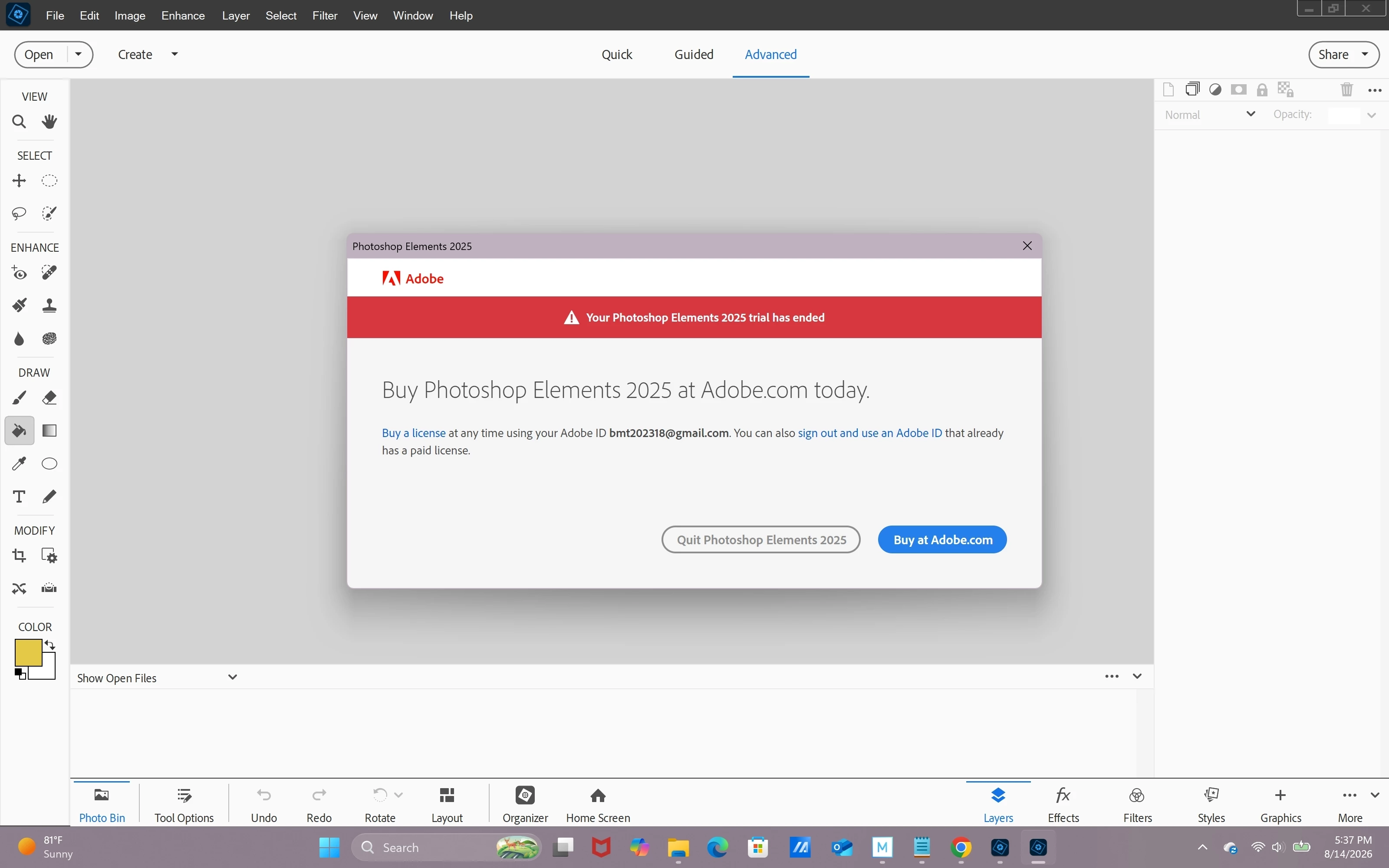
Photoshop 2025 Elements won't open says I need to buy now

  • August 15, 2026
  • 5 replies
  • 38 views

Photoshop 2025 Elements won't open, says I need to “buy now”. It let me use it for 7 days by clicking free trial, but now since the 7 days won’t open I’m unable to open it on my PC. I bought a 3 year term lease on 3/5/2025 so I know it hasn’t run out yet. I reinstalled it and I still get the same message. I tried the chat but because it says I don’t have an active plan it won’t let me chat with a human, and AI doesn’t have a clue. I’m using the same email address I did to redeem the code from Amazon. Please help!!!

 

    Correct answer jane-e

    @Mystical_calmness7679 

    Follow these steps for when Adobe apps revert to trial. You might need to sign out, then sign in again with the Adobe ID you used to purchase.

    https://helpx.adobe.com/download-install/apps/troubleshoot/licensing-activation-issues/purchased-creative-cloud-apps-appear-trial-versions.html


    If you need more assistance, post to the Photoshop Elements forum. They are separate from Photoshop, where you posted.

    https://community.adobe.com/photoshop-elements-714


    Jane


    5 replies

    Participant
    August 15, 2026

    Okay, we figured it out. Turns out I registered Ps elements 2025 with a different email than the one Amazon used to send me my redemption code! I just had to try signing in to Adobe with different emails and my account shows that I have the correct plan and once I was signed in, PS opened up and to use all settings!! Voila! Boom!! I hope everyone can see this, bc I saw a lot of people on Reddit freaking out over this, as was I. And really, Adobe should let you talk to a human about these things, AI obviously doesn't know everything. Thanks folks!!

    jane-e
    Community Expert
    Community Expert
    August 15, 2026

    @stunning_Solacec9af wrote:  “once I was signed in, PS opened up”


    To clarify, Photoshop Elements is the application that opened, not Photoshop (where you posted). They are separate applications with separate forums.

    See this post in this thread:

    https://community.adobe.com/questions-712/photoshop-2025-elements-won-t-open-says-i-need-to-buy-now-1637087?postid=7732367#post7732367


    I’m glad the advice to sign out and then sign in again with the Adobe ID you used to purchase worked for you!


    Jane


    Participant
    August 15, 2026

    I should also add that it worked fine for over the first year. I bought it from Amazon, not through Adobe. I’m not even sure that I registered it or not when I first bought it. I didn’t have any emails about registration around the time that I bought it, specifically the email address that I received the redemption code from when I bought it. Thanks for your help. I’m still trying to sign into the account with that specific email but my chrome keeps auto-syncing to a different account. 

    jane-e
    Community Expert
    Community Expert
    August 15, 2026

    @Mystical_calmness7679 wrote: “it worked fine for over the first year.”

    Photoshop has been subscription only for 13 years, so what you purchased was a subscription that was good for one year.


    Was your subscription renewed after the first year?


    One thing to try is to use a different browser. I have four installed so I can switch if any given site gives me trouble.


    You might also post to the Account, Payment, & Plan forum, where staff is active:

    https://community.adobe.com/account-payment-plan-4

    Staff has an Adobe logo and the tag “Community Manager”. They can look up your account by your login. 


    Jane


    jane-e
    Community Expert
    jane-eCommunity ExpertCorrect answer
    Community Expert
    August 15, 2026

    @Mystical_calmness7679 

    Follow these steps for when Adobe apps revert to trial. You might need to sign out, then sign in again with the Adobe ID you used to purchase.

    https://helpx.adobe.com/download-install/apps/troubleshoot/licensing-activation-issues/purchased-creative-cloud-apps-appear-trial-versions.html


    If you need more assistance, post to the Photoshop Elements forum. They are separate from Photoshop, where you posted.

    https://community.adobe.com/photoshop-elements-714


    Jane