

Anne_K6326
Participant
April 9, 2026
Question

Why can't I enable the marching ants by default and it keeps resetting back?

  • April 9, 2026
  • 2 replies
  • 67 views

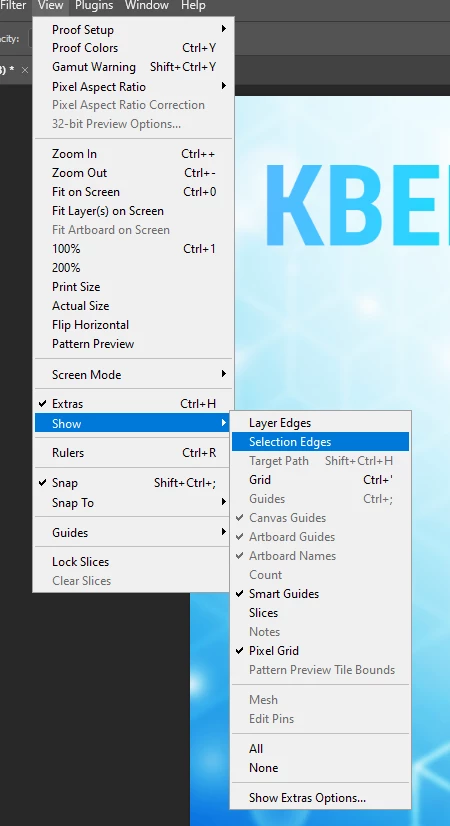
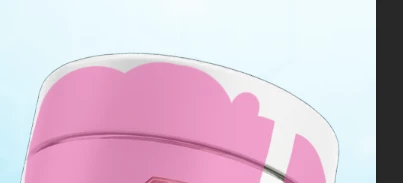
You see when I use the selection tool it just keeps painting my objects with magenta. But the thing is that I'm missing the marching ants here and the auto selection which was enabled by default going together with the marching ants and it allowed to either to select a certain area or to deselect it, and it basically knew what to select... Now here's this manual brush-like selection which isn't smart!

I tried to turn on the selection edges in the settings, but as soon as I start painting again it gets back to default disabling the marching ants and yeah auto selection with it
 

    2 replies

    D Fosse
    Community Expert
    Community Expert
    April 9, 2026

    This is how Quick Mask mode looks:


    jane-e
    Community Expert
    Community Expert
    April 9, 2026

    Haha, ​@D Fosse I made my screenshot while you were posting, so here it is anyway! 


    D Fosse
    Community Expert
    Community Expert
    April 9, 2026

    Yeah, I figured I had to be quick ;-)


    Oh, one more important thing to note: Quick Mask saves with the file.

    jane-e
    Community Expert
    Community Expert
    April 9, 2026

    @Anne_K6326 


    Can you check to see if you are in Quick Mask mode? It will show in the Channels panel, the Title bar, and (I think) also in the Layers panel.


    EDIT: confirmed it shows in the Layers panel.


    Jane


    Anne_K6326
    Participant
    April 9, 2026

    @D Fosse ​@jane-e yeah I figured this out I just confused Quick Selection Tool which I was looking for with the Selection Brush Tool which is a new thing to me… And they almost have similar icons