

Walter_H
Legend
December 16, 2021
Answered

Photoshop Elements 2022 Will NOT Install On Windows 10 Laptop

  • December 16, 2021
  • 4 replies
  • 4065 views

Hello folks, I'm looking for some help!


I recently installed PSE 2022 on my desktop PC and it runs great. I decided to install it on my laptop also. The PSE 2022 web install fails at the 84% mark and displays this error message.
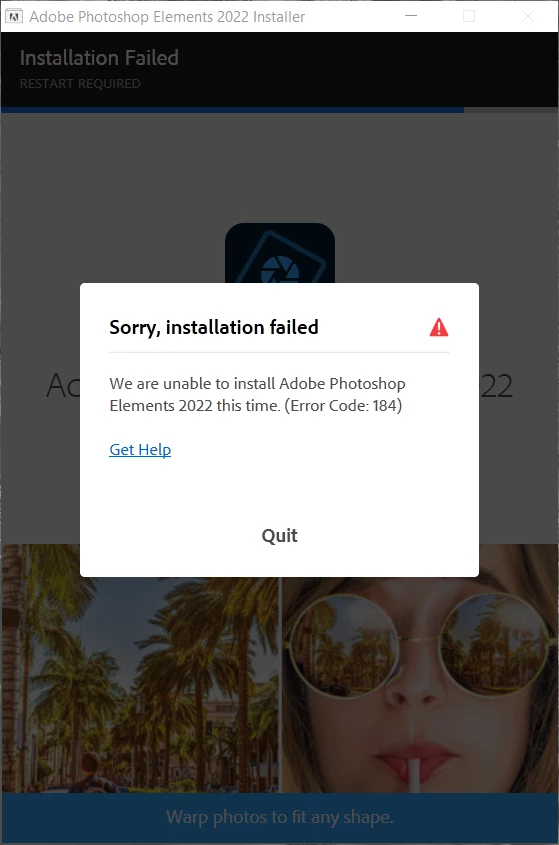
 

This is what Error Code 184 shows me:
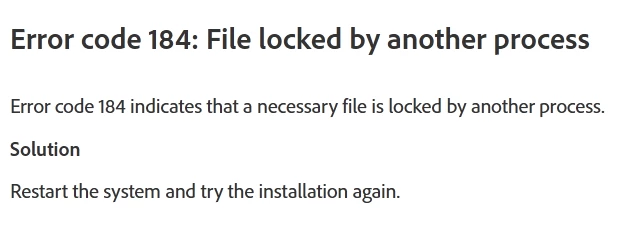
 

When I restart my laptop and try the install again, it fails at the same point with the same message. I have several other Adobe programs installed on my laptop that ALL run great. They are Adobe Creative Cloud Desktop, Acrobat Pro DC, Photoshop v23.1, and PSE 2020.2. My laptop meets and exceeds the required specs for PSE 2022. Here are some specs for my laptop, Windows, and PSE 2020.


LAPTOP PC INFO
Model: ASUS ROG GL553VE
Processor: Intel(R) Core(TM) i7-7700HQ CPU @ 2.80GHz 2.81 GHz
Installed RAM: 32.0 GB (31.9 GB usable)
C Drive: Samsung SSD 970 EVO 500 GB (305 GB free)
D Drive: Seagate 1TB ST1000LM035-1RK172 (806 GB free)
Video card: NVIDIA GeForce GTX 1050 Ti
Display Size: 15", 1920 px X 1080 px
Device ID: C2563FB2-80DE-4EC4-9E36-7D5AD52C80C3
Product ID: 00330-80000-00000-AA390
System type: 64-bit operating system, x64-based processor
Pen and touch: No pen or touch input is available for this display


WINDOWS INFO
Edition: Windows 10 Pro
Version: 21H1
Installed on: ‎5/‎27/‎2021
OS build: 19043.1387
Experience Windows Feature Experience Pack 120.2212.3920.0


PSE 2020 SYSTEM INFO
Adobe Photoshop Elements Version: 18.0 (20201207.m.154403) x64
Operating System: Windows 10 64-bit
Version: 10 or greater
System architecture: Intel CPU Family:6, Model:14, Stepping:9 with MMX, SSE Integer, SSE FP, SSE2, SSE3, SSE4.1, SSE4.2, AVX, AVX2, HyperThreading
Physical processor count: 4
Logical processor count: 8
Processor speed: 2808 MHz
Built-in memory: 32653 MB
Free memory: 26311 MB


And, I ran the Adobe Creative Cloud Cleaner Tool. It does not show a PSE 2022 installed. Here's a screenshot of the CC Cleaner tool
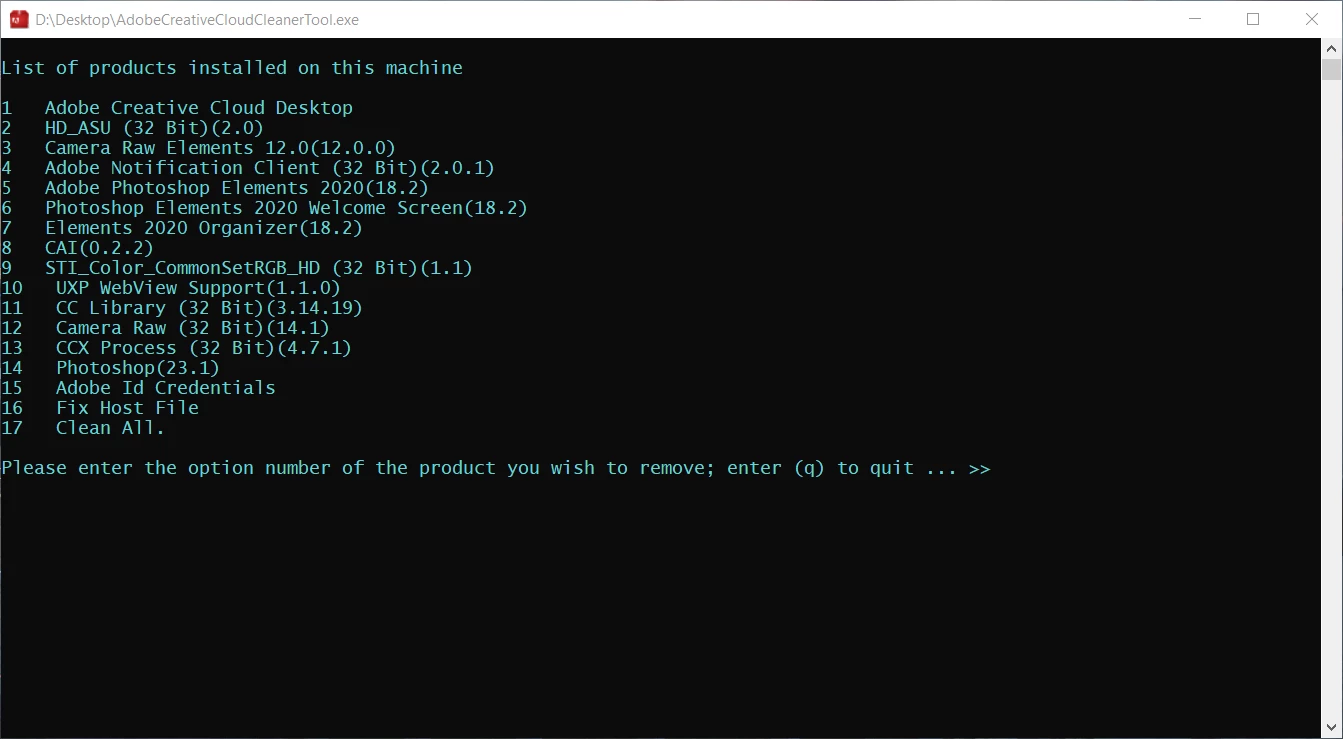
 

What can I do to get PSE 2022 installed??


Thanks!


{Thread title edited by moderator}


Correct answer Walter_H

FYI, I finally found the solution to this ongoing problem on my laptop.


The problem seemed to be caused by a locked file that was needed by Creative Cloud. I used my Revo Uninstaller Pro to uninstall and remove the Creative Cloud software. After the uninstall, I rebooted and ran the install for Photoshop Elements 2022. During the installation, I noticed that the first icon to appear on my desktop was the Creative Cloud icon. The installation was successful. All is well now and all of my installed Adobe apps - Adobe Creative Cloud Desktop, Acrobat Pro DC, Photoshop v23.4.2, and PSE 2020.2 are all working nicely!

4 replies

raymondf14949122
Participating Frequently
October 9, 2022

Sometimes the first error occurs as a double attempt to install. Had this one before myself. Now it appears to be something wrong with an update on either the OS side or the Website side of things.  In any case this is the best work around.  I am not sure if it will work for MAC users but its worth a shot. 


Solution for Photoshop Elements 2022 installer err... - Adobe Support Community - 13255578

Participant
October 14, 2023

I have spent the last hour or two trying to install Photoshop Elements, without good result. I see that one option is to reformat my hard drive. What idiot writes this? Why not just write software that installs or is that too much trouble. I'm off to find something sensible.


raymondf14949122
Participating Frequently
October 24, 2025

You covered it pointing out they are idiots. 

Walter_H
Walter_HAuthorCorrect answer
Legend
July 27, 2022

FYI, I finally found the solution to this ongoing problem on my laptop.


The problem seemed to be caused by a locked file that was needed by Creative Cloud. I used my Revo Uninstaller Pro to uninstall and remove the Creative Cloud software. After the uninstall, I rebooted and ran the install for Photoshop Elements 2022. During the installation, I noticed that the first icon to appear on my desktop was the Creative Cloud icon. The installation was successful. All is well now and all of my installed Adobe apps - Adobe Creative Cloud Desktop, Acrobat Pro DC, Photoshop v23.4.2, and PSE 2020.2 are all working nicely!

--Walter in Davie, FL
Participant
June 23, 2022

Don't bother with trying to install Elements from a disc. It will not work. You can spend hours and hours of your life trying, re-trying, following all of the "troubleshooting" suggestions, repairing creative cloud, uninstalling creative cloud, disabling your antivirus, all of the blah-blah-blah "help" and "support" from Adobe (which on God's green earth does not exist). Installing from the disc will never work. If you do buy a disc, the packet it comes in has a serial number and a sticker with instructions on how to install from the web if you don't have a DVD drive (everyone really does, but that's beside the point). Just install it that way. Adobe should tell you this simple thing when they sell you the product, but no, they just like you to spend more time being frustrated with them until you figure it out. Apparently they figure that you will come out of the process a better person. After doing the install, trying it out (it works fine), along with 2 gin & tonics, I guess I am much better now. Thank you, Adobe!

nikunj.m
Community Manager
Community Manager
December 17, 2021

Hi,


We're sorry about the trouble while trying to install Photoshop Elements 2022. Please check out: https://community.adobe.com/t5/download-install-discussions/help-with-error-184/td-p/9975216

You can also check: https://community.adobe.com/t5/download-install-discussions/error-184-on-creative-cloud-update/m-p/10503442


Let us know if it helps!

Regards,

Nikunj