


Participant
November 7, 2020
Question

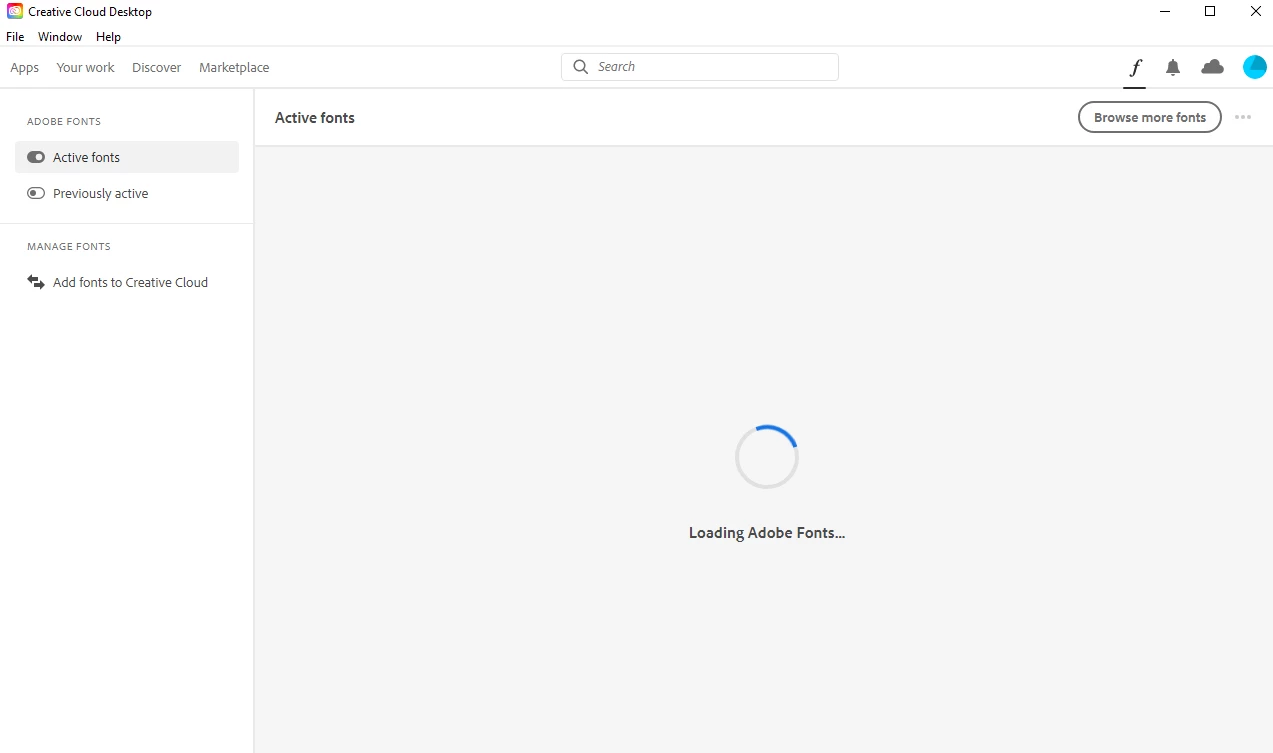
Adobe fonts page stuck on loading + no downloaded adobe fonts showing in any adobe software
  • November 7, 2020
  • 5 replies
  • 2426 views

I am having trouble using adobe fonts. I have downloaded fonts from adobe fonts and they do not appear on premiere pro, i have made sure the creative cloud app has been open when downloading them and i have tried reopening all adobe apps and restarting my computer

My internet is also stable and all other menus work on creative cloud.


This topic has been closed for replies.

5 replies

Participant
November 17, 2021

Same problem here!

RyanJosephDP
Participant
November 4, 2021

Is this an M1(Pro/Max) issue? I'm having the same issue

Participant
June 28, 2021

its happen to me now..i already try a few solution but nothing happen.. 

Participant
March 10, 2021

If you are running on a mac, Run the uninstaller in your applications folder, and instead of clicking unsinstall when the dialog appears, Click on "Repair". Literally JUST tried this and it fixed the issue for me.... I hope it works for you too! this issue is very annoying.

Participant
August 1, 2021

I'm having the same problem. But the "Repair" didn't work.

Participant
December 12, 2021

Same here. On my desktop it works fine but I'm having this problem on my laptop

R Neil Haugen
Legend
November 8, 2020

Try signing out of the CC Desktop app, reboot, sign back in. And also go to the CC Desktop Help menu and check for updates, occasionally this gets fouled up.


Neil

Everyone's mileage always varies ...
Participant
December 12, 2021

Hi! I'm having the same problem.. but: this problem occurs only on the laptop. On my desktop it's loading my fonts directly. Using repair on the uninstall doesn't work and when trying to remove the app it says that it can't remove it because something on cc is still running but it isn't... HELP!!!