


Participating Frequently
March 18, 2025
Question

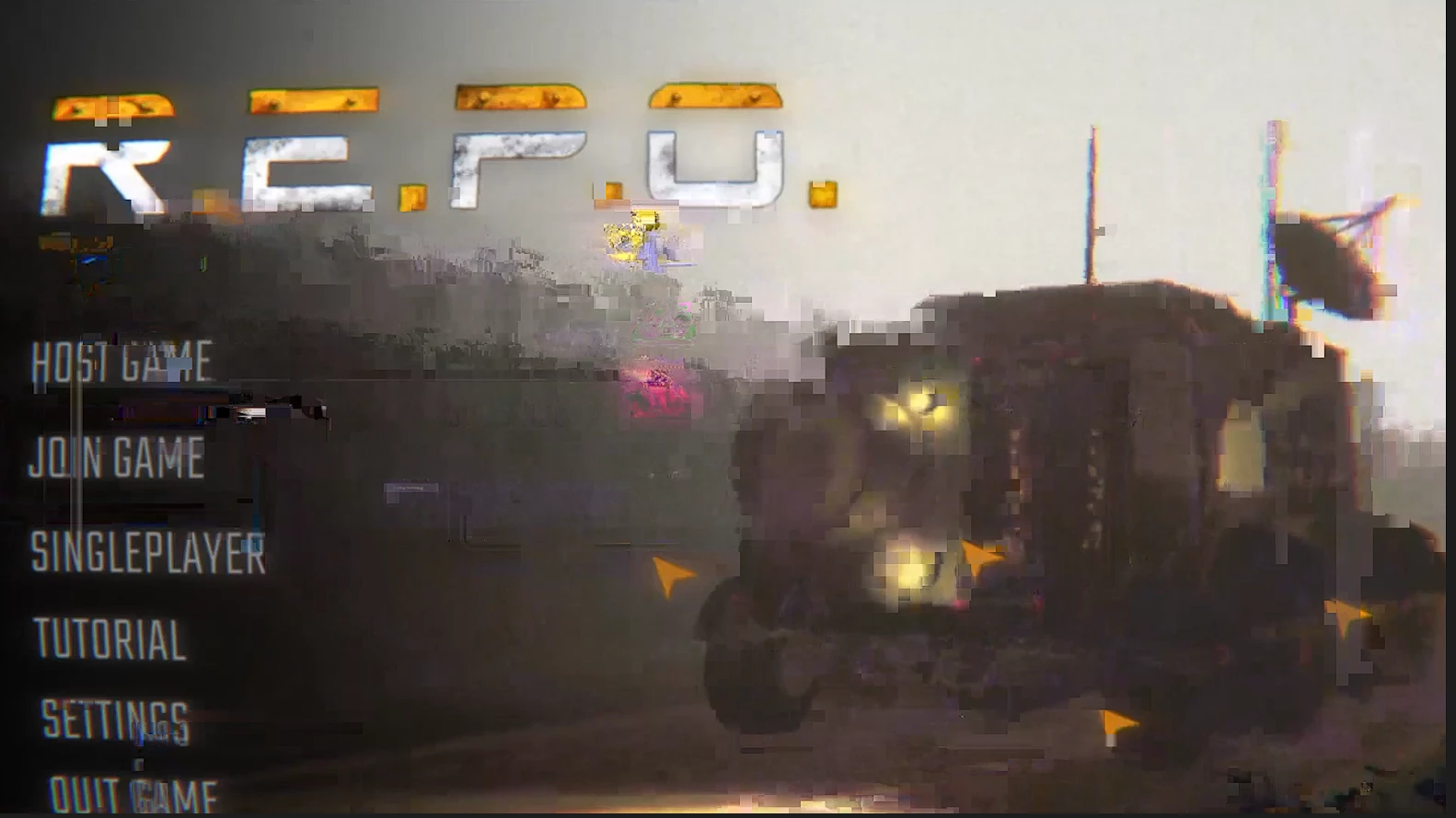
Any footage I place in the workspace immediately gets glitched out and looks horrible

  • March 18, 2025
  • 25 replies
  • 688 views

I'm not sure as to what I should do I've factory reset my premier I've cleared the cache all my drivers are updated even rendering the video doesnt fix it please help.
25 replies

MyerPj
Community Expert
Community Expert
March 30, 2025

Thanks for the screenshots. As a side note, we like the 'Tree' view in MediaInfo.

The only thing of note is the FPS, do you need a 120fps export? You could even edit in 60fps and Export at the same. Try that a least, set an in/out point, for however long you'd like to wait, and just export a section for a test. (FWIW: YouTube does not playback in 120fps).


You could also up the BitRate in the 'Video' portion of the Export settings. Try things with short exports as noted above.


Participating Frequently
March 30, 2025

I'm using Windows 11.

MyerPj
Community Expert
Community Expert
March 29, 2025

Per Rach, we need more info:

Info needed for a bug / tech support


And  some screenshots. Sequence Settings, Export Settings and some info on your media:


You can use the free MediaInfo program to get info on your clips. Get the program from the link below and using the 'Tree' view post a screenshot of your clip info: https://mediaarea.net/en/MediaInfo/Download


Participating Frequently
March 29, 2025

Thanks for trying to help me @Rach McIntire ,

Im using 2025 version of Premier but it occurs in 2024 aswell, the issue arose very randomly as it was working perfectly fine months beforehand and recently and I realized that some parts of it are artifacting and bugging out really hard (the clip displays this).  Although all the diffrent sources ive explored through dont seem to fully fix the issue. (The raw footage itself is perfectly fine). The issue only really gets bad around the cuts where it glitches over into the other clip.


Community Manager
March 18, 2025

Hi @logan_3205 


Welcome to the Premiere Pro forums! We are glad to see you here.  Can you tell me which version of Premiere you are in?  Also, what "workspace" are you trying to place the footage in?  Do you mean import it?  We need a few more details to help with this issue. Please see: How do I write a bug report?


I hope we can help you soon. Sorry for the frustration!