


Inspiring
January 3, 2017
Answered

Cannot Import Image Sequence

  • January 3, 2017
  • 5 replies
  • 5962 views

I'm using Premiere Pro 2017

I can select the first Image of a sequence of 720 JPEG's and select Image Sequence.
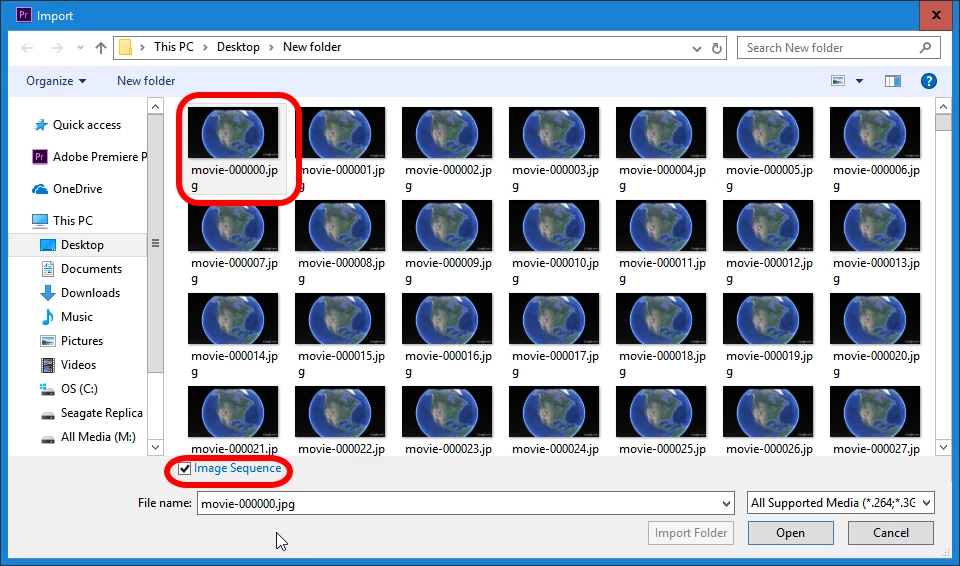
Then, when a hold shift and select the last image the image sequence check box clears itself and Premiere Pro will only import the images separately.I cannot recheck the image sequence box at all.It's even greyed out as an option.
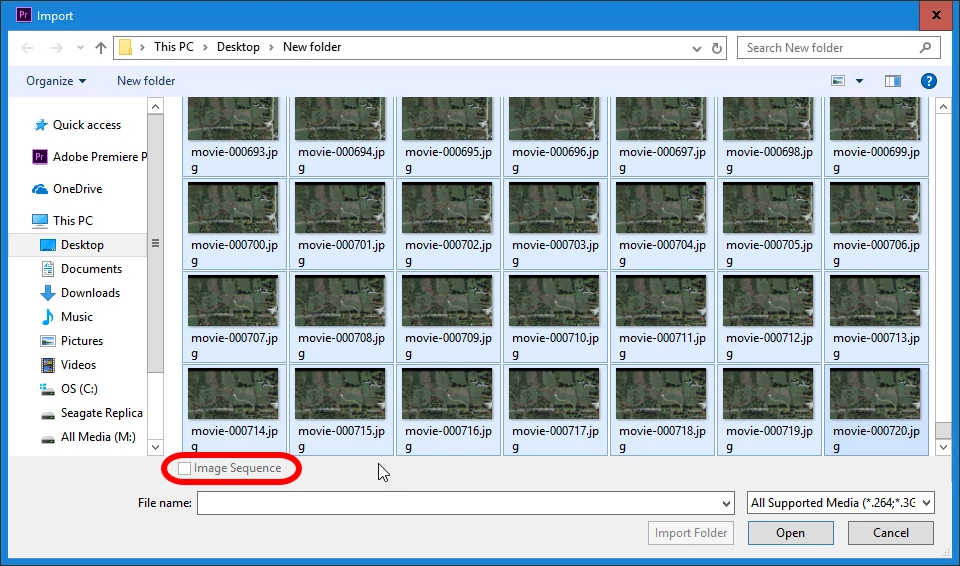
These images were captured with Google Earth Pro.

    This topic has been closed for replies.
    Correct answer Richard M Knight

    Try just selecting the first image but still clicking the image sequence box

    5 replies

    Participating Frequently
    November 26, 2017

    Thanks for your help guys,  the problem was that the sequence of images  was broke somewhere in the middle so I had to import them into lightrooms than make my own sequence.

    Participating Frequently
    November 25, 2017

    did you manage to get the image sequence to work as a video?

    I am really struggling  to import a image sequence from google earth pro, I have selected the first image and click the sequence box,  when I import it into premiere it' doesn't work as a video, I can't  figure out.

    R Neil Haugen
    Legend
    November 26, 2017

    Are you doing this from the Media browser panel in PrPro?

    Neil

    Everyone's mileage always varies ...
    Participating Frequently
    November 26, 2017

    Hi Neil, not sure what you mean by media browsr. 

    I am using  Google earth pro on 'Google chrome'  browser saving the images as jpeg's importing them as a sequence in  latest  premiere pro cc

    Participating Frequently
    November 25, 2017

    Hi, I am really struggling  to import a image sequence from google earth pro, I have selected the first image and click the sequence box,  when I import it into premiere it' doesn't work, I can' figure out why?

    any advice?

    thanks

    Ann Bens
    Community Expert
    Community Expert
    January 3, 2017

    After the first screendump hit Open.

    Richard M KnightCommunity ExpertCorrect answer
    Community Expert
    January 3, 2017

    Try just selecting the first image but still clicking the image sequence box

    Inspiring
    January 3, 2017

    That was simple enough.Thanks!