



Answered
Cross Disolve has buggy visual artifacts after export
Hi, I'm brand new to Premiere. I figured out how to add the default cross-dissolve between my clips to achieve a quick fade-to-black between clips, which is my desired effect, and in the preview pane it seems to render fine; however, when I export, those transitions render very poorly. Essentially, each time the fade happens, it throws up a weirdly flickering magenta overlay with a green bar through it, like so:

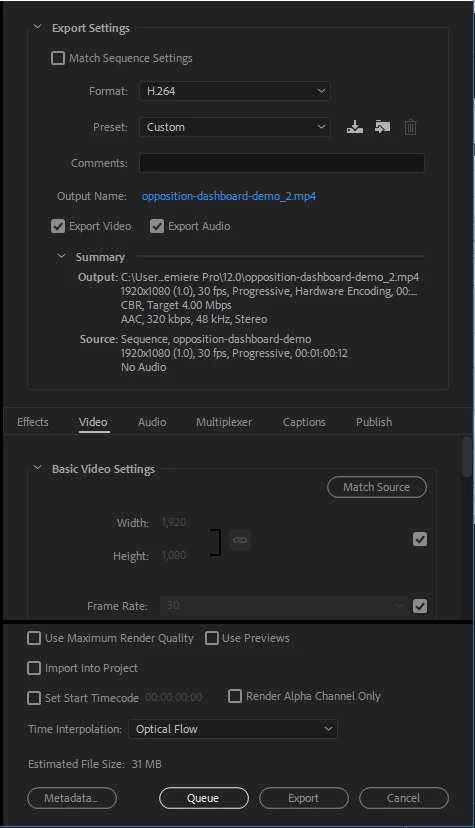
This glitch is severe in that it is very noticeable and covers the entire screen, but it only happens for the duration of the cross-dissolve. I'm attaching a capture of my Export Settings pane, if that helps:
 .
.
Thanks in advance for your assistance!!
 AdChoices