


DaVinci Resolve to Premiere (using LUT) color shift
Hi there,
For various reasons, I have opted for a simple and flexible workflow where I do my grading in Resolve (using only nodes that can be exported as LUT), export my LUTs per clip and apply them in Premiere using the Luminetri Color effect. For 12 months, I was doing my grading on a mac and editing on PC and I never noticed any color or contrast change (I had two 27 inches monitor side by side). I was actually so suprised and impressed by that fact that I got immediatly sold on this workflow, even if it limits greatly the tools that can be used in Resolve. For the last 6 months however, I have been doing both the Resolve grading and Premiere editing on the same machine (Mac) and I frequently encounter red-ish color shifts which, depending on the grading, go from acceptable to really bad (Skin turning red).
This shift is visible both in the editor view of Resolve vs Premiere and on the exported footage (MP4)
I have tried all sort of things in the Color Management tab of Resolve but never managed to make them diplay or export the same thing. So far, the only hacky fixes I have identified are:
A/ Compensating before LUT export in Resolve by desaturating a bit (-5) and pushing the Temperature toward yellow between +200 and +500 (results vary and it is never fully satisfying)
B/ Exporting a still from Resolve and using Color Match (on top of the LUT) in the Luminetri Effect of Premiere (this seems to offer good results but it's so tedious that I have not gathered much experience with that route)
I know this has been discussed before and I have read everyhting I could find on Google but none of what I have read and tried has been able to fix that.
At least (A) and (B) will be my modest contribution if anyone encounters the same issue but really, I'd prefer a proper way!
PS: I am using the latest version of Premiere Pro (13.1.5) and have had exactly the same issue with Resolve 15 and 16 (which I installed yesterday)
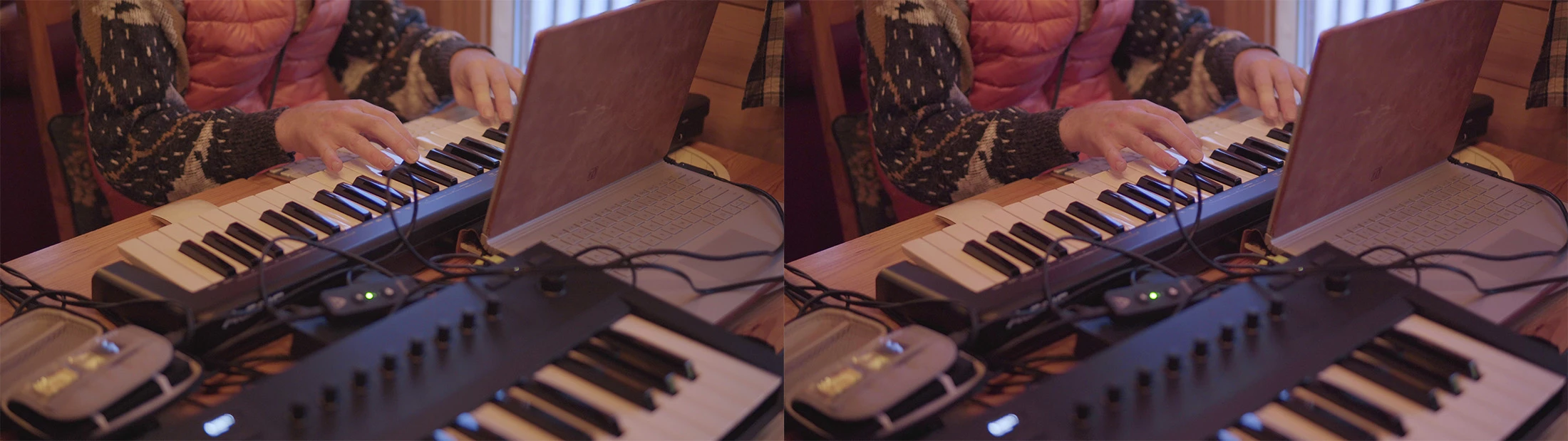
Enclosed a side-by-side view (after export, snapshots from VLC)
(this one is not too bad: what I would qualify as "acceptable")
Resolve on the left / Premiere Pro on Mac on the right
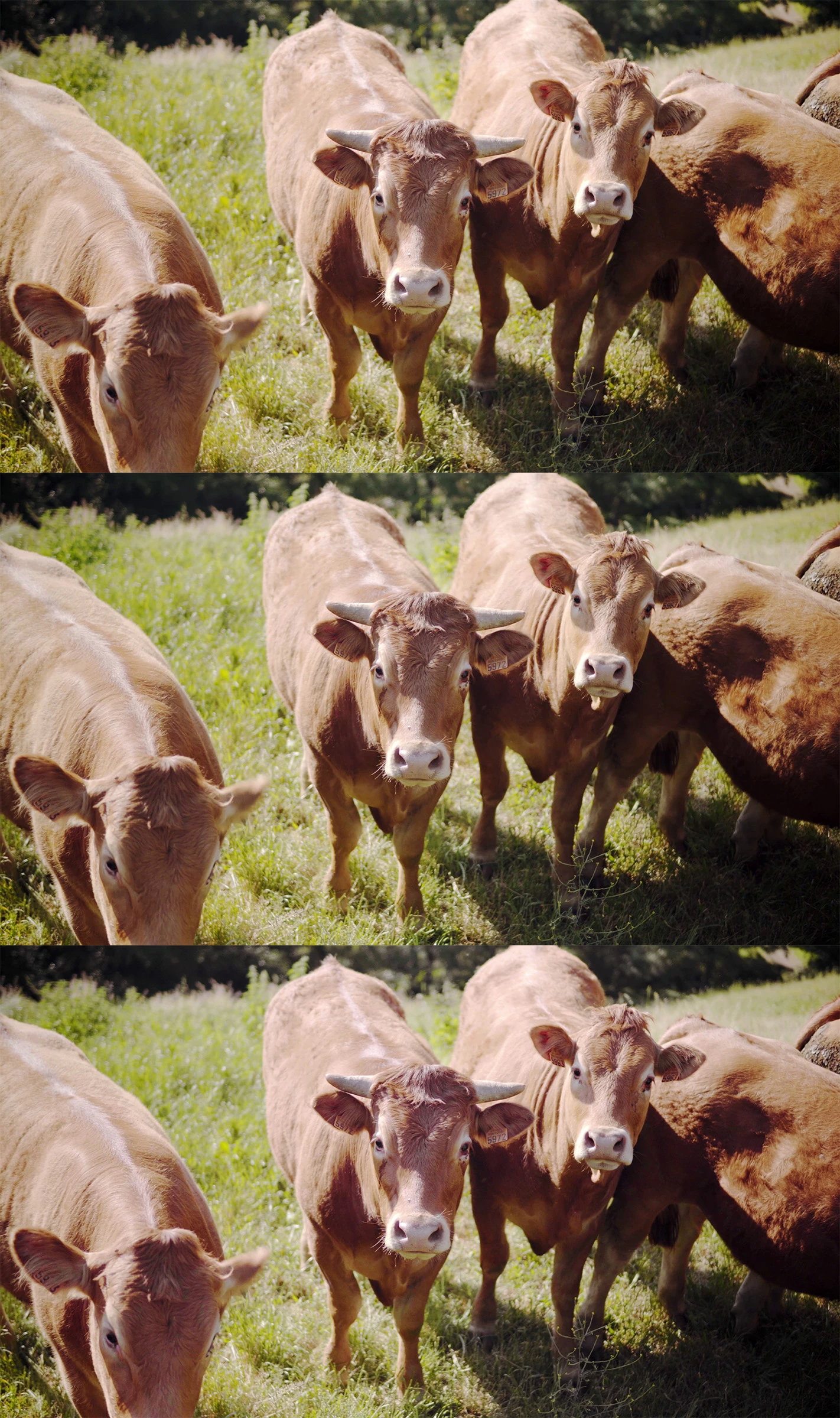
Below after MP4 export and VLC snapshot
Top is Resolve / middle is Premiere on PC / bottom is Premiere on Mac
Clearly there is much more of a shift on Mac
 AdChoices