Wallison1
Participant
June 19, 2020
Answered

How to fix "a low level exception occurred in: DeviceController:4"

  • June 19, 2020
  • 21 replies
  • 42291 views

Last night I upgraded the Premiere for the last version and this message started to happen when I tried to edit a video. 

"A low level exception occurred in: DeviceController:4"


The screeshoot below shows the error
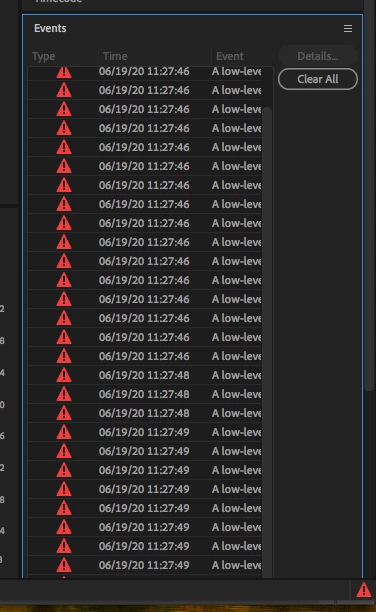
 

Now I can't add titles or do many things.


Tried some things like this and didn't work. 

https://community.adobe.com/t5/premiere-pro/how-to-fix-quot-a-low-level-exception-occurred-in-h-264-exporter-4-quot-please/m-p/11148457#M272520


Can somebody help me?

This topic has been closed for replies.
Correct answer Mitch W

The issue only occurs in 10.13.6 and happens anytime the preferences are touched. It's irratating, but otherwise harmless. Update the Mac OS to resolve.

21 replies

Ann Bens
Community Expert
Community Expert
June 19, 2020

Please post your:
Computer specs/setup,
Operating system build (not just the latest).
Premiere exact build (see about),

Do you have a capture card or something simular.

Wallison1
Wallison1Author
Participant
June 19, 2020


The Premiere version is 14,3


The render is Mercury Playback engine software only