
해결됨
In CC2022 EXPORT panel, blue location text link is missing... it's blank
What to do when the "Location" blue text link is missing? How do you export a sequence when the link vanishes?
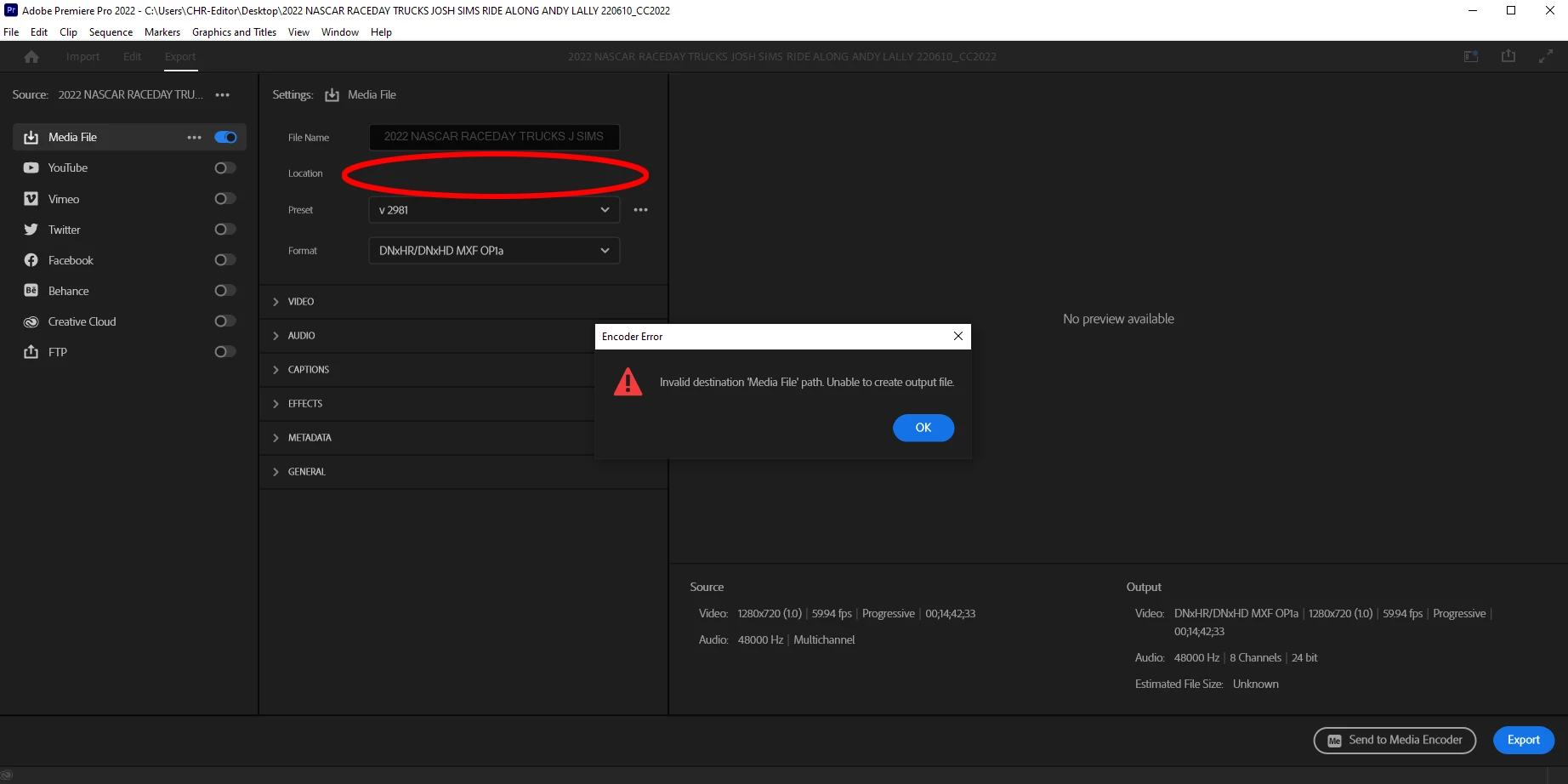

What to do when the "Location" blue text link is missing? How do you export a sequence when the link vanishes?
This time I held down Shift + Alt on the launch and cleared the plug-in cache as well. This initially brought the blue text link back... Once I clicked the link to navigate to a location, the export window wiped out my filename and the blue text link went back to blank. I clicked into the blank space... Premiere opened up a location window. I selected desktop, and I am now able to export to that location. Very weird bug here. Running CC2022.4 on windows 10 bulid 21H2. Is there a place to alert Adobe to this issue. Has happened more than once.
And thanks so much for the advice! LG
Enter your E-mail address. We'll send you an e-mail with instructions to reset your password.


 AdChoices