


Question
Multi-Cam Sequence sets clips end to end
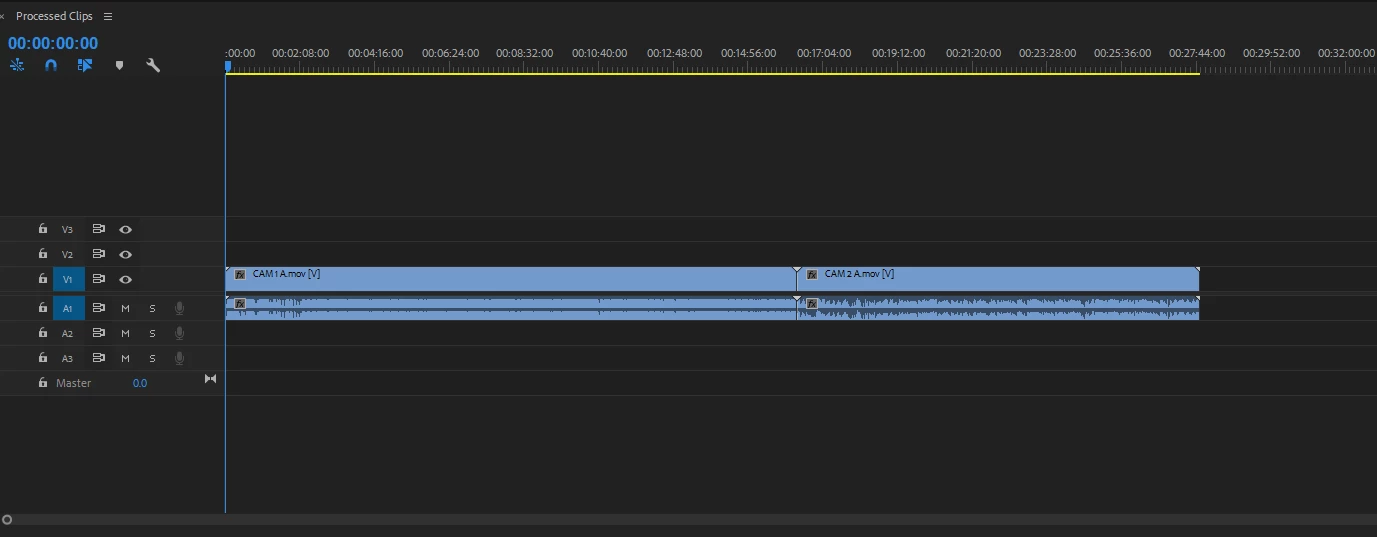
Greetings All. It has been awhile since I worked with multi-cam sequencing, but I wonder if processes have changed since 2017. I have two clips in my project pannel. I select them individually, with the first one being my primary clip. I select Create Multi-Cam Source Sequence from the Clip tab. In the past, this would sync based on my setting of Audio, with camera 1 being the primary source. I would receive one clip and toggle between in the view to set the cam angle through the sequence. Now, when I perform this function, I get a timeline with each camera clip set end to end on the timeline. I am still using the audio settings with camera 1 as primary. Not sure why it won't sync?
 AdChoices