Participant
January 8, 2021
Answered

No Fx button on movie clip

  • January 8, 2021
  • 4 replies
  • 4620 views

Hello,
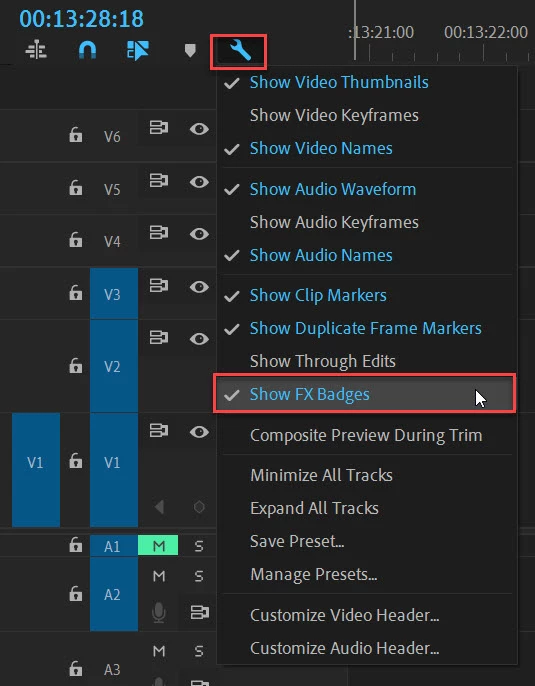
I can not find an fx button on my clips in every project I make with any videos.
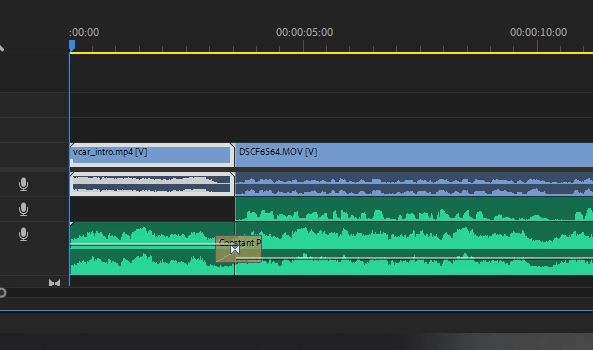

For example, if I do a speed ramping, there is no keyframe mode on a timeline like in this picture because there is no such Fx mark
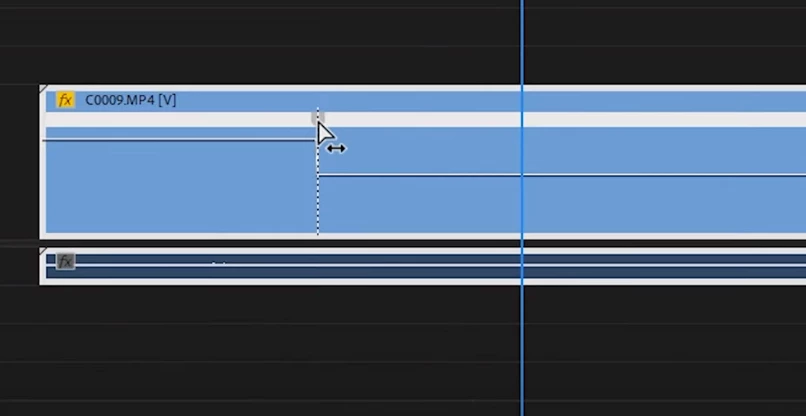
 is


Correct answer Ann Bens

4 replies

MyerPj
Community Expert
Community Expert
July 11, 2024
MarvinHeston
Inspiring
July 11, 2024

Thanks I'll take a look and Vote.


MyerPj
Community Expert
Community Expert
July 10, 2024

Are your tracks at minimum height? If so, make the track a little taller.

MarvinHeston
Inspiring
July 10, 2024

Thanks.  I found the solution.  I didn't know that Adobe had moved Fx to the right hand end of the clip and ghosted it, so that it isn't on screen most of the time and is hard to see when it is.  😞 


Oldtimer stuck in his ways


MyerPj
Community Expert
Community Expert
July 10, 2024

Glad you found it. If you like you can keep tab on things coming or released, by also watching the Premiere Beta forum.

🙂

Roman0D45Author
Participant
January 8, 2021

Thanx a lot!!

Ann Bens
Community Expert
Ann BensCommunity ExpertCorrect answer
Community Expert
January 8, 2021

Roman0D45Author
Participant
January 8, 2021

Thank you very much!