


Participant
April 9, 2025
Answered

P: System Compatibility Report Intel Arc Graphics Crashing

  • April 9, 2025
  • 25 replies
  • 14673 views

I recently updated Premiere to 25.2.1. After the update, this warning appears.
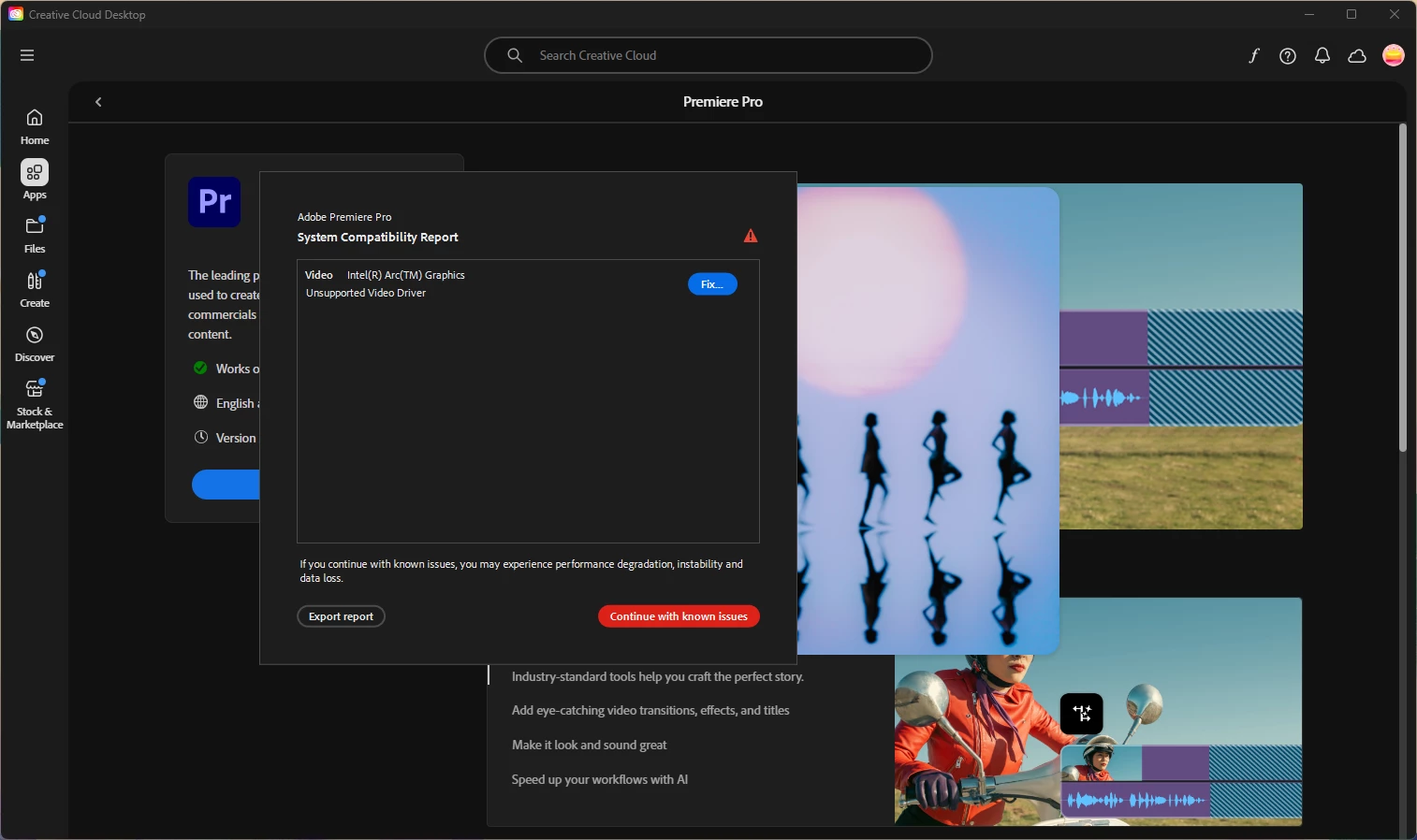
I followed the steps to fix this, and it worked for about a day. My computer had some more updates and now every time I try to work in Premiere, it not only crashes, but freezes my system. I can't even save a project before it crashes.


I've tried uninstalling and reinstalling Premiere, going back to an older 25 update, and updating my drivers, to no avail. There's probably more I'm missing but I was just curious if anyone had any suggestions to help out. Here are my specs as well: 


Lenovo ThinkPad

Intel(R) Core(TM) Ultra 7 165H 1.40 GHz

64 GB RAM

64-bit operating system, x64-based processor

Windows 11 Pro


Correct answer motivated_warmth7825

Jamie and Mayjain,


Thank you for your assistance today! I am back running normally now. No more incompatibility error or crashes. 


Solution:

 I used the DDU utility and completely removed both my NVIDIA and INTEL gpu drivers.  I then reinstalled the latest versions of both and that seemed to do the trick. Between Premiere, Windows 11 and Intel all pushing updates out this past week, perhaps something was leftover, causing issues.  Once again, thank you!

25 replies

jamieclarke
Community Manager
Community Manager
April 11, 2025

Hi @rachel_3132 - You are receiving this message because the minimum driver version you need to have installed is 32.0.101.6314.  Please update and let us know if that helps your issue.

Participating Frequently
April 10, 2025

I am experiencing the same issue.  It seems as though Premiere is not utilizing my Nvidia GPU and it is telling me that my onboard INTEL Arc graphics card is incompatible.  Premiere keeps crashing.  This was after a windows update.  I updated my INtel and Nvidia cards to the latest versions. 


Please help. Thanks


I sent a crash report as well.  Here are my specs:


Windows 11
Processor Intel(R) Core(TM) Ultra 9 185H 2.30 GHz
Installed RAM 32.0 GB (31.5 GB usable)
Edition Windows 11 Pro
Version 24H2
Installed on ‎11/‎7/‎2024
OS build 26100.3775
Experience Windows Feature Experience Pack 1000.26100.66.0


Participant
April 10, 2025

プレミアプロ起動時にエラーがでます。

システムドライバーがサポート対象外という内容ですが、実際にはNVIDIAのGPUに設定してあります。NVIDIAのコントロールパネルも確認しレンダラーがCUDAになっていることも確認しています。

生成AIには実際にはNVIDIAが使われているから問題ないと回答されていますが、エラーが出ること自体が気持ち悪いですし、本当に大丈夫なのか不安です。

分かる方がいらっしゃいましたら是非アドバイスをいただきたいです。


Community Manager
April 11, 2025

Hi @analytical_Crystal6839,

Welcome to the Premiere Pro forums. Sorry for the frustration. We need a few more details to try to help with the issue. Please see, How do I write a bug report?

Your file attachment hasn't been able to load on our end yet, would you be able to share again? Can you provide more more information about your operating system and hardware specs, and exact Premiere Pro version you are working with?

Hope we can help you soon!
Dani

Community Manager
April 9, 2025

Hi @rachel_3132,

Welcome to to the Premiere Pro forums and sorry for the frustration. We need a few more details to try to help with the issue. Please see, How do I write a bug report?

Are you still seeing the System Compatibility Report dialog box or did this go away after you updated your drivers? If you are still getting it, can you export the report and share? (I can direct message you)

Can you specify what other updates your computer has had?

After you went back to an older Premiere Pro 25 update, were you getting the same System Compatibility Report dialog box, or were you just seeing the project crashes?

Hope we can help you soon,
Dani

Participant
April 9, 2025

I work on a shared drive; it's a network drive that has 21.7 TB total and 13.0 TB free. My actual device drive has 1.86 TB total with 1.62 TB free. I keep the actual content and project files in the network drive and my personal drive houses the Adobe common stuff.

Peru Bob
Community Expert
Community Expert
April 9, 2025

What are the hard drives (how many, what kind, what is on each, what capacity, and how full)?