Hi Donald Barar,
Ann, the screen shot you provided is from Media Encoder. |
This window is the bottom-right section of Export Settings (in Premiere Pro). You need to click on the Queue to launch Adobe Media Encoder.
I would ask that both of you look at this from the point of starting from Premier Pro. |
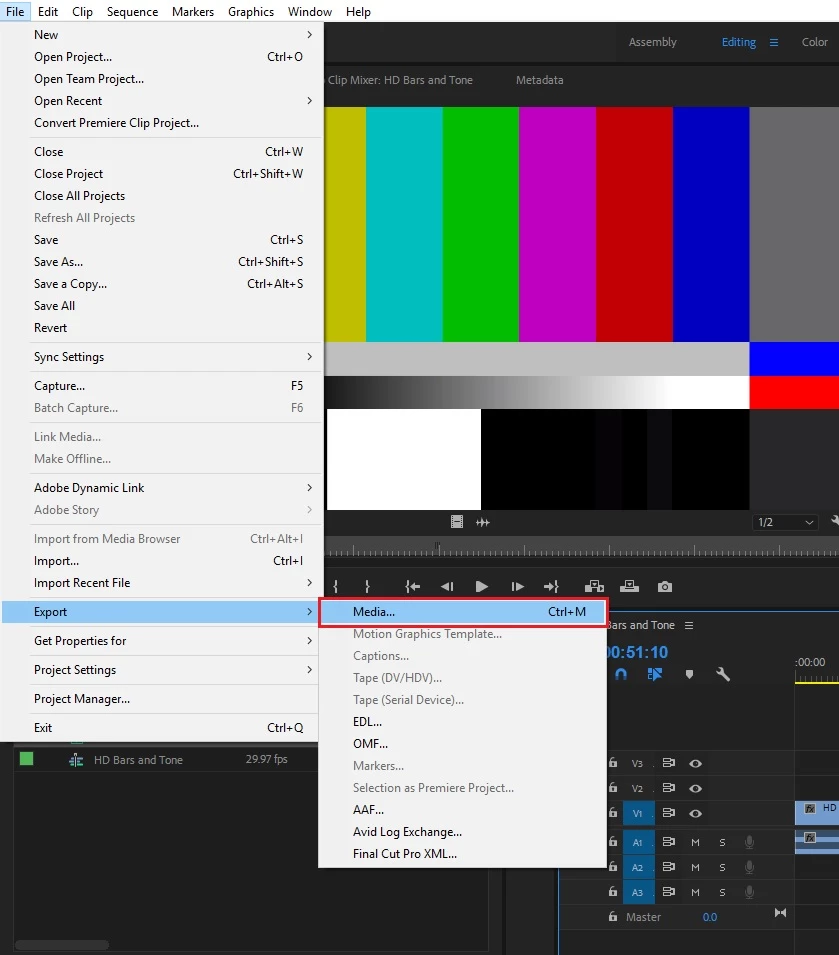
- You will get this window:
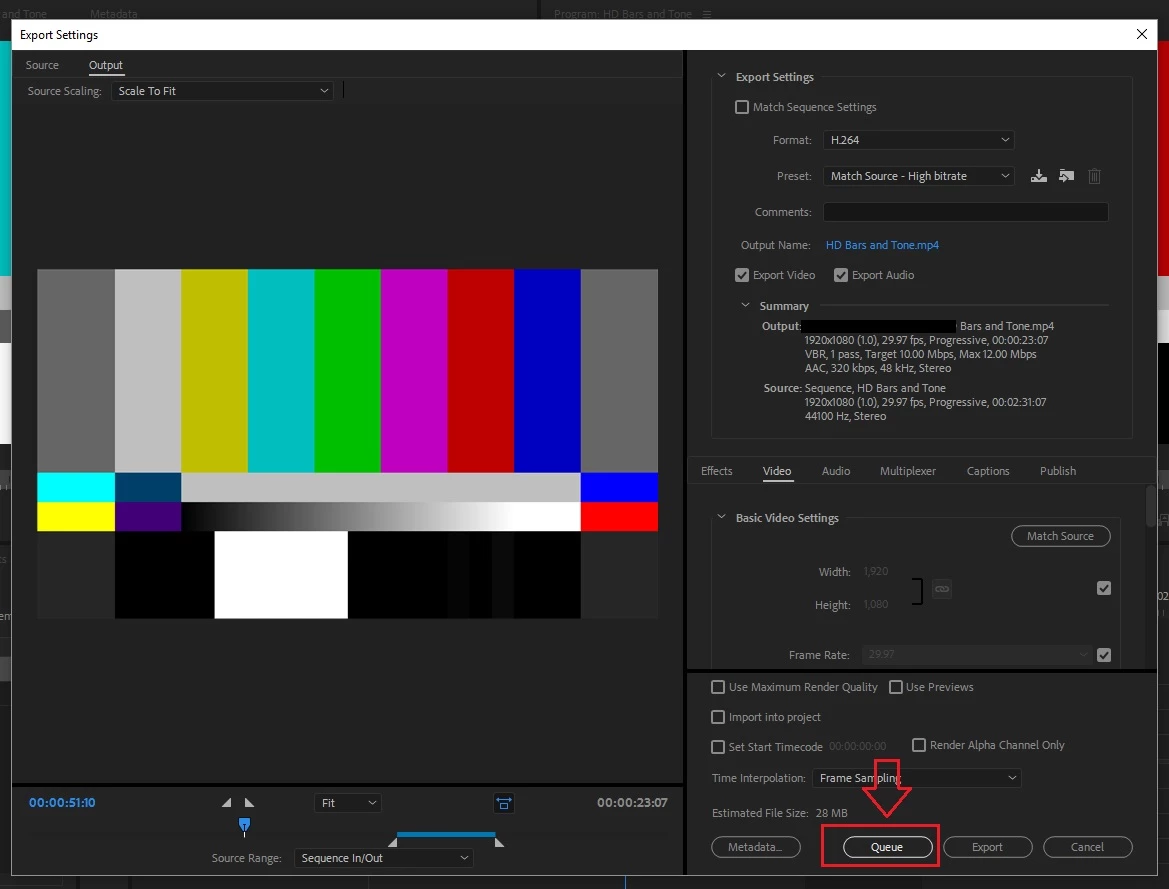
In the past, after selecting Media, Media Encoder would launch. |
I am sorry for the Confusion, but that is not true.
Thanks,
Kulpreet Singh
Hi Kulpreet,
You are correct. Media Encoder does not launch when selecting Media. What does come up is Export Settings.
In my instance, I was not getting the Export Settings menu to come up when I selected Media.
I finally determined why this was happening to me. I was experimenting with different stabilization settings in Warp Stabilizer. After making a change to Warp Stabilizer settings I was selecting File, Export, then Menu. It was after making these changes that I was not getting the Export Settings Menu to come up after selecting Media.
It turns out, for Export Settings menu to come up, I must first select either the preview window or the timeline. After making this selection, I then was able to select File, Export, Media and get the Export Settings Window to come up.
This is the answer I was seeking.
Thank you to all that helped.
Happy New Year,
Donald Barar



 AdChoices