
Participant
May 11, 2023
Question

Warp Stabilizer giving GPU Render Error

  • May 11, 2023
  • 5 replies
  • 7245 views

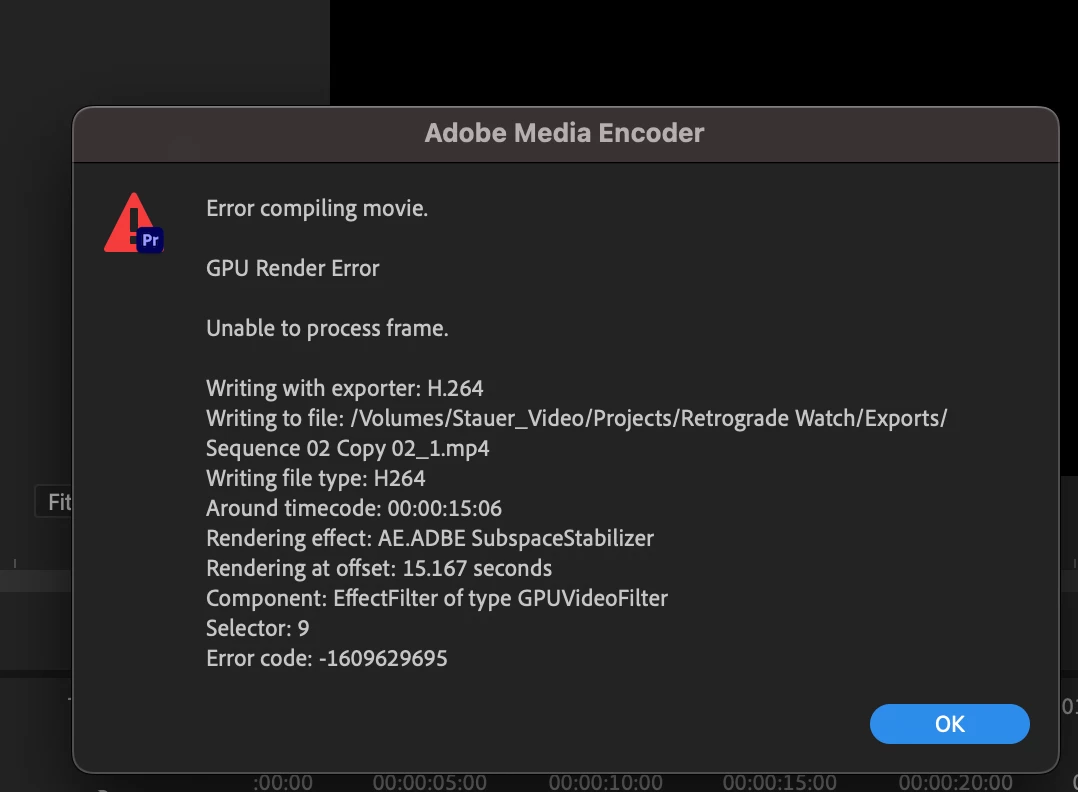
I am unable to use Warp Stabilizer in my clips. It's giving me a GPU Render Error. All the footage matches, I've used the Warp Stabilizer on a couple of clips in the timeline, only one is throwing the error. When I remove it from the clip, it renders fine.


Screenshot of error message
5 replies

Participant
February 23, 2024

This worked for me! Thank you!

seanmcnally98
Known Participant
January 29, 2024

Are you dealing with multicam clips?  I've found this to be an error when trying to export warp-stabilized multicam clips. Nesting, then applying the effect to the nested clip rather than the multicam clip fixed it for me.

Participant
January 2, 2024

I managed to find a solution that works for me: I nest the clip that is causing the error and then apply warp to the nest. So far that's been working out. The annoying thing is that I'm having multiple clips causing errors in a 1.5h long 4k edit, which I'm having to render out multiple times to find the problematic spots. If anyone finds another solution please let me know!

Ann Bens
Community Expert
Community Expert
July 24, 2023

Premiere does not play nice with Variable framerate footage. (you can check this with MediaInfo )

Convert to constant framerate before bringing it into Premiere.

K 11 films
Participant
July 24, 2023

Hi If you are still facing the issue.
THE SOLUTION I got for this is make your sure your footage fps and timeline fps matches if you are using warp with 24fps footage on 30,50 or 60 fps timeline this error will occur again.

Convert your timeline to the same as the max shots and then shift it to hardware encoding.
this helped me and saved hours.