

Git Authentication
I've been using Azure DevOps for RH2020 projects for a while now and would like to use GIT.
I have never been able to get RH Collaboration to work correctly from inside our corporate network. It only works when I work from home. The workaround was to use Visual Studio to handle the version control of the RH project folder.
I'm now switching from DevOps to GIT, but I have the same problem connecting to GitHub as I did with DevOps. I can connect from my home PC but not the work PC.
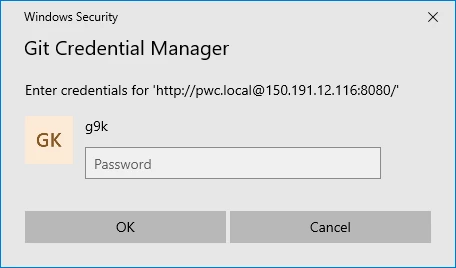
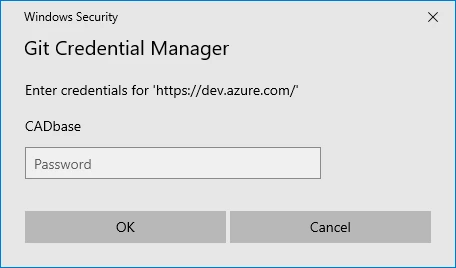
I have installed GIT on both machines, and on the work PC, I can successfully use git bash to clone a repository. To get that to work, I had set the forward proxy with git config --global https.proxy https://<proxy>:8080. That triggered a pop-up prompting for username, password and 2FA code, etc.
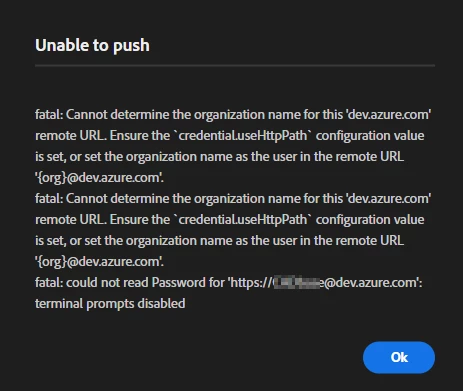
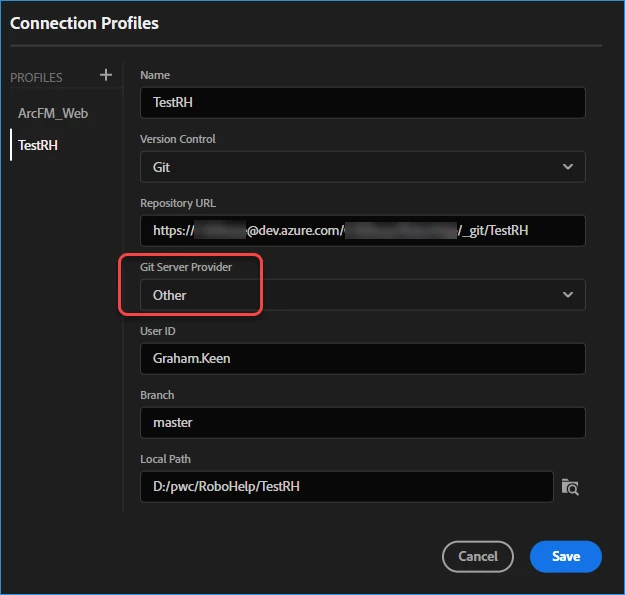
I created a RoboHelp Connection profile using https://github.<account>/<project>.git and supplied the same username, but RH times out when trying to clone the repo. Logging into GIT from Chrome or Edge first makes no difference.
I tried switching from HTTPS to SSH without success. Enter the SSH Private Key triggers the error:
"SSH Key could not be added to the. ssh=agent. Make sure that ssh-agent is running and the key is valid".
One link on the community suggests testing SSH connectivity first with ssh -T git@guthub, but that test fails on the corporate PC (so I'm guessing that Port 20 may be closed in the enterprise proxy or firewall).
The fact that git bash works with HTTPS on the enterprise PC suggests getting HTTPS to work from RoboHelp may be possible. RH2022 is failing to authenticate, or RoboHelp isn't using the same proxy server as git.
My only workaround would be to use the git command line for all source control commit, push and pull functions when working on the office PC and use RH Collaboration only on the home PC (where authentication is successful).
Are there any proxy settings in RoboHelp?
Can I set the authentication method for HTTPS connections to GIT?


 AdChoices