
Known Participant
March 22, 2019
Question

HTML5 - Charcoal layout - Search Function not loading results

  • March 22, 2019
  • 1 reply
  • 730 views

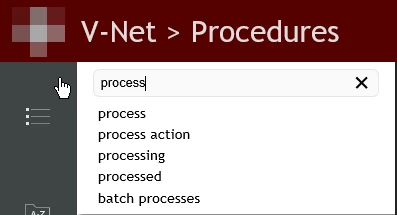
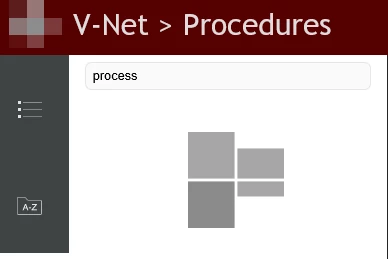
I'm currently using Robohelp 2017 and have several outputs that we use. For each output we are using the Charcoal HTML5 layout. Recently, the search function has not been processing any results in any of the outputs. When typing into the search bar it will list the suggested search however. I've attempted a little research on the issue and saw the solution that provided. Search does not work in Responsive HTML5 output generated from RoboHelp (2017 release) Update 2. I took the files within the zip folder and replaced them within the script folder of Robohelp and am still getting the same error with the search function. I have discovered that the issue only occurs in Internet Explorer however, which is the main web browser that our company prefers.

Our company is in the process of switching to a different terminal server and I've been working from the new server as of late and have been generating the outputs from the new server. I'm wondering if that is part of the issue and not all the robohelp files or scripts transferred over as clean as they should have? Any additional information to this issue or a possible resolution is appreciated.
This topic has been closed for replies.

1 reply

Jeff_Coatsworth
Community Expert
Community Expert
March 22, 2019

Are you noticing the same issues when looking at the output locally? If it works in the local output folder. but not on the webserver, then your missing files hypothesis is probably right.

codyp816Author
Known Participant
March 22, 2019

I attempted from a local computer as opposed to the terminal server and received the same issue. I generated one of the outputs from the old remote desktop that I was using previously and surprisingly the search was working as it should on all three (the new server, old server, and local). As far as resolving the issue, would a backup of the "!SSL!" folder before I switched to the new server potentially resolve the issue? My thought is to replace the "!SSL!" folder with the backup "!SSL!" and then generate the outputs again. I'm not incredibly tech savvy but from research I've done the "!SSL!" is where the output is placed once generated correct?

Jeff_Coatsworth
Community Expert
Community Expert
March 22, 2019

When you generate output, the corresponding sub-folder in the \!SSL!\ folder gets erased and created again. To preserve earlier output builds, rename them first (e.g. \!SSL!\WebHelp\ becomes \!SSL!\WebHelp.20190322\).

The fact that generating the same project on another instance of RH produces output that works indicates that you haven't applied whatever fixes needed to your other non-functioning-output-producing copy of RH. You should do a compare between machines to see what's different between the two.