
Answered
No option to add a Project to SharePoint for Collaboration
I'm on RoboHelp 2022.3.93.
I'm really stumped with this one. Using the Collaborate menu, I'm able to set up a Connection Profile and sign in to my SharePoint account. However, when I try to add a project, there is no Add Project menu option as detailed on the Help page: https://helpx.adobe.com/robohelp/using/sharepoint.html.
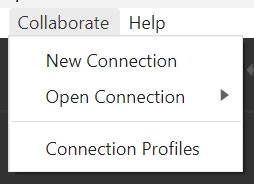
I've set up projects using this feature before and have been able to open the project, check out files, make changes, check in files, etc. I'm able to select existing projects and have them sync to my laptop. I just can't figure out how to add a new project.


 AdChoices