


Inspiring
July 1, 2021
Answered

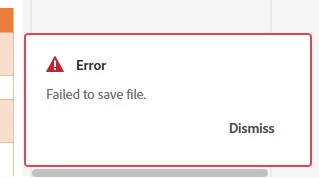
RH 2020 Update 5 - Error Failed to save file - using sharepoint

  • July 1, 2021
  • 17 replies
  • 816 views

I have a brand new project that I created yesterday on my local c drive. I added the project to Sharepoint. I have checked in some image files that I added yesterday. I have one topic in this project. I added to the topic throughout yesterday. However, at the end of the day I went to close the project (thinking everything was saved) and I got this error. The project closed and I have lost some of my updates. 

I searched on this site and this error seems to be a permissions error ie not having permissions to the folder where the project is. But I do have permissions  and I have another project stored with this hierarchy and I have never received this error before and its still working fine.


    This topic has been closed for replies.
    Correct answer joannah98656944

    This problem was caused by saving projects on one drive rather than c drive. I think RH defaults to c:\users\username\docments\my robohelp projects but my documents folder is automatically syncing to one drive so I was creating projects on one drive and Adobe Tech support said this was not supported.


    So in the end because even reinstalling Robohelp did not fix the issue, I had to back up the "my robohelp projects" folder on one drive and then delete it and then uninstall and reinstall Robohelp, which fixed my issues.


    The only issue is when I reinstalled Robohelp, it still picked up the my robohelp projects folder on one drive as its default location even when I selected change location and specified a folder on my c drive. So I just have to  manually browse to a location on my c drive when I create new projects. I have raised this with Adobe as I am not sure if this is a bug or because of the fact that my documents folder is automatically syncing with my documents folder on one drive. 

    17 replies

    Inspiring
    July 1, 2021

    Well I have tried to create a new project in a new file location and now I am getting

    I think its Adobe Tech Support time! If only I could find the number!


    Inspiring
    July 1, 2021

    Something else I have noticed.

    1. You select close project

    2. You get the dialog that says save your unsaved changes

    3. You select save

    4. Your project closes and you get the Failed to Save file error. You have lost your changes.

    Inspiring
    July 1, 2021

    Here are the steps I followed:

    1. Create my RH project locally on my c drive

    2. Create my folder on sharepoint that I want add my project too.

    3. From RH, select collaborate > Add project to add the project to sharepoint

    3. Update my topic throughout the day. Some of my content is saved but then I start getting the Failed to save file error

    4. Now I can no longer save any of my changes to that topic. I can still check files in as I checked in some image files that I had added. And if I create a new topic, I get the same error. And I have sighed in to Microsoft from RH. 


    After step 1 should I have deleted the .rh folder before I added the project to sharepoint? I only want to know for the future. I mean I kind of think I dont because this is not the first project I have added to sharepoint and I have never had this problem before. I think it is more to do with having to keep signing into Sharepoint all the time. But I need to know because this is only a small project with one topic but what if you have a project with lots of topcis and you start getting this error? How would you resolve it?


    Right now I am thinking about starting again with a new project. 

    Peter Grainge
    Community Expert
    Community Expert
    July 1, 2021

    Just saw your update. 


    You can delete the .rh folder. The only thing it will lose is any colours or tag groups you have added.


    Yes you have to follow the steps in the Guide.

    ________________________________________________________
    See www.grainge.org for free Authoring and RoboHelp Information

    Use the menu (bottom right) to mark the Best Answer or Highlight particularly useful replies. Found the answer elsewhere? Share it here.
    Peter Grainge
    Community Expert
    Community Expert
    July 1, 2021

    Does this relate to saving the topic locally rather than checking it into Sharepoint for source control?


    I'm not sure you can run a project within Sharepoint as opposed to using it for source control. Have you done that before or maybe others can comment.


    If the project is local, I would suggest making a simple change to that topic to see if it is a continuing issue or a one off.


    Sorry I can't be more help.

    ________________________________________________________
    See www.grainge.org for free Authoring and RoboHelp Information


    Use the menu (bottom right) to mark the Best Answer or Highlight particularly useful replies. Found the answer elsewhere? Share it here.
    Inspiring
    July 1, 2021

    Further to this post I have done some more thinking/research. So I found this: https://spectrumwritingllc.com/wordpress/2020/06/blog-robohelp/ It mentions deleting the .rh folder before adding the folder to Sharepoint. Is this correct? There is nothing in the Robohelp user guide about this.

    Also I notice in the Adobe Robohelp User Guide there is this 

    I havent done this. Could this be the issue? 


    Inspiring
    July 1, 2021

    No one else has this project checked out either.