Participant
October 2, 2021
Answered

How to easily change text color of ALL content in the PDF ?

  • October 2, 2021
  • 3 replies
  • 72949 views

My eyes are sensible and i would like to modify all of my PDF with GREY background and Orange text, i figured out for the background but for the text i have to do all of text box separetly , is there something faster to convert all of the text to orange ? I tried select everything with control+A but only 1 page is chosen.
Correct answer try67

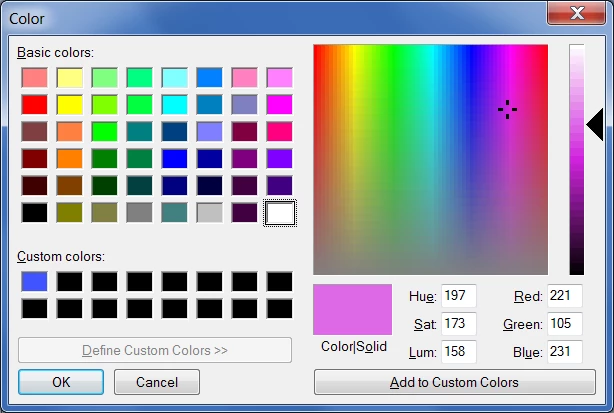
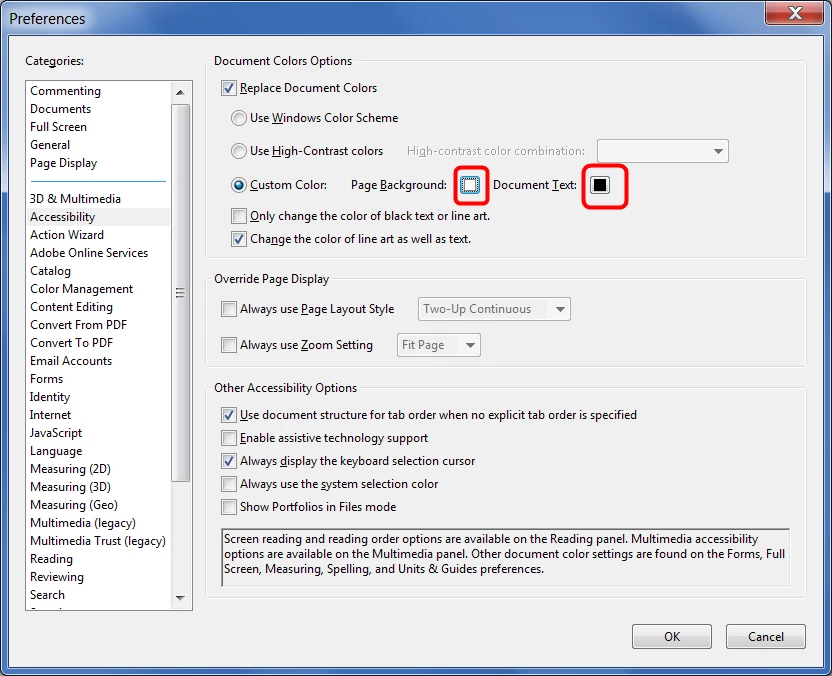
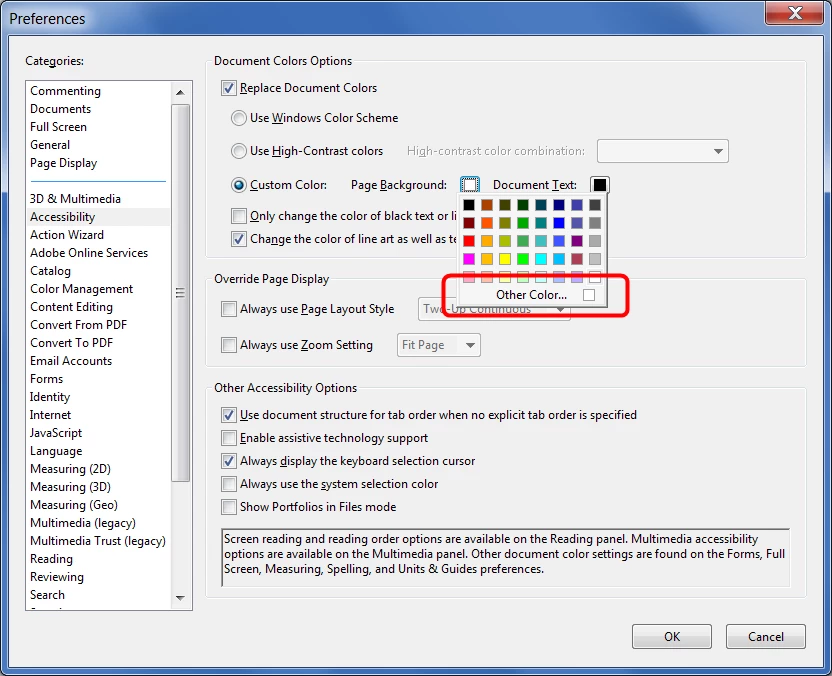
Sure, you can select any color you want. Click the Page Background or Document Text colors, then select Other Color and specify the exact color code you want to use.


Step 1:


Step 2:


Step 3:


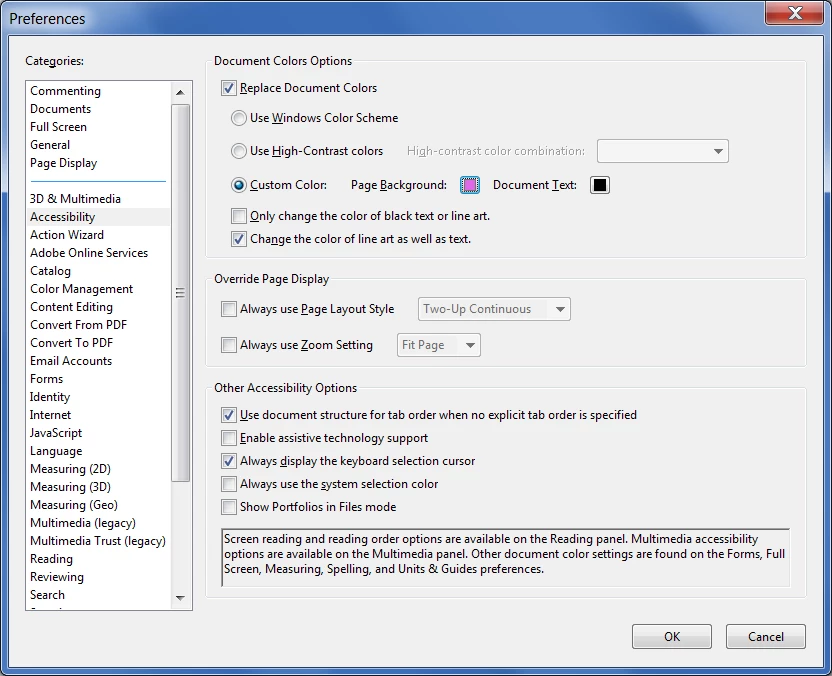
After selecting it click on Add to Custom Colors, then select it from the list below and click OK, and it will appear like this:


3 replies

Participant
March 15, 2023

The Preferences > Accessibility mode is only useful if you want to view the document in the browser.  If you want to print the doucment with the selected text colour, it doesn't work.  I'm interested in finding out how to edit the text colour in one go (rather selecting all per page).  I have Adobe pro and you can edit the text colour page-by-page but you can't do it for the whole document which is immensley annoying.

Participant
July 16, 2023

same here, I hope there is a way to save the viewed document after changing the color from accessability.

Luke Jennings3
Community Expert
Community Expert
July 16, 2023

Accessibility settings are only for viewing.

You can use a Preflight Profile to map the text to any desired color, here is a link to a related discussion:

https://community.adobe.com/t5/acrobat-discussions/how-to-convert-all-text-in-a-book-from-cmyk-to-black-only/m-p/13286263


Legend
October 2, 2021

If you just want to change how you see PDF files, try the Accessibility Preferences, which let you override black and white colors.

Participant
October 2, 2021

Oh yeah i tryed and its almost good thanks 👍, but the color are not what i want. Can i change the color in accesibility settings ? because im only allowed to choose already selectionned color like black/green black/yellow 

try67
Community Expert
Community Expert
October 2, 2021

hello thanks for your help i dont have this menu, please check my screenshot im on imac m1 2021


Try accessing it through the Acrobat app menu, then Preferences - Accessibility.

gary_sc
Community Expert
Community Expert
October 2, 2021

Becuase Acrobat is not intended for full document editing like a word processor page layout program, you can only do limited editing on any text and have to work one page at a time.


Sorry