JR Boulay
Community Expert
Community Expert
November 23, 2019
Answered

Signed PDF: how to "save a copy"?

  • November 23, 2019
  • 11 replies
  • 71772 views

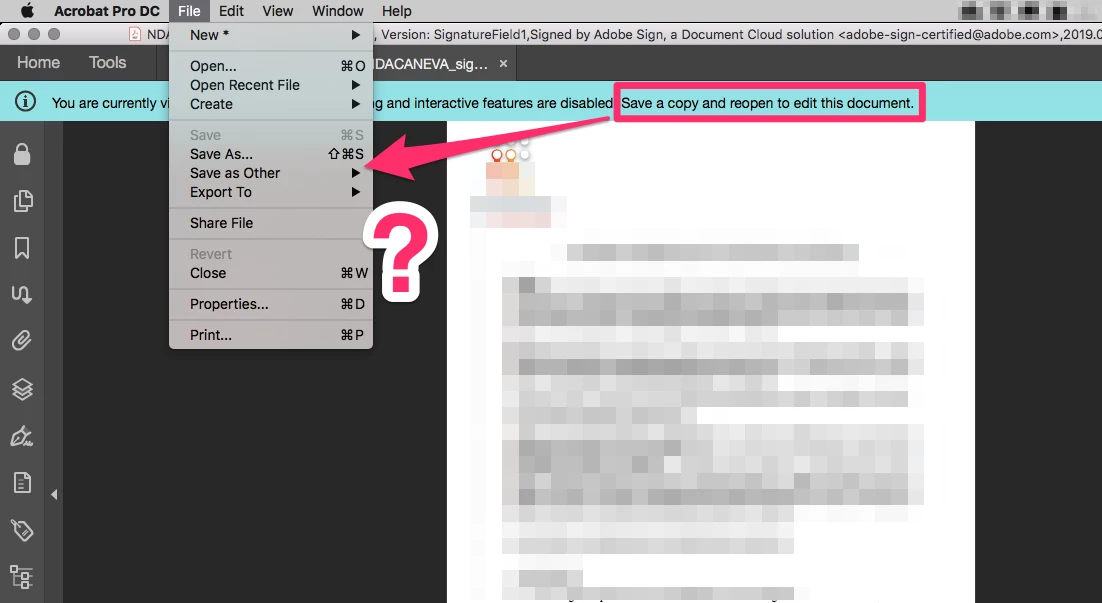
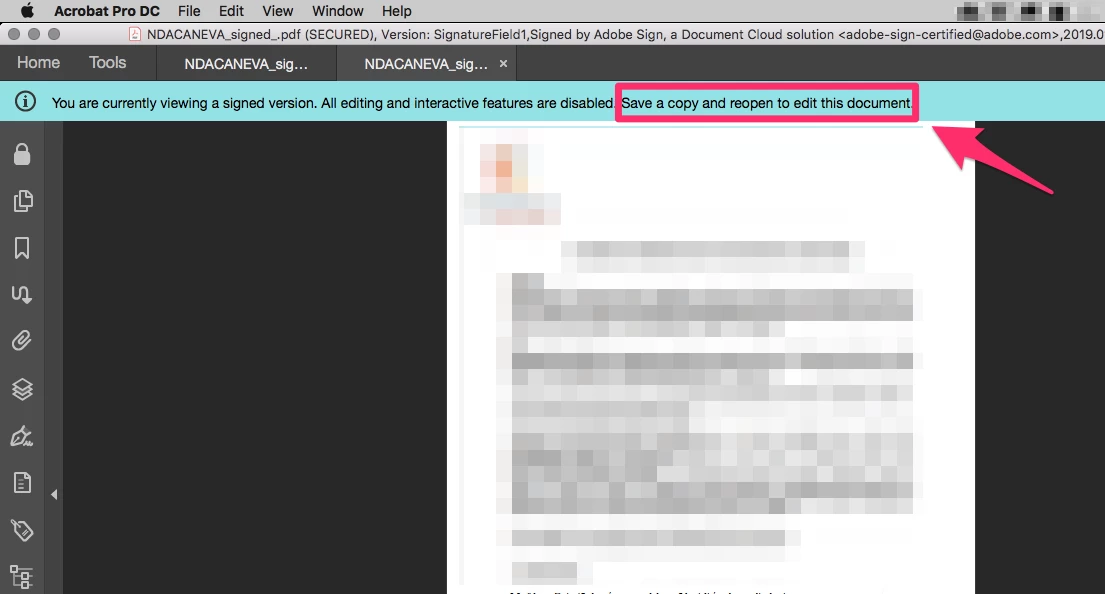
See screengrabs, the Acrobat Pro message prompt me to "save a copy".

But I can only:

- "Save as", which copies the document identically, or

- "Save as other" which does not work either because it launches an infinite loop, see this topic: https://community.adobe.com/t5/acrobat/editing-a-signed-pdf-the-infinite-loop/td-p/10758213


How can I save a copy of a signed PDF???


Correct answer margueritek

I'm sorry, but the message is lying. Internally to Acrobat, the only difference between SaveAs and Save a Copy is which PDF is open after the save. SaveAs reopens the file you just saved. Save a Copy saves the file but leaves the original document open. There is no way you can edit a signed file. To remove your signature, right-click on the signature and take the drop-down option to delete it.


I've not seen this message except when someone clicks "view signed version" in a signature panel item. That opens an earlier version of the document (i.e. just after that signature was applied) for viewing in read-only mode. Since it's not a file in itself (it's a prefix of the open file), it needs to be saved as a stand-alone file before you can do anything with it. In this case, only SaveAs makes sense.

11 replies

Participant
July 22, 2025

You can print the pdf and just make sure that the "Comments & Forms" section has just "Document" selected.  The new copy is no longer secure and original.

Participant
November 8, 2023

In the old verdion there was an option under File to save a Copy- now there is no File, so... No longer on the menu

Participant
November 15, 2023

Looks like everything from the "file" dropdown is now in the "menu" dropdown in the upper left hand corner next to the home button, including "save as".

Participant
November 15, 2023

As stated above, you can Save As or Save a Copy of a signed pdf but all that does is give a new name. You still can't edit it. The only way to edit it is to Print to File then open that newly saved pdf.

Legend
August 23, 2022

Why are you posting these weird and useless replies to old messages, Will? This is nothing whatever to do with the question, except you use the word "Save" in both. I think you're going to find yourself blocked if you don't explain... so please explain, we'd welcome more help, especially for current questions.

Participant
August 30, 2022

Will'ssuggestions are totally valid to the question which was how to create a unsigned copy of a signed document.


Participant
August 23, 2021

I can't save, but can print.  I print mine along with the audit report, then scan and save.

Participant
July 21, 2021

The only way you can do this is to go to File > Print(or press ctrl+p) and select Microsoft Print to pdf and click print. Select the file destination and click save. Open that file and boom!!! you can edit now. 

This is because in most cases, print permission is allowed. This will not work if print permission is restricted by the owner of the pdf.

Participant
February 1, 2022

Thank you! This is the only way I could save the document without the "Signature Panel". The only downfall is that the new saved document has the word "COPY" all over. 


JR Boulay
Community Expert
JR BoulayCommunity ExpertAuthor
Community Expert
November 26, 2019

I'm sorry, but the message is lying.


Thank you.

That's what I was afraid to read and that's what I wanted to know: Does Acrobat keep its promise when it announces that it can save an editable copy of a signed PDF?
Looks like the answer is no.

So I will continue with the old method: save as with Apple Preview…

😉


Can someone advise me a software to do that with Windows?

Acrobate du PDF, InDesigner et Photoshopographe
Participant
March 5, 2020

Perhaps an open document solution - choose Print - Adobe PDF format - then print. A new version of the document opens, fully accessible. cordially

Participant
September 16, 2023

You saved me over 3 years later wth

Legend
November 25, 2019

Historically, Save a copy was a menu item which appeared ONLY when dealing with signed files of certain types (especially Reader Enabled) and it did NOT function the same as SAVE AS. It did indeed, save an unsigned copy. I don't know why it does not appear for you; this may be a bug.

JR Boulay
Community Expert
JR BoulayCommunity ExpertAuthor
Community Expert
November 25, 2019

I disagree with your statement "Acrobat proposes to do it".  … That is "as designed".

Please, look at above screenshots. You can not disagree, because it's written on them.


You can remove the signature if you are the signer.

I'm the signer of this document.

And the "Remove all signature" menu item is always grayed out.


Acrobate du PDF, InDesigner et Photoshopographe
margueritekCorrect answer
Inspiring
November 25, 2019

I'm sorry, but the message is lying. Internally to Acrobat, the only difference between SaveAs and Save a Copy is which PDF is open after the save. SaveAs reopens the file you just saved. Save a Copy saves the file but leaves the original document open. There is no way you can edit a signed file. To remove your signature, right-click on the signature and take the drop-down option to delete it.


I've not seen this message except when someone clicks "view signed version" in a signature panel item. That opens an earlier version of the document (i.e. just after that signature was applied) for viewing in read-only mode. Since it's not a file in itself (it's a prefix of the open file), it needs to be saved as a stand-alone file before you can do anything with it. In this case, only SaveAs makes sense.

Thom Parker
Community Expert
Community Expert
November 25, 2019

Actually, SaveAs doesn't re-open anything. It makes its "Save As modifications" and saves the file to the new path and file name.  And there is a significant difference in how Acrobat handles them "internally".  Why don't you look it up if you are interested.


Thom Parker - Software Developer at PDFScriptingUse the Acrobat JavaScript Reference early and often
JR Boulay
Community Expert
JR BoulayCommunity ExpertAuthor
Community Expert
November 24, 2019

As said above, "Save as" does not change the document, it stays signed.

I don't want to edit a signed PDF, I want to edit a copy of a signed PDF.

Acrobat proposes to do it but does not give the right process, which I consider as not very serious.

Acrobate du PDF, InDesigner et Photoshopographe
Inspiring
November 24, 2019

I disagree with your statement "Acrobat proposes to do it". You can remove the signature if you are the signer. Otherwise, you must go back to the creator or original signer and get an unsigned copy of the PDF. That is "as designed".

JR Boulay
Community Expert
JR BoulayCommunity ExpertAuthor
Community Expert
November 23, 2019

I did not create this document, I received it and signed it. But this document does not matter to me, it's just a test for screenshots.
The problem arises for all signed documents, whether I have created them or not
.

Acrobate du PDF, InDesigner et Photoshopographe
Inspiring
November 23, 2019

To Save a Copy, do a SaveAs then open the copy you just saved. But I think you are really saying that you can't edit a signed file. That is true, since the signature tells the person viewing the file that the content has not changed. You can only edit before signing.