

Averdahl
Community Expert
Community Expert
October 15, 2019
Question

Uploaded images must be larger - Impossible to use todays images

  • October 15, 2019
  • 12 replies
  • 684 views

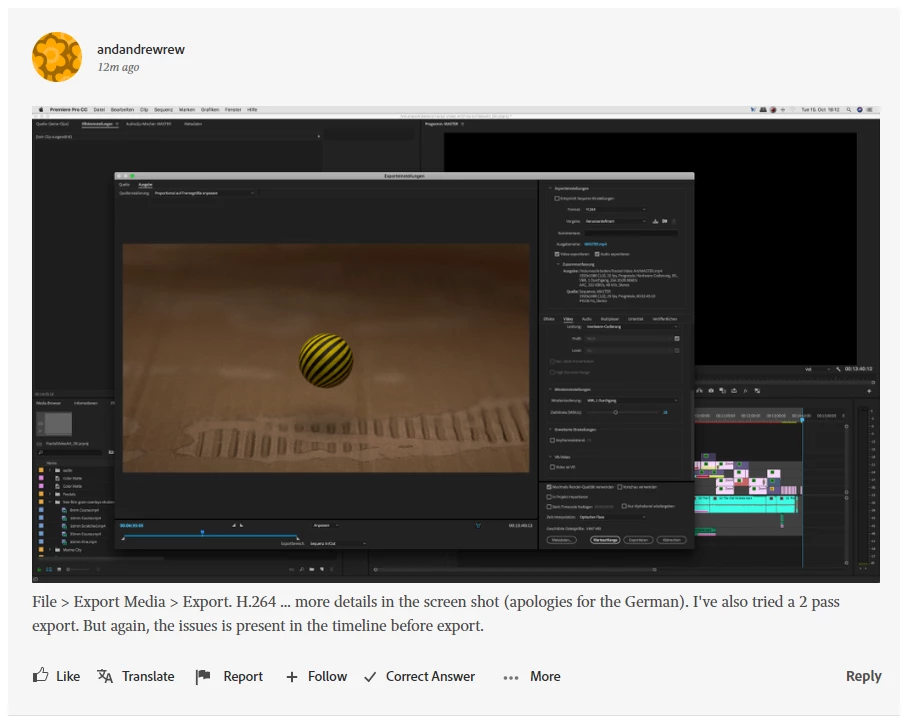
In many threads screen dumps form users are the key of being able to help users. In the old forum people could upload images and one could easily *see* the parameters in let´s say the Export Settings dialog in Premiere Pro.


If someone upload an image today it is impossible to see any setting. If i click the image it is actually smaller than is i look at the picture in the thread. It seems that the new forum do similar to what Facebook do, iow it scales down images to a size that are predefined but unfortunately impossible to use.


In this thread the TS answers byroncortez but it is impossible to see the details of the Export Settings used by the TS: Glitch on 4K footage in 1080p sequence


Try to read the frame size and other settings from that picture. This must be solved asap.
    This topic has been closed for replies.

    12 replies

    Ann Bens
    Community Expert
    Community Expert
    October 24, 2019

    Moved to Community Feedback.

    Ann Bens
    Community Expert
    Community Expert
    October 16, 2019

    The first thing I do is if an image is too small go into Edit and set it to large. And pray it is readable.

    99jon
    Legend
    October 16, 2019

    Yes I agree Mike. I think quite a few people find this less than intuitive. I think it is possibly on David and Melissa’s to do list.

    Legend
    October 23, 2019

    It was promised for the next "sprint", but yet again it's been dropped.

    Michael J. Hoffman
    Community Expert
    Community Expert
    October 16, 2019

    Ah, you're right - I wasn't clicking to zoom in the "View Image" window.


    It's sure odd that the lightbox window shows a much smaller view, even in full screen.

    99jon
    Legend
    October 16, 2019

    Works OK for me when enlarged.

    Click once and image opens smaller in lightbox

    Right-click and choose open in new tab or window

    Go to the new tab and click again to zoom

    Michael J. Hoffman
    Community Expert
    Community Expert
    October 16, 2019

    Just testing image size upload. Original size here is 2560x1440:


    It's interesting that if I click this image to enlarge it, the overlay is actually smaller. If I then right click to "View Image", it's still nowhere near full size. I uploaded this using the "insert photos" icon at the top of the editor, and chose "Large" for the size.

    Peru Bob
    Community Expert
    Community Expert
    October 15, 2019

    The right click and open in new tab doesn't help for me in Chrome.

    Just Shoot Me
    Legend
    October 16, 2019
    Me neither Bob
    Averdahl
    Community Expert
    AverdahlCommunity ExpertAuthor
    Community Expert
    October 16, 2019
    For the image i posted it wont work. But go to the thread i linked to in the first post, find the image and click on it. Then right click on the image and choose Open Image in New Tab.. It works for me in Opera that is a Chromium based browser.
    99jon
    Legend
    October 15, 2019

    Works for me Jeff when going to the new tab. 


    There is a difference between adding an image and adding an image as an attachment.

    davescm
    Community Expert
    Community Expert
    October 15, 2019

    That method works for me Jeff - but only when one image is uploaded. If someone uploads two or more then it only works on the last one
    Dave

    D Fosse
    Community Expert
    Community Expert
    October 15, 2019

    Yeah, it's bugging me too - but at the moment I think we have bigger fish to fry. With critical issues unresolved, the merely important should probably wait until later.


    I think we should try to keep the noise level to a minimum, and concentrate on the big picture, which is a basically functional forum. Once we have that, we can look at the more technical details.