Inspiring
April 26, 2017
Answered

Running Headers—I've read tutorials and many people's method, but got nowhere.

  • April 26, 2017
  • 1 reply
  • 3069 views

Hello. I spent yesterday and until now at 3 p.m. trying to establish headers for my

367-page document in InDesign CC 2017 to be printed as a book, trying to figure-out

headers for it.

Running headers seem to be the best kind for this, but I haven't been able to work it out

even after reading many people's method, including ones referred to in InDesign searches.

I want the headers to be established so that I can insert from the text what I want in them.

My book has 4 sections and many subjects, but I do not want to choose "sections,"

"chapters" or anything in the running headers specs.

Just an aside: This will be my final task in InDesign for this book.

I've made my way through pagination and text-wrapping.

Thank you so much,

Morty
    This topic has been closed for replies.
    Correct answer Barb Binder

    Okay, Barb—Applying A-Master to all pages worked

         but control-shift-click with Selection Tool brought up a menu,

    but I don't know what you mean by "that copies the frame forward to the Body Page."

    And then selecting the Text Tool wouldn't allow me to replace the Placeholder Text

    with anything. Wasn't able to type in that box.

    Onward and upward!

    Thanks for hanging-in-there with me,

         Morty


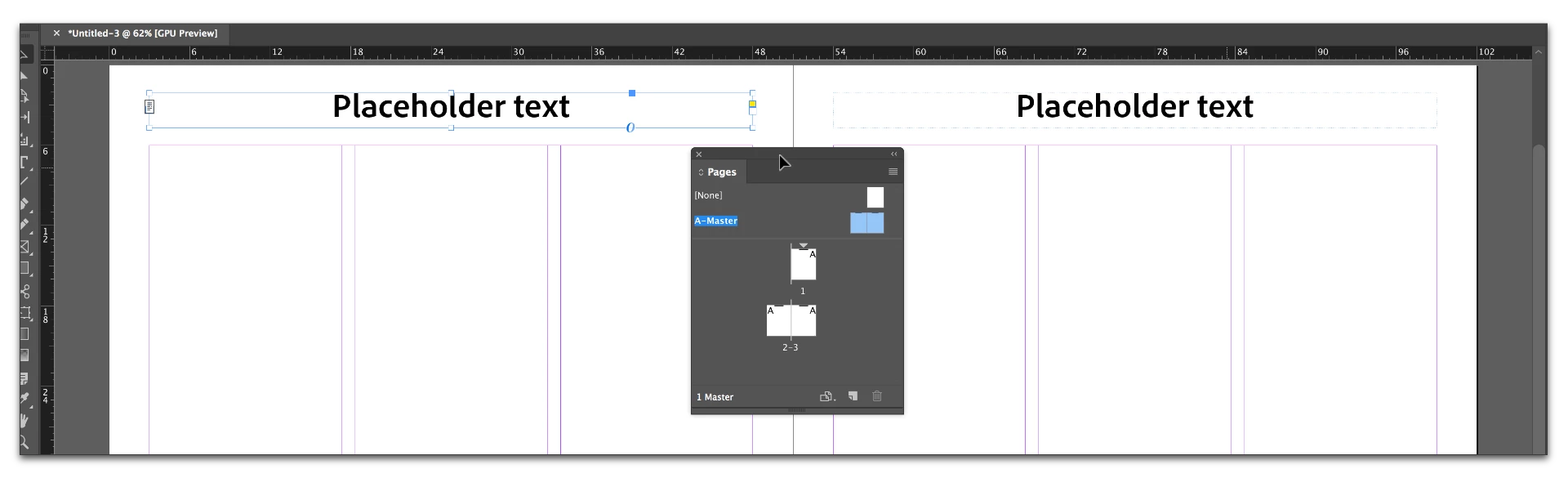
    The text frames are on the A-Master. Note the dotted blue outline on the unselected frame, and that you can select the frames. Add the text, format.

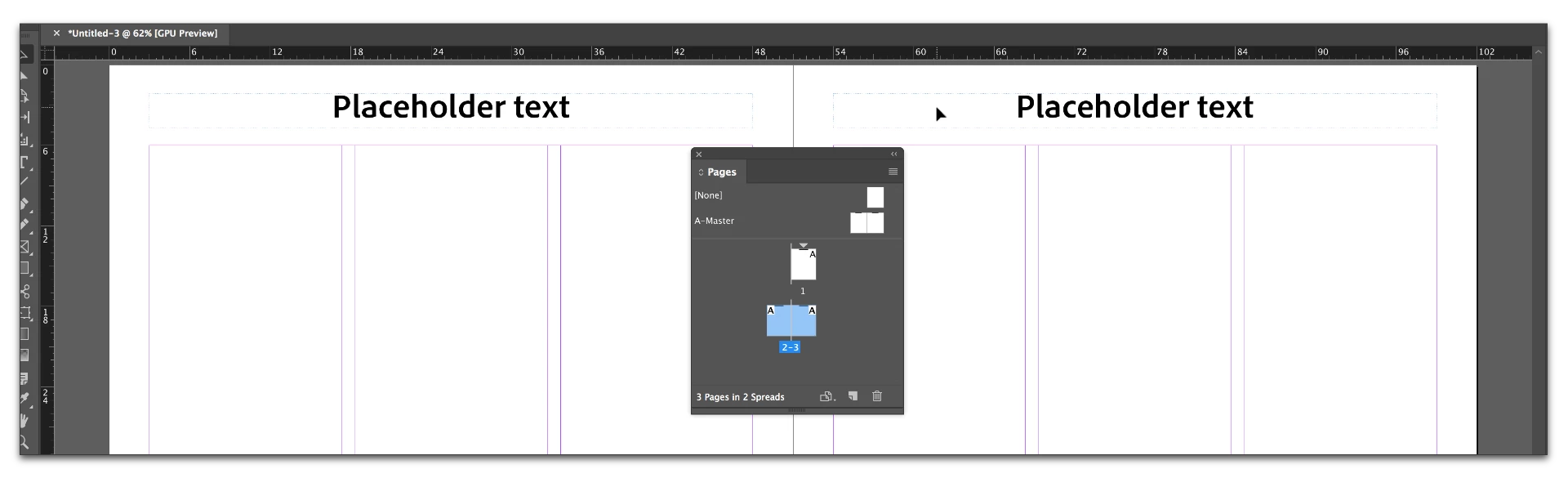
    Navigate to the body pages. The text frames are visible but not accessible on the body pages. You cannot select the frames. Note the dotted blue outline.

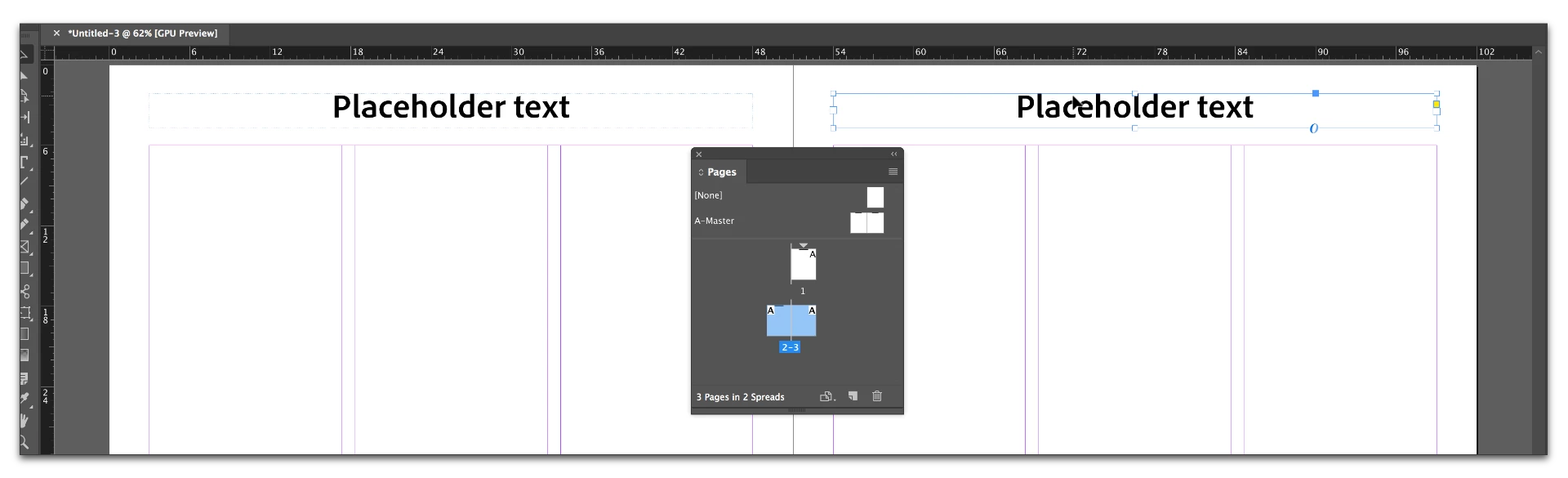
    Still on the body pages, Control Shift click (Cmd Shift click on a Mac) on the text with the Selection tool. Note that the dotted outline is now solid, and the frame is selected.

    Still on the body pages, switch to the Type tool and replace the text.

    1 reply

    Barb Binder
    Adobe Expert
    April 26, 2017

    So Morty, to clarify—you do not want InDesign to collect and display the chapter names or section names for you. You do want to be able to type in custom content on each body page?

    In that case, add the running head text frames on the A-Master and add the words Placeholder Text. Format as desired. That text will appear on all the body pages.

    On each body page, Control+Shift+click on the words Placeholder Text with the Selection tool—which copies the frame to the body page—then switch to the Text tool and replace the words Placeholder Text with your custom content.

    Inspiring
    April 26, 2017

    Thanks, Barb. I'll try that later…need a nap right now!

    Just want to add to my post that I had established the running header text boxes

    for each page—if that might affect your solution.

    Yes, I do want to be able put the words in the running header text boxes.

    I understand (correctly?) that if set it up right I can just copy the words from

    the text and paste them into the running header text boxes.

    Yours truly,

    Morty