


Mancerrss
Known Participant
August 16, 2020
Answered

Adobe Account's 2FA doesn't have Backup Codes?

  • August 16, 2020
  • 3 replies
  • 1720 views

Just recently enabled 2FA to all my main accounts.


All of them are great, in case I lost my phone, which the offline, time changing 2FA codes gets lost of my possesion, I can still have these Backup codes, that I can print or store to get back to my accounts on Reset Password / Recover Account process.


But as I setup 2FA on my Adobe Account, I noticed after, there is no Backup Codes provided after I finished.


Is this true, Adobe Account doesn't provide Backup Codes on their current 2FA implementation?


For now the only way to recover your account with 2FA is recovering it with an SMS phone number too. That means requiring 2FA + SMS verification present. Is this true? I also wanna remove my phone number too, for maximum security against SMS hijacking, or in case I get my phone lost too. 


If I lost my phone, naturally not only I lose access to 2FA codes, but also to 2FA SMS.


This is an idiotic, half assed security implementation.


Please confirm my assumption to this. I can't see any references about this glaring security flaw on any of y'alls Help Center articles.
This topic has been closed for replies.
Correct answer jane-e

Hi

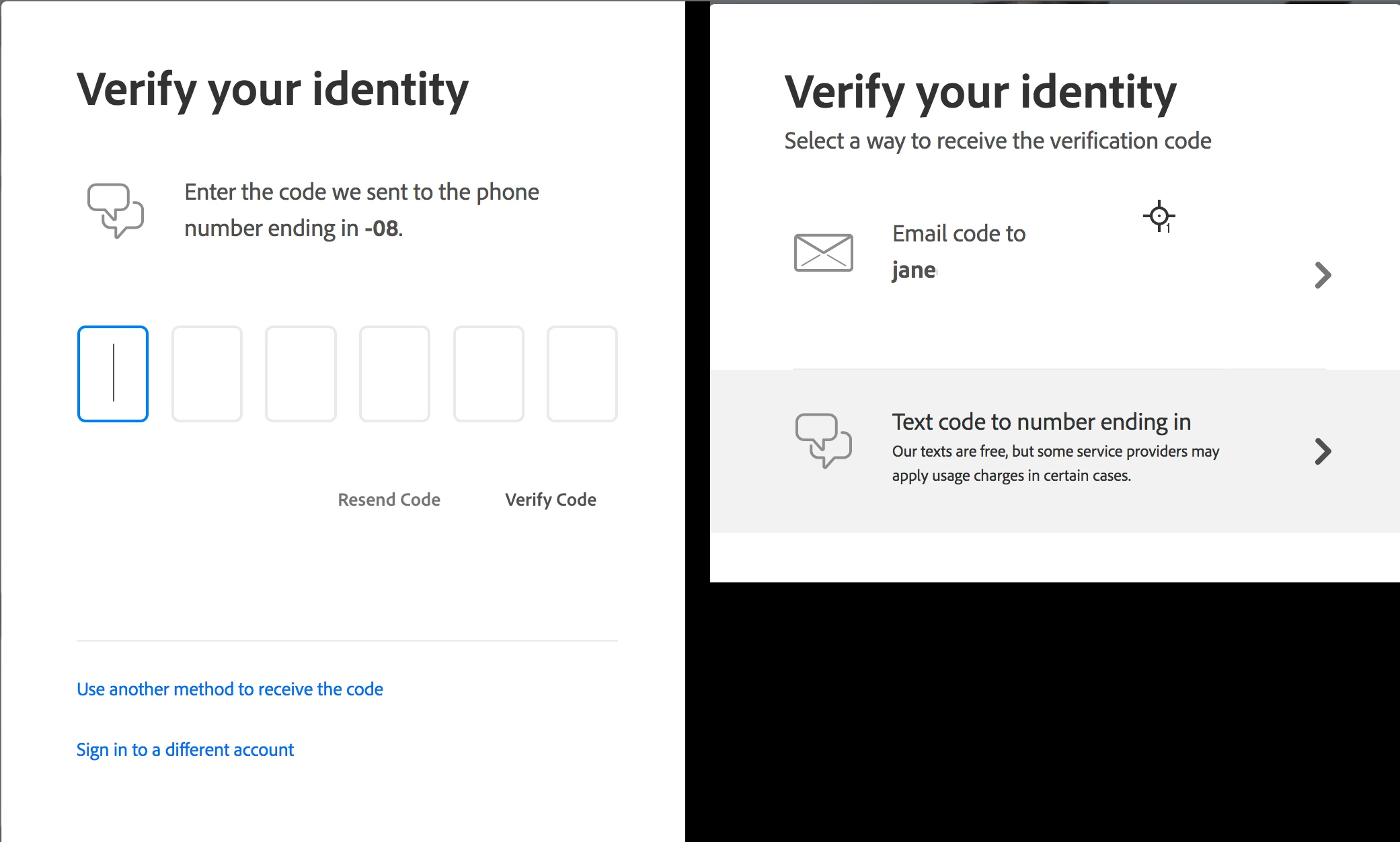
I'm not sure what you are asking, but since your question hasn't been answered since you posted on 16 August (3 1/2 weeks ago), I'll try. I have two-factor identification and can receive the text on my phone, watch, iPad, laptop, or desktop, as all are set up to receive messages. In addition, Adobe offers the option to email the code — just click "Use another method". I did "lose" a phone last year to water damage, but had no issues getting back in. 


Does that solve the issue for you? If not, please clarify and perhaps another volunteer on the forums will step in.


Jane


3 replies

February 11, 2024

Ich have the same issues

kglad
Community Expert
February 11, 2024

use your phone.

kglad
Community Expert
February 12, 2024

Are in my phone the Backup-Codes?


you can opt to use your phone to verify your identity.

October 10, 2020

You are absolutely right to ask this. According to Jane's answer, Adobe will e-mail you a code, but this defeats the purpose of 2FA. 2FA is supposed to prevent someone from changing your password if they hijack your e-mail account but don't have access to your phone (or whatever device you installed your 2FA Authenticaor app). If they can get a new code sent to your email, then the 2FA is useless. I just enabled 2FA but I'm going to disable it again since it's apparent that Adobe's implementation of 2FA just adds an extra step to the authentication process but doesn't really protect me from anything.

jane-e
jane-eCorrect answer
Community Expert
September 10, 2020

Hi

I'm not sure what you are asking, but since your question hasn't been answered since you posted on 16 August (3 1/2 weeks ago), I'll try. I have two-factor identification and can receive the text on my phone, watch, iPad, laptop, or desktop, as all are set up to receive messages. In addition, Adobe offers the option to email the code — just click "Use another method". I did "lose" a phone last year to water damage, but had no issues getting back in. 


Does that solve the issue for you? If not, please clarify and perhaps another volunteer on the forums will step in.


Jane