


Exit
  • Global community
    • Language:
      • Deutsch
      • English
      • Español
      • Français
      • Português
  • 日本語コミュニティ
  • 한국 커뮤니티
0

The "Manage Plan" tab isn't showing, can't fix the issue

New Here ,
Apr 24, 2023 Apr 24, 2023

I'm trying to cancel my Adobe account, but for whatever reason the "Manage Plan" tab no longer shows up after I paid my bills. Despite the fact I'm the sole owner/user of the account (my device is the only one activated in fact.) Also, I have no access to Admin Console for some reason. Is there anything that would help/get my account cancelled finally?
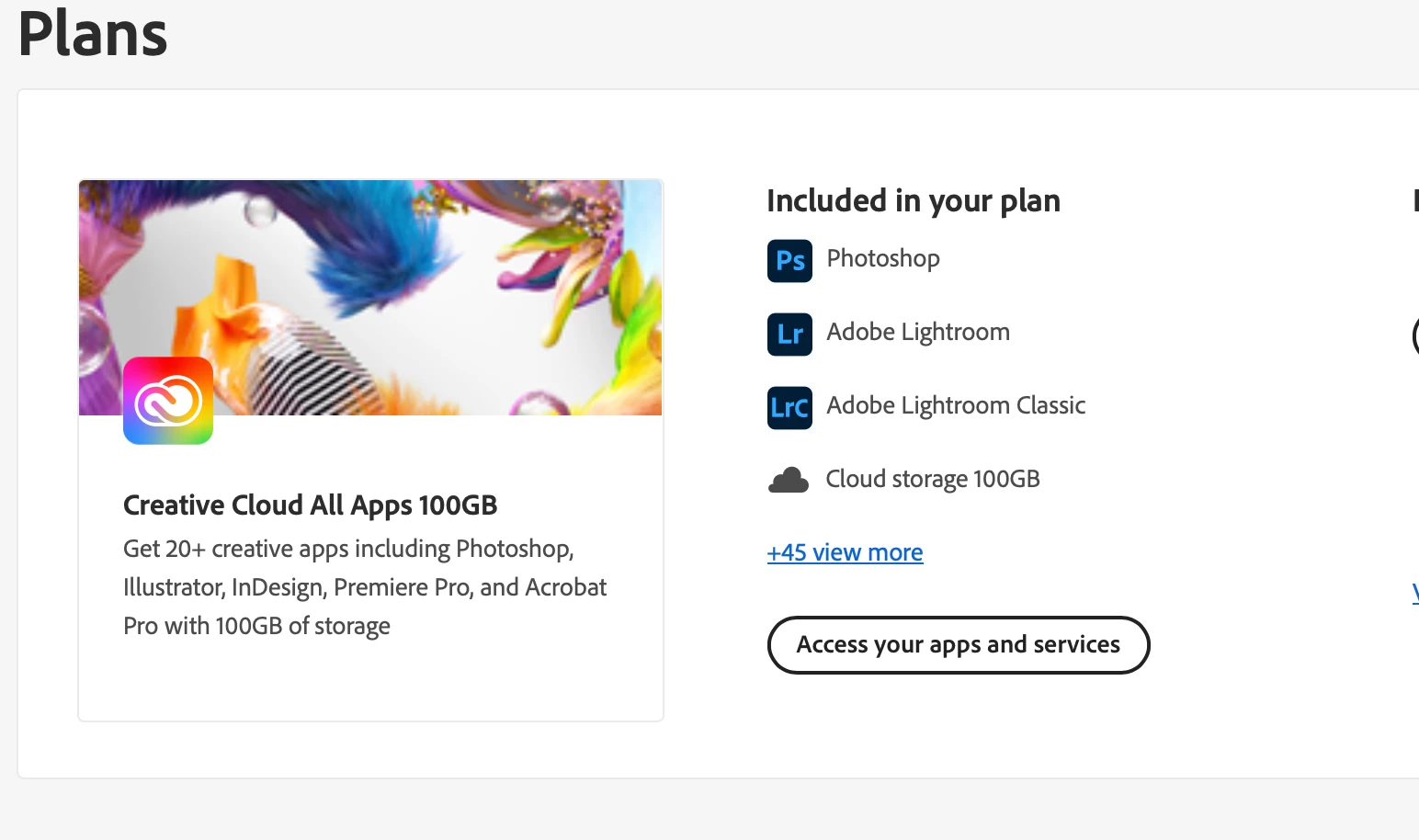
Screenshot 2023-04-24 at 11.32.08 AM.png

903
Translate
Report
Community guidelines
Be kind and respectful, give credit to the original source of content, and search for duplicates before posting. Learn more
community guidelines

correct answers 1 Correct answer

New Here , Apr 24, 2023 Apr 24, 2023

DISREGARD! Matter is fixed!

Translate
New Here ,
Apr 24, 2023 Apr 24, 2023

DISREGARD! Matter is fixed!

Translate
Report
Community guidelines
Be kind and respectful, give credit to the original source of content, and search for duplicates before posting. Learn more
community guidelines
Community Expert ,
Apr 24, 2023 Apr 24, 2023

thanks for the update.

Translate
Report
Community guidelines
Be kind and respectful, give credit to the original source of content, and search for duplicates before posting. Learn more
community guidelines
New Here ,
Dec 20, 2023 Dec 20, 2023

I must find MANAGE PLAN so I can cancel my my one week trial offer. 

Translate
Report
Community guidelines
Be kind and respectful, give credit to the original source of content, and search for duplicates before posting. Learn more
community guidelines
Community Expert ,
Dec 20, 2023 Dec 20, 2023

make sure you're aware of the cancellation terms by selecting your plan type (at the top of the page here), https://helpx.adobe.com/manage-account/using/creative-cloud-subscription-terms.html

for info on how to cancel your subscription, this page describes the few steps involved, https://helpx.adobe.com/manage-account/using/cancel-subscription.html

if you want to cancel but are unable to follow the steps described in the "how to cancel page", contact adobe support.

there are 2 ways to contact adobe; chat and twitter (now x):

chat:
use a browser that allows popups and cookies, and click here, https://helpx.adobe.com/contact.html?rghtup=autoOpen
in the chat field (lower right), type AGENT
be patient, it can take quite a while to reach a human.

twitter/x:
tweet @AdobeCare

p.s. if you're contacted by anyone (via email or private message), it's much more likely to be a scammer than an adobe representative.

Translate
Report
Community guidelines
Be kind and respectful, give credit to the original source of content, and search for duplicates before posting. Learn more
community guidelines
New Here ,
Mar 30, 2024 Mar 30, 2024

Bro , i have the same Problem. I am using free trial but now I want to cancel it but the MANAGE PLAN tab isn't showing , help me bro ..

Translate
Report
Community guidelines
Be kind and respectful, give credit to the original source of content, and search for duplicates before posting. Learn more
community guidelines
Community Expert ,
Mar 30, 2024 Mar 30, 2024
LATEST

@Prince36419643mr2l 


do you have an education, teams or enterprise subscription?

Translate
Report
Community guidelines
Be kind and respectful, give credit to the original source of content, and search for duplicates before posting. Learn more
community guidelines