
Inspiring
November 20, 2019
Answered

Acrobat Licensing Application hangs after login on Mac OS 10.15 (Catalina)

  • November 20, 2019
  • 23 replies
  • 36475 views

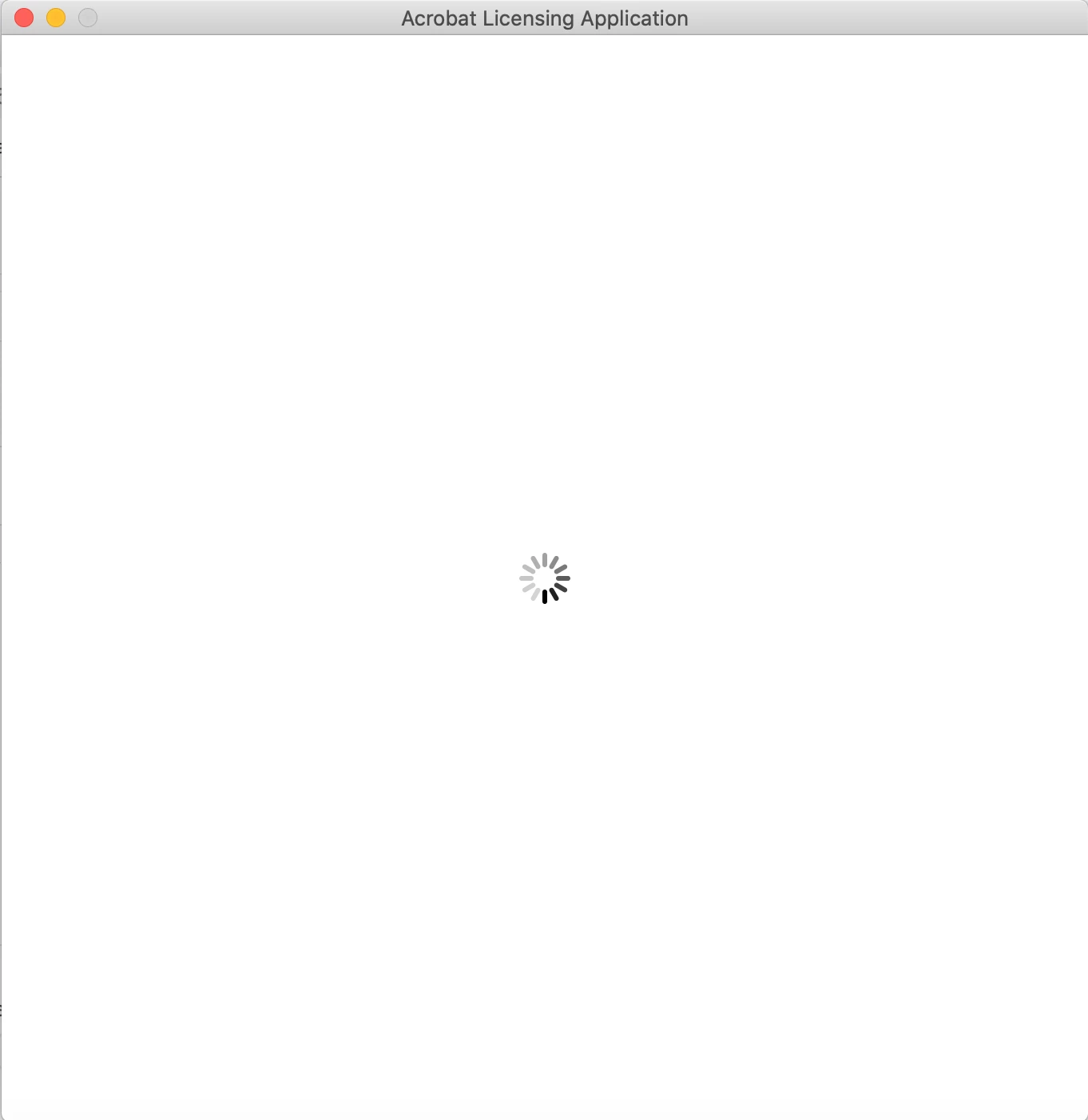
I bought a license for Adobe Acrobat Pro 2017 and installed a freshly downloaded version from the Adobe Website on Mac OS 10.15.1. After login with the Adobe ID I get the following screen and cannot open Adobe Acrobat. The same problem is reported here: https://community.adobe.com/t5/acrobat/adobe-acrobat-2017-pro-mac-os-10-15-can-t-install/m-p/10686836#M223379 but no solution is given. Any help would be very much appreciated.  


CD Part Number ESD
CD Description Acrobat Professional Acrobat_2017_Web_WWMUI.dmg,Acrobat_2017_Web_WWMUI.xml,proxy.xml
Build Date = 20190926080144
Correct answer c88667815

I found a solution thanks to HBushra in this thread. The problem seems to have to do with missing permissions. In order to get it to work you have to run it once with the command sudo in Terminal. Open Terminal and type: 


sudo /Applications/Adobe\ Acrobat\ 2017/Adobe\ Acrobat.app/Contents/MacOS/AdobeAcrobat


 and enter the password of your user account (if you installed it somewhere else you have to change the path). After that the Acrobat Licensing Application completes and you have to accept the terms and conditions. Next time you can start it normally from dock.


Hope that helps!


23 replies

Participant
March 26, 2023

I tried the above, but did not work. However, this did:

1) Uninstall Acrobat Pro 2017 from applications folder.

2) Re-download the application from below mentioned link:
https://helpx.adobe.com/download-install/kb/acrobat-2017-downloads.html

3) Once it is downloaded than install the application and close it.
Note:- Do not launch the app, just install it. DO NOT LAUNCH THE ACROBAT APP!! DO NEXT STEP FIRST.

4) Then download Creative cloud desktop App from below link:
https://helpx.adobe.com/download-install/kb/creative-cloud-desktop-app-download.html

5) Download this app and install it and then sign in with your adobe id. Once creative cloud is launched and opened successfully, you will see your Acrobat application in the list inside creative cloud. Click Open next to Acrobat. Now the Authentication window will populate and allow you to enter your username and password.


Participant
May 14, 2021

I was having the same problem (with a reinstall on a replacement Mac running Big Sur).  The following advice from Adobe  Customer  Care worked for me.  Perhaps it will for others.

1) Uninstall Acrobat Pro 2017 from applications folder.

2) Re-download the application from below mentioned link:
https://helpx.adobe.com/download-install/kb/acrobat-2017-downloads.html

3) Once it is downloaded than install the application and close it.
Note:- Do not launch the app, just install it.

4) Than download Creative cloud desktop App from below link:
https://helpx.adobe.com/download-install/kb/creative-cloud-desktop-app-download.html

5) Download this app and install it and then sign in with your adobe id. Once it is launched and opened successfully than close this creative cloud app and open your Acrobat pro 2017.

6) Sign in with your adobe id in Acrobat.

Participant
March 26, 2023

Thank you!! After trying EVERYTHING else, your instructions did the trick. Be sure to NOT launch the Acrobat 2017 app until you have downloaded, installed, and signed into Creative Cloud. The Acrobat app will then show up on your list of applications. Accessing it through Creative Cloud, the Licensing Authentication window finally populated correctly, I was able to sign in, and DONE!! Woo hoo!!!


Dotoki2
Inspiring
March 24, 2021

macOS 11.2 and Acrobat Pro 2017

I tried in terminal two commands

to set correct permissions of OOBE folder
chmod 777 /Users/<my_username>/Library/Application\ Support/Adobe/OOBE/

and to launch the sign in process with admin permissions
sudo /Applications/Adobe\ Acrobat\ 2017/Adobe\ Acrobat.app/Contents/MacOS/AdobeAcrobat
but the issue was not solved.


Then I created a new admin account, started Acrobat and the content in the window 'Acrobat Licensing Application' was displayed. I entered my Adobe ID and then serial number and Acrobat was successful activated.
Then I switched again to original account and Acrobat started without asking for Adobe ID or serial number.

Participant
May 4, 2021

This worked very well - thanks for posting this solution!

Participant
February 20, 2021

I too had a problem with Acrobat Pro 2017.
I had it on a MacBook Pro with Intel CPU where first I installed it under Catalina, then I uopgraded to BigSur, all right.
After that I changed the Mac and went to a MacBook Pro with M1 CPU, i trasferred everything of my personal profile with Migration Assistant. Apparently/partially Acrobat 2017 was working in the sense that it opened the PDF files; but if i tried to register the license or to create a PDF from a web page the Acrobat Licensing app appeared and when i clicked on the "enter" button it crashed and Acrobat closed.

Matter is that the Acrobat Licensing App of 2017 is not working [with Big Sur?]. so reading other user forums i understood that you can install a trial version Acrobat 2020; so doing you install a more recent version of Acrobat Licensing app which apparently is the same for all the Acorbat versions. you then start your Acrobat 2017 and register it with the new, working Adobe Licensing app. after that you can delete the trial of Acrobat 2020.

In the previous days I lost hours in chat with very kind people of Adobe support who nevertheless didn't understand anything at all of my problem - in the sense that they were bouncing me from one to another techinician of support, always with no results.

Participant
November 23, 2020

Thank you for sharing this solution - I do have a similar Problem with another Version of Adobe Acrobat ( Adobe Acrobat 2015 DC - it is a 64 bit version) and Catalina. Im not really in working with terminal.


My question ist, has someone already solved this problem using the correct Terminal expression for Adobe Acrobat 2015 DC ? The path seems to be slightly different, in the Applications folder there is an Adobe Acrobat 2015 folder, including Adobe Acrobat.app - there is no subfolder Content s/MacOs/Adobe Acrobat.


Or did I get something wrong and I have to search in the Library/Application Support/Adobe/Acrobat/2015 ( there is no subfolder - Content a/MacOs/AdobeAcrobat - neither.


Thanks in advance,

uh

Legend
November 23, 2020

There should be no space in "Contents" - not "Content s". And there will certainly be a Contents folder for every app, even though you cannot see it in Finder.

Participating Frequently
October 20, 2020

I found the right agent.  They accessed my computer, and a few mins later they fixed it, no more problems!

Participant
October 30, 2020

I've tried everything suggested so far (terminal commands, cleaner and reinstall, restarts, etc.) Nothing worked still get dumped into that blank screen. What did your agent do? Who were they? How do I get them to help me?


Participating Frequently
October 30, 2020

@MacUser999 

I went on the Adeobe website, found the contact us info. I started a chat session and told them what was going on.  Then after doing the basic restart, terminal creap, they realized this could be more complex.  After those first 5 mins of Level 1 help, they then asked to take over the computer.  I had to download some stuff they emailed me via secure link, then after that quick install, they took over.  After about 5-10 mins of them doing their magic, I was able to restart Adobe and went right past the Authentication screen, no problems since!


I know it's only been a couple weeks, but I can't even remember if I talked to them on the phone or what, but anyway, it all started with the chat session.  This is also assuming you have the full suite or a paid version, not sure of those who use the free stuff.  Have your reg/serial # ready since they may need it to do their work and reinstall Adobe.  If you registered your product when you bought it, they'll have it on file, but save yourself 5 mins for them to look it up and have it ready.  GIve yourself 20-40 mins for this entire process depending on who you get at Adobe.  The first agent(s) were not helpful, the second chat session I started worked much better...almost as if that agent had already done this process once or twice that day.  


Best of luck!

Participating Frequently
October 6, 2020

This didn't work for me.  I used the Terminal and then restarted Adobe, then it keep clocking and not moving past the Licensing screen.  I've been working on this for hours.  nothing seems to work.  I have uninstalled and reinstalled at least 3 times, removed Libraries, emptied trash, restarted computer.  Nothing...ugh!  

Participant
October 20, 2020

OK I faced the exact same issue (i.e. when trying to open a PDF document, the Adobe Licensing App opens up and prompts me to sign-in, leading only to a blank screen). But I contacted Adobe Support and they gave instructions that finally worked for me.


(Context: I have an Acrobat Pro DC Individual Subscription and not a Licensing Version.)


1) End all Adobe Services from the Activity Monitor.


2) Click on the link below and uninstall Acrobat from Cleaner tool:

https://labs.adobe.com/downloads/acrobatcleaner.html


(i.e. Mac in my case. Please note that just clicking on it won’t open it; use two fingers to click on it and then select ‘save as’ and then run it.)


3) Install Acrobat from the Direct download link:

https://helpx.adobe.com/in/acrobat/kb/acrobat-dc-downloads.html


(Note that in Mac, when ‘opening’ an icon, you can’t just double-click; you need to use two fingers to click on it and then select ‘Open’.)


4) Open Acrobat and sign-in.


Hope this helps!

Participating Frequently
October 20, 2020

I finally found the right agent at Adobe.  After numerous calls and hours spent, one agent who finally knew what to do got on my computer, and in 20 mins they fixed it, no more problems!

Participating Frequently
October 6, 2020

What is an Open Terminal?  I am having the same issues and spent already 4 hours with Adobe sharing my computer.  Nothing at all has helped.  It was working fine this morning and now the blank Licensing page.

Participant
July 24, 2020

I had the exact same license issue on Catalina w/Acrobat 2020 (classic.). 


The sudo above did not work for me.


Solution: Enable Root User.  Logout and login as Root.  Launch Acrobat.  No more blank licensing login screen.  Logged into Adobe no issues.  Log out of root and back in as your local user.  Launch Acrobat and had to accept agreement again, works.

Participant
August 10, 2020

The issue was encountered by me as well, by using macOS Catalina 10.15.6 and this issue is fully solved by online chatting support.

He suggested me by the following steps:

(1) Clean up all the Adobe Contents in Library: Application Support and Preferecnes

(2) Download Adobe Creative Cloud

(3) Download Adobe Acrobat Pro 2017 from Adobe Official website and enter your serial number during the installation process

(4) Now you could see Adobe Acrobat Pro 2017 is included in the Creative Cloud and when you open the application again, although it requires you to sign-in, when you follow the process and you can sign-in successfully without worries

Adobe Employee
May 13, 2020

Hi All,

We have addressed the Adobe Licensing Application getting hang or blank issue in the May 2020 release. If you are still experiencing the issue, please follow the below steps:

1. Uninstall the existing Acrobat Classic 2017.
2. Download the latest Acrobat Classic 2017 application from https://helpx.adobe.com/download-install/kb/acrobat-2017-downloads.html
3. Install the above-downloaded build.
4. After install, launch the application and sign in with the Adobe ID.

Please let us know if you face any issues regarding this.

Thanks!

andrewf54817738
Participant
May 15, 2020

I had been having the issue previously, and none of the solutions mentioned anywhere in this thread solved the issue. I followed the steps to get the new update (including uninstalling and reinstalling), but am still having the same issue as I had before. I intially was sent to Acrobat Licensing Application immediately upon opening the app where upon presing "sign in now"  I had a blank white screen with a login that never opened. I tried the solution above to create an alternate admin user. Using the new MacOS user I was able to log in fully with no issues. However, back with my main account, I was now sent to the Acrobat home screen (with the "get started with Acrobat 2017)  text at the top and such but still not logged into the app (like I was on the guest user). Unfortunately, when I click sign in in the upper right I run into the same blank white screen in Acrobat Licensing Application. I went through this entire process before the may update came out, and the exact same thing is still happening even after the update. Is there any solution for this? 

Adobe Employee
May 18, 2020

Thanks, Andrew for reaching us. To resolve this issue, could you please share the licensing logs via a sharable link(Gdrive or any other suited platform) or attach them here. You can find the licensing logs at ~/Library/Logs/.

Files required:
1. acroLicLog
2. amt3*
3. PDApp*
4. oobelib*


Could you please provide us the permission of the OOBE folder.

You can run the 'ls -l ~/Library/Application\ Support/Adobe' command on the terminal to check the permission.