


Participating Frequently
September 22, 2021
Answered

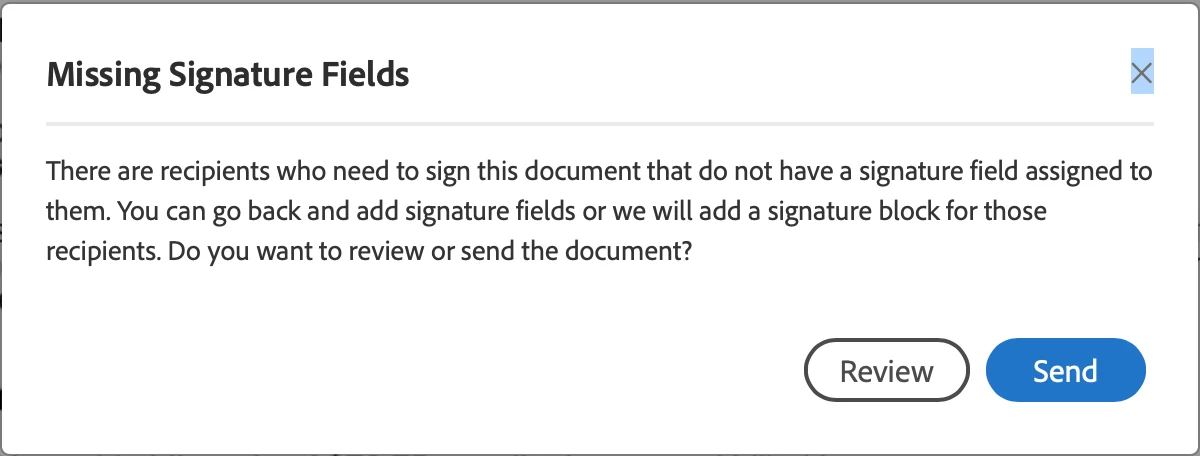
Adobe Sign alert "Missing Signature Fields" when none are missing

  • September 22, 2021
  • 1 reply
  • 12180 views

After uploading a pdf to Adobe Sign in Acrobat DC Pro, and specifying the recipients, then the corresponding signature and date fields, then pressing send; an alert appears that says that there are missing signature fields with the option to review or send.

  • Have properly set signature and date fields to signer's email in sidebar. 
  • "Review" shows that everything looks fine.
  • "Send" generates an agreement with duplicate fields added further down on the page from the ones I've created.
  • Behavior surfaced mid-July.
  • Sensitive legal content, so can't send a screenshot of the added fields, but the placement is on a blank portion of the document.
  • Using Acrobat DC Pro on Mac OS 10.14.6 on MacBook Pro 


Result with added duplicate fields looks unprofessional, so have to do a work-around.


What might solve this issue?


Thanks, Keira


Screenshot of alert:
This topic has been closed for replies.
Correct answer SimonESATS

Good point, Simon!

All I get is an * without the hint, and there's nothing I've found to do to influence the appearance.

Maybe that's why it's broken... because the fields aren't getting properly tagged?


I was planning to update my OS, maybe that'll resolve this interaction w Adobe Sign.

We'll see what tomorrow brings, thanks.


updating your OS I doubt will see any difference.

Now I must confess I don't really use Sign within Acrobat, but i think that route shows a simplified editing page by default.. First thing to try is to toggle the advanced editing toggle in the upper right of your screen. that should show you more fields you can place including the signature fields. Add these and remove the fields already there and assign the new fields as before.


1 reply

sameer_puri
Adobe Employee
Adobe Employee
September 22, 2021

Hi,


If there are more than one signers in your agreement, all signers should have a signature field assigned to them. If that is not done, Adobe Sign will notify you with this warning dialog and add signature fields by itself for all the signers.


Hope that helps!

Sameer Puri

Keira5FC9Author
Participating Frequently
September 22, 2021

Hi Sameer, there are only 2 signers and both signature and date fields were set. There is no need for additional fields to be set automatically. Adobe Sign doesn't seem to be recognizing that the fields have been set, so it adds them again.

Any other ideas?

Sure seems like a bug to me.

thanks, Keira 

sameer_puri
Adobe Employee
Adobe Employee
September 22, 2021

Hi Keira,


Even if you add 2 signature fields, both the fields need to be assigned to different signers. You can do that by double clicking on the Signature field and changing the 'Assigned to' value.

The colored ribbon on the top right will be different to confirm that both fields were assigned to different signers. It should look something like this:


If you have done this the right way, and still facing issues, please attach a screenshot of the actual document which you are trying to author to help me understand the issue better (It is kinda difficult to debug it remotely though 🙂 )


Thanks

Sameer Puri