New Participant
November 22, 2021
Answered

Edit PDF using MS PAINT

  • November 22, 2021
  • 5 replies
  • 46546 views

Hello, 


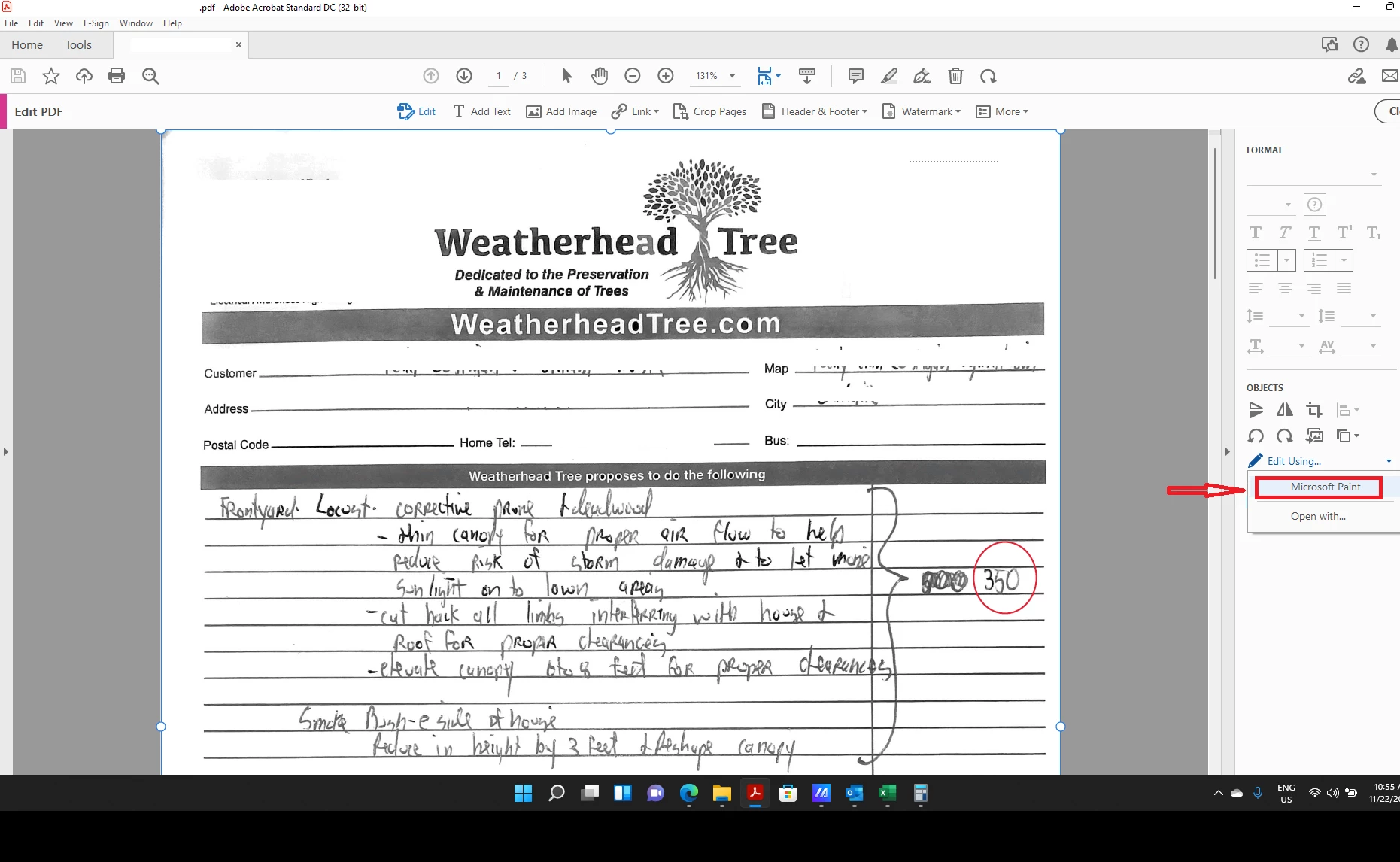
Before W11 update I was able to edit PDF using MSPAINT tool directly from the pdf without having to convert it to jpeg.


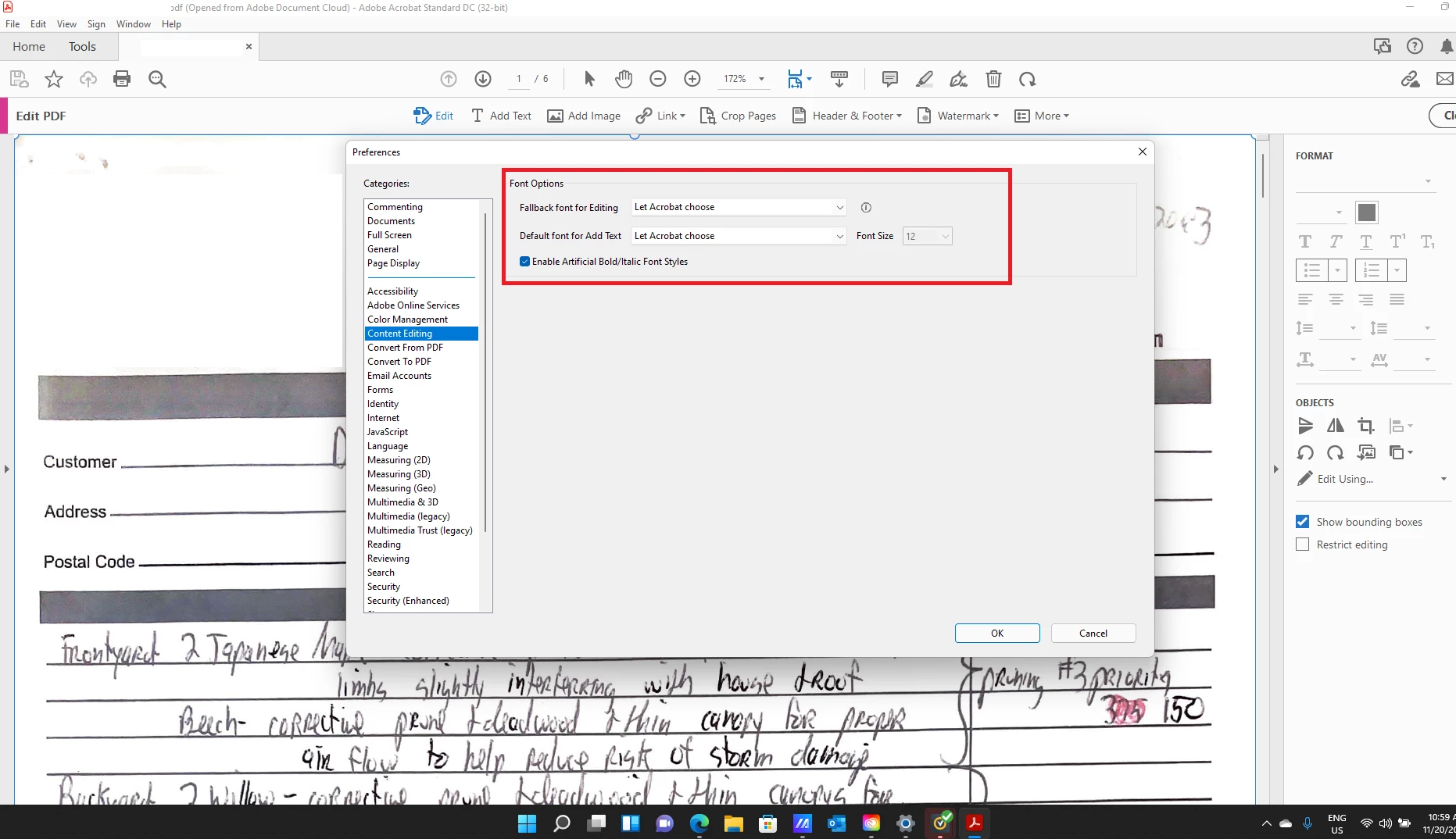
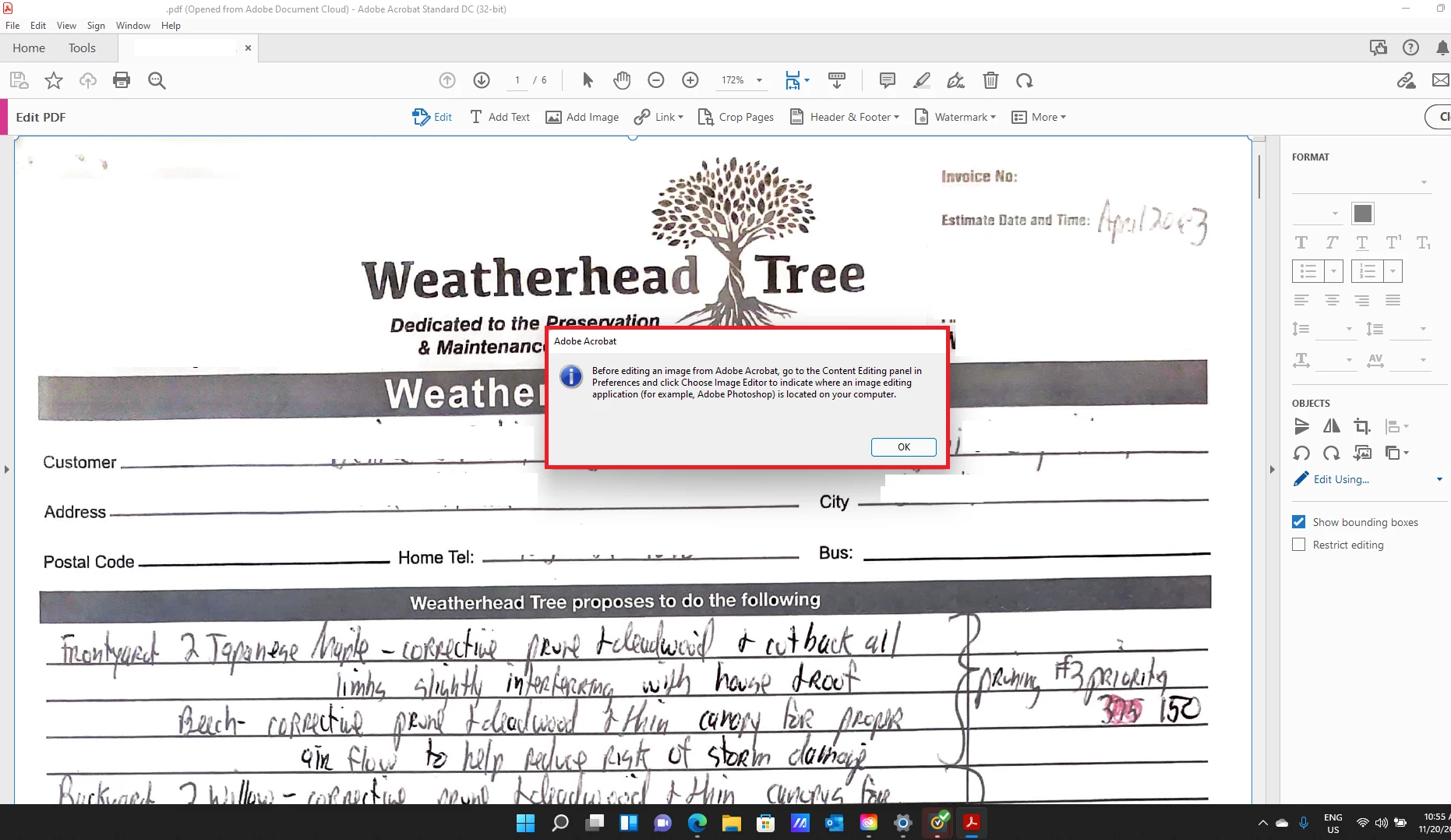
Now I have this message(See picture attached) and in Content editing I dont have  Image editor profile.


Please help
Correct answer Amal.

Hi All


This issue is fixed with the new release 22.2.20212, now available. Please update the application from the help menu > check for updates and reboot the computer once.

For more information about the new release please go through the help page https://www.adobe.com/devnet-docs/acrobatetk/tools/ReleaseNotesDC/index.html


Regards

Amal

5 replies

Amal.
Community Manager
Amal.Community ManagerCorrect answer
Community Manager
September 9, 2022

Hi All


This issue is fixed with the new release 22.2.20212, now available. Please update the application from the help menu > check for updates and reboot the computer once.

For more information about the new release please go through the help page https://www.adobe.com/devnet-docs/acrobatetk/tools/ReleaseNotesDC/index.html


Regards

Amal

New Participant
February 9, 2023

I would like to ask why this problem in Adobe Acrobat Pro 2020 (version number: 2020.005.30441) can not be solved a little? As a user of this version, I am very much looking forward to the official release of the update to solve this problem, thank you!

Amal.
Community Manager
Community Manager
February 13, 2023

Hi @Thorhoo 


Hope you are doing well and sorry to hear that


Please try to repair the installation from the help menu (Win Only) and see if that works.

Please try to reset the Acrobat preferences as described here https://community.adobe.com/t5/acrobat-discussions/how-to-reset-acrobat-preference-settings-to-default/td-p/4792082

You may also try to create a new test user profile with full admin rights in Win or enable the root account in MAC and try using the application there and check.


If it still doesn't work, would you mind collecting the Adobe CC logs https://helpx.adobe.com/creative-cloud/kb/cc-log-collector.html , Procmon logs (Win Only) https://www.adobe.com/devnet-docs/acrobatetk/tools/Labs/acromonitor.html  and share them via any cloud storage? Just upload the log file to the cloud, generate the link, and share that link with us for further investigation.

Regards
Amal


New Participant
April 5, 2022

Is Adobe going to update the softwear to allow for the use of paint?


Bevi Chagnon - PubCom.com
Brainiac
April 6, 2022

If you're using Windows 11, then Microsoft changed MS Paint. At first it wasn't available in Win11, now it's back but revamped and in a new location in your Windows folder.


Previously, in Windows 10, Paint.exe was located in C:\Windows\System 32 folder.  But in Windows 11, it's no longer in that folder.


Unfortunately, I can't find where in Windows 11 Paint.exe is now located and I've searched the entire Windows folder. However, it is available under the new Start menu in the All Apps button.


Maybe someone else knows where Paint.exe is now stored in Windows 11. Without knowing its location, we can't select it in Acrobat when editing graphics.


@7443664 / Adobe, can Adobe adjust this option in Acrobat on Windows 11 systems? It's not launching Paint.exe anymore.


|    Bevi Chagnon   |  Designer, Trainer, & Technologist for Accessible Documents ||    PubCom |    Classes & Books for Accessible InDesign, PDFs & MS Office |
Amal.
Community Manager
Community Manager
April 6, 2022

Hi @Bevi Chagnon - PubCom.com


Thanks for sharing the info. This issue is already reported to our engineering team and they are working on it to find a fix.


We will share the update as soon as we get any news from them.


Regards

Amal

New Participant
January 10, 2022

You have to find the classic version of mspaint that was in w7 - 10. adobe doesnt like this new one.

here a link:

https://www.youtube.com/watch?app=desktop&v=oT_59-AfC8o

Participating Frequently
January 10, 2022

Thank you @Tashaan22577629pyor !!!


That fixed it for me.

shelbia64926451
New Participant
February 1, 2022

I am having the same issue and downloaded the old Paint using that link. How did you get it to work??

Bernd Alheit
Adobe Expert
November 23, 2021

It is available in Adobe Acrobat Pro.

Participating Frequently
December 3, 2021

Berdt: Was that an offer to pay my costs to upgrade from DC to Pro? If not, then a feature that was available for software I purchased (and use quite frequently) is no longer there. I want what I paid for.


Amal: Using Adobe DC. Using Windows 11. I have repaired the Adobe installation already. The edit feature allows me to select MS Paint. But then tells me to go "Content editing" and select the correct app I want to use. When I do so, I get an error saying I do not have permission to access the folder. This is a personal machine and I am the only user and the Administrator.


Amal.
Community Manager
Community Manager
December 6, 2021

Hi there


We are sorry to hear that. I tried to reproduce the issue on my end and its working fine. Is this a behavior with a particular PDF file or with all the PDFs that you try to edit?


Please try to edit a different PDF file and check. If its a file specific issue please share the file with us for testing.


Also try using the application in a new test user profile with fll admin rights to check if the issue on some specific user profile.


If it still doesn't work, please remove the application using the Acrobat cleaner tool https://www.adobe.com/devnet-docs/acrobatetk/tools/Labs/cleaner.html reboot the computer and reinstall the application using the link https://helpx.adobe.com/acrobat/kb/acrobat-dc-downloads.html and check


Regards

Amal

Amal.
Community Manager
Community Manager
November 22, 2021

Hi there


Hope you are doing well and sorry for the trouble. As described after Win 11 update you are unable to edit the PDF using MS Paint and the image editor profile is missing under the content editing option in preferences.


Please try to repair the installation form the help menu > repair installation and reboot the computer once and see if that works for you.


Also try to reset the Acrobat preferences as described here - https://community.adobe.com/t5/acrobat-discussions/how-to-reset-acrobat-preference-settings-to-default/td-p/4792082


You may also try to create a new test user profile with full admin rights in Windows and try using the application there and check.


Regards

Amal

New Participant
November 22, 2021

Didnt work

Amal.
Community Manager
Community Manager
November 23, 2021

Hi there


We are sorry to hear that.


Is this an issue with a particular PDF file or with all the PDFs?PLease try with a different PDF file and check.


Have you tried resetting the Acrobat preferences and using the application in new test user profile?


If it still doesn't work, Please remove the application using the Acrobat cleaner tool https://www.adobe.com/devnet-docs/acrobatetk/tools/Labs/cleaner.html , reboot the computer and reinstall the application using the link https://helpx.adobe.com/acrobat/kb/acrobat-dc-downloads.html


Regards

Amal