Copy link to clipboard
Copied
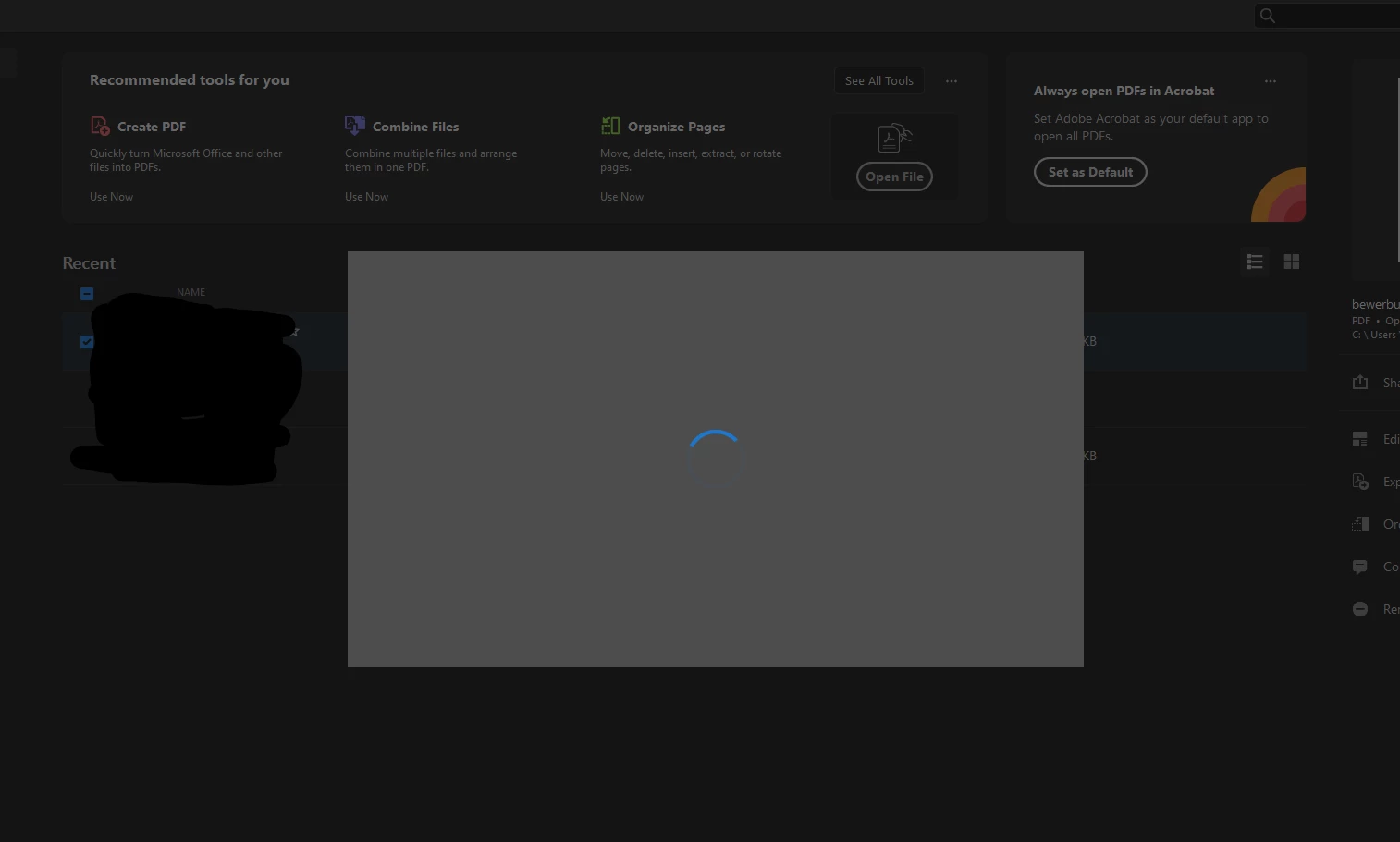
I open a form and start filling in the boxes, then a grey pop-up box appears over the document. I can no longer add text to the document. All the Acrobat Pro DC drop down menus are greyed out except Copy and Special Characters under Edit and Hide Adobe Acrobat Pro/ Hide Others/ Show All under Acrobat. I can move the Acrobat document around on the screen but the grey box does not move and it is not selectable. I have to Force Quit Acrobat and if I again open the document it will recur. This is the second document that this has happened to out of the last two documents that I have tried.
Copy link to clipboard
Copied
Copy link to clipboard
Copied
Hi there
Hope you are doing well and sorry to hear that
Is this an issue with a particular PDF file or with all the PDFs? Please try with a different PDF file and check. If the file is stored on a shared network/drive please download it to your computer locally and then try again.
What is the version of the Acrobat DC you are using? To check the version go to Help > About Acrobat and make sure you have the recent version 23.03.20215 installed. Go to Help > Check for updates and reboot the computer once.
Please try to reset the Acrobat preferences as described here https://community.adobe.com/t5/acrobat-discussions/how-to-reset-acrobat-preference-settings-to-defau...
You may also try to create a new test user profile with full admin rights or enable the root account in MAC and try using the application there and check.
If it still doesn't work, please remove the application using the Acrobat cleaner tool https://www.adobe.com/devnet-docs/acrobatetk/tools/Labs/cleaner.html , reboot the computer once and reinstall the application using the direct link
https://helpx.adobe.com/acrobat/kb/acrobat-dc-downloads.html
Regards
Amal
Copy link to clipboard
Copied
I have this exact same issue - trying to edit a local PDF, fresh install of Acrobat Pro via creative cloud subscription, grey box with a spinning/flickering blue circle.
Copy link to clipboard
Copied
I can't interact with Acrobat in any way while this box is there. I can't even close it - only via task manager.
Copy link to clipboard
Copied
We are sorry to hear that, would you mind collecting the Adobe CC logs https://helpx.adobe.com/creative-cloud/kb/cc-log-collector.html , Procmon logs (Win Only) https://www.adobe.com/devnet-docs/acrobatetk/tools/Labs/acromonitor.html and Crash/freeze logs https://helpx.adobe.com/acrobat/kb/collect-logs-crash-freeze.html share them via any cloud storage. Just upload the log file to the cloud, generate the link, and share that link with us for further investigation.
Regards
Amal
Copy link to clipboard
Copied
I uploaded with the adobe tool.
AdobeLogs_20230721_054422_285-win-GS.zxp
Copy link to clipboard
Copied
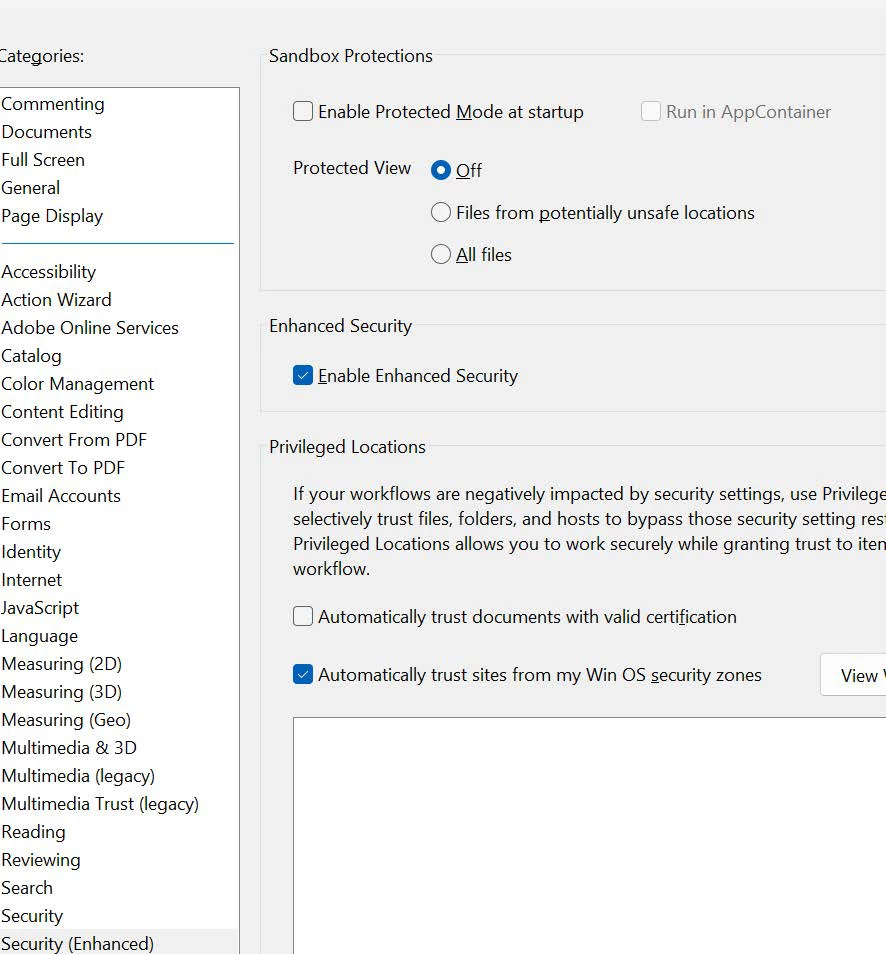
Try these settings:
Copy link to clipboard
Copied
Thanks @mariahweyne, this worked.
How is it that the default settings can keep the software from working at all? I would expect this from a small vendor, but not from a multi billion company like Adobe. How odd.
Get ready! An upgraded Adobe Community experience is coming in January.
Learn more