


brianb16553101
Participant
April 16, 2024
Answered

Form Filed now always e-sign field

  • April 16, 2024
  • 13 replies
  • 10676 views

Hello,


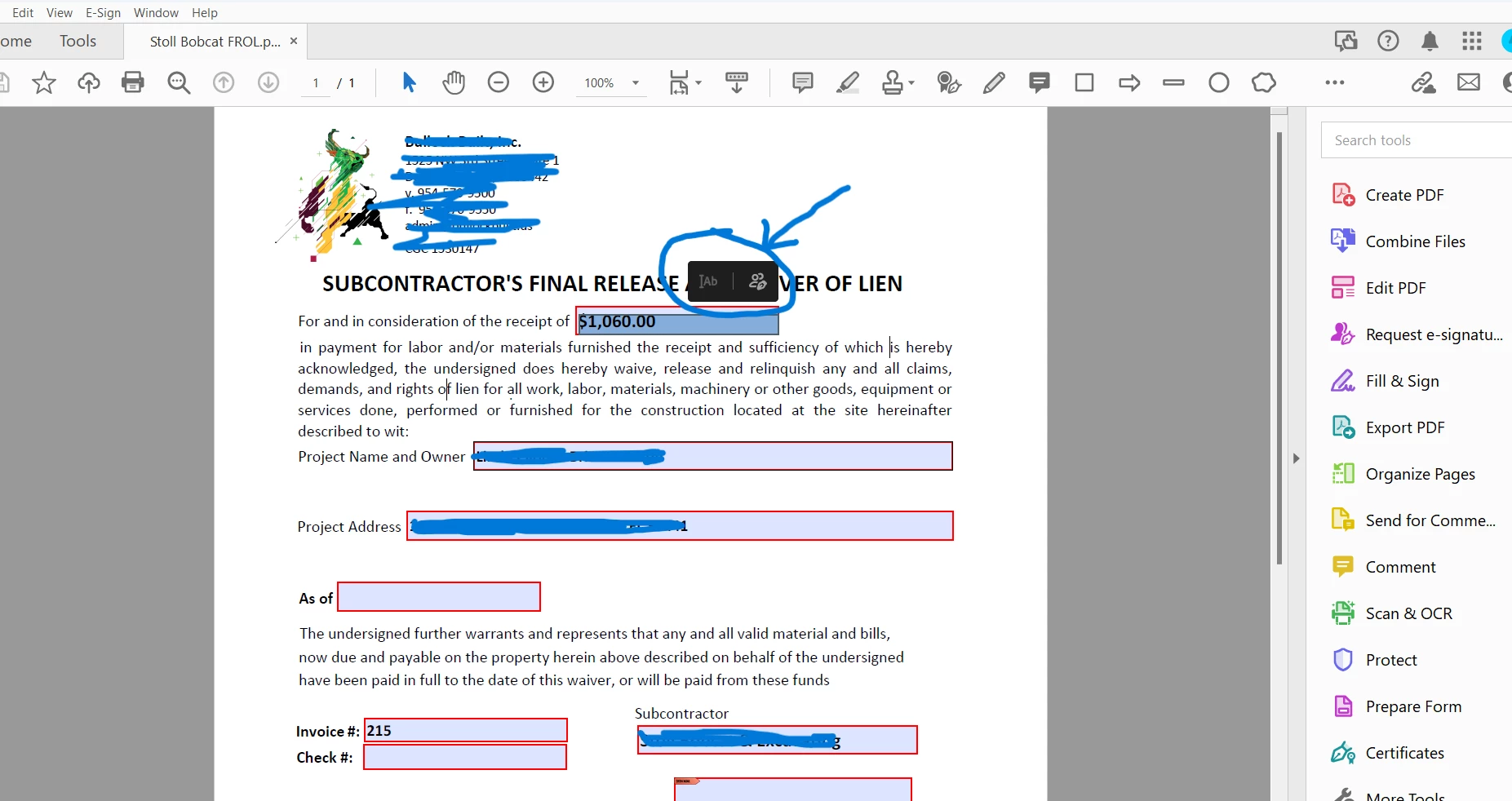
Today for some reason all forms I have and all fields have become request for e-sign and will not let me type or earse anything previously typed into a field or type in blank field. It worked fine until today, and now every form I have is acting like this. Any ideas what is causing this?
Correct answer brianb16553101

It is Acrobat Pro (64). I ran a repair, switched to classic and that seemed to have fixed the issue. 


13 replies

Meenakshi Negi
Community Manager
Community Manager
April 18, 2024

Hi sodium-light and InfoRR,


Thank you for reaching out and reporting this issue.


Please check and let us know if the issue occurs with all the PDFs. Did you start experiencing this behavior after the recent update? Have you ever experienced this behavior before?

It would be helpful if you could share the PDF form with the issue and the screen recording of the steps you take to fill out the form. Also, share the Acrobat and OS versions currently in use.


Thanks,

Meenakshi

Participant
April 18, 2024

I am having this issue as well. It is happening with ALL adobe files.

Amal.
Community Manager
Community Manager
April 18, 2024

Hi there


Thanks for reaching out.


We have highlighted this issue to our engineering team for review. We will share the update as soon as we get any information.


Thanks for understanding.


~Amal

Amal.
Community Manager
Community Manager
April 17, 2024

Hi there

Hope you are doing well and sorry to hear that

What is the version of the Acrobat DC you are using? To check the version go to Help > About Acrobat and make sure you have the recent version 24.02.20687 installed. Go to Help > Check for updates and reboot the computer once.

Also try to repair the installation from the help menu (Win Only) and see if that works.

Please try to reset the Acrobat preferences as described here https://community.adobe.com/t5/acrobat-discussions/how-to-reset-acrobat-preference-settings-to-defau... and see if that works.


~Amal

brianb16553101
brianb16553101AuthorCorrect answer
Participant
April 17, 2024

It is Acrobat Pro (64). I ran a repair, switched to classic and that seemed to have fixed the issue. 


Amal.
Community Manager
Community Manager
April 17, 2024

Hi there


We are glad to hear that. Marking a reply or response “Correct” will help future users with the same issue quickly identify the correct answer.


~Amal


try67
Community Expert
Community Expert
April 16, 2024

In Prepare Form mode, click More, and then click on "Revert to Acrobat Form". In the future, do not tick the box that says "This document requires signatures" when creating the form, as that converts the file into an Adobe Sign form.

Participant
April 22, 2024

Any way you can be more specific?

There is no "More" button when clicking on Prepre a Form.

There is also no checkbox to tick at all when preparing a from. Let alone one that says "This document requires signatures".

Meenakshi Negi
Community Manager
Community Manager
April 23, 2024

Hi Pauldo,


Thank you for reaching out.


It seems that you have the new version of Acrobat. Please click on the three dots next to the title. Prepare a form in the left-hand tools pane. Then click on Remove the e-singing options. Check the screenshot below for reference.


Let us know if that helps.


Thanks,

Meenakshi


Got your issue resolved? Please label the response as 'Correct Answer' to help your fellow community members find a solution to similar problems.