


Question
How to reset Acrobat 2017 Pro - without having to re-install it?
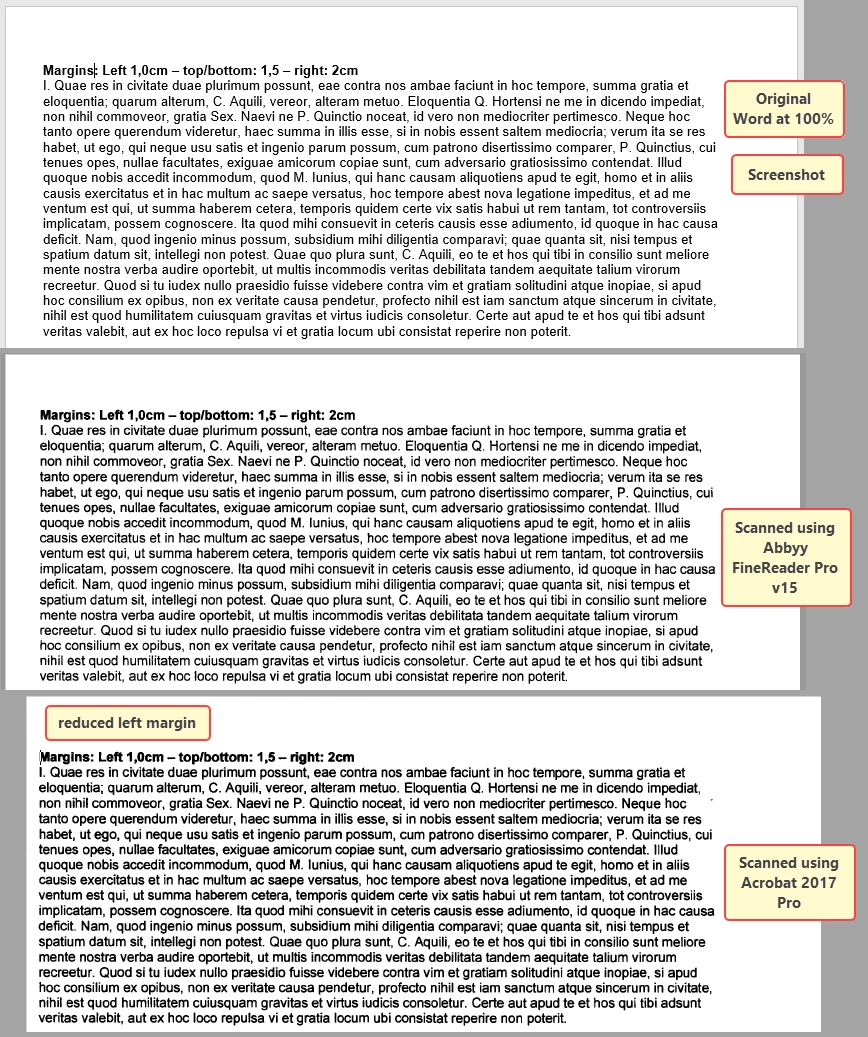
When creating scans from my scanner, the output font looks blurry. That used to be perfect in the past.
Also the text has shifted about 8mm to the left, leaving close to no marging (about 2mm or so)
I have tried endlessly to get this OK again, but all attempts remained in vain.
Wonder whether there is a way to reset all settings of Acrobat to default, so I can try from scratch.
Or anyone out there having tips to get high resolution scans. I don't care about the size.
Attached find screenshots.
Note when scanning using Acrobat and using Automatic Document Feeder (ADF), the left margin is okay. Acrobat reduces the left margin in case of a manual scan, i.e. document manually put on the glasplate.
Thanks.
 AdChoices