


Known Participant
November 7, 2023
Answered

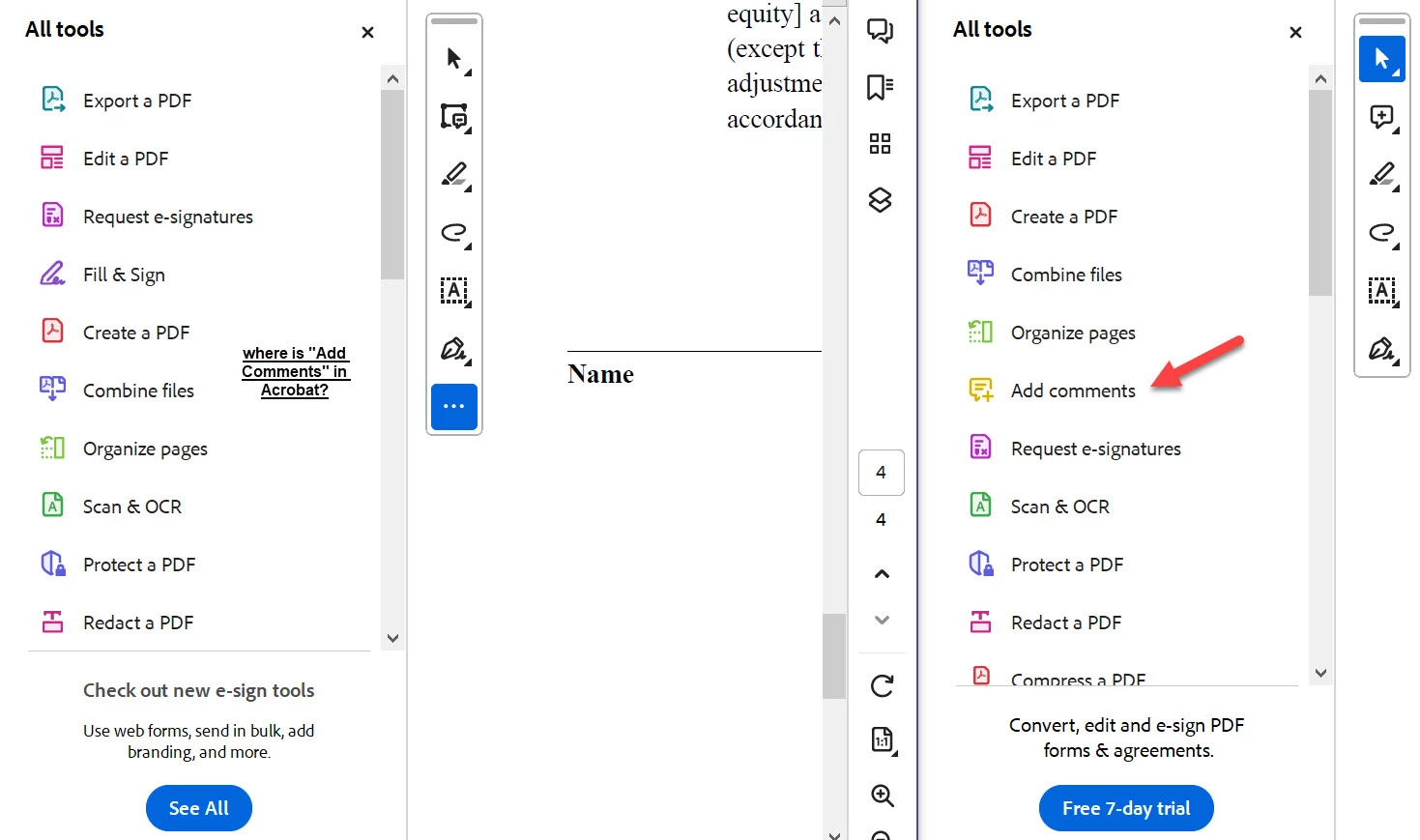
New Acrobat Experience - where is "Add Comments" tool

  • November 7, 2023
  • 2 replies
  • 2492 views

Hello,


Please see the screenshot image showing the new Acrobat Pro experience (UI) on the left and the new Acrobat Reader experience (UI) on the right.   How can I get "Add Comments" into my All Tools of Acrobat Pro?  thank you


by the way, is there any consensus about the new UI .... I have to get used to this.


thanks

Craig


Correct answer Bernd Alheit

Correct

2 replies

Participant
January 14, 2025

To get the full "Add Comments" with all options as a toolbar, the solution is here: https://community.adobe.com/t5/acrobat-discussions/add-comments-tool-not-available-on-all-tools-menu/m-p/14957305

TL;DR version: File >> "Disable New Acrobat."

I don't mind the floating toolbar, but as a quick tool only. The full "Add Comments" should be in the list of all tools down the left side. The old method where you select a toolbar on the left and all options appear on top was MUCH better than.....taking away the most used tool. I was going crazy trying to figure out why "Add Comments" would show in the "Add to toolbar" but not in the list of tools.

Participant
February 19, 2025

I am going mad with this situation, I am struggling to fint the add text comment without border, any ideas? thank you

Bernd Alheit
Community Expert
Community Expert
November 8, 2023

"Add a comment" is available on the toolbar:

Known Participant
November 8, 2023

Thank you very much

so i assume there is no way to get "Add a Comment" into the "All Tools" listing 

Bernd Alheit
Community Expert
Bernd AlheitCommunity ExpertCorrect answer
Community Expert
November 8, 2023

Correct