


October 19, 2020
Question

"Content Preparation Progress" how to prevent freezing?

  • October 19, 2020
  • 1 reply
  • 3347 views

I am developing a bot to populate fillable fields across several PDF files. 


My problem is that the "content preperation progress" window often freezes on "ready", which causes the bot to crash. 
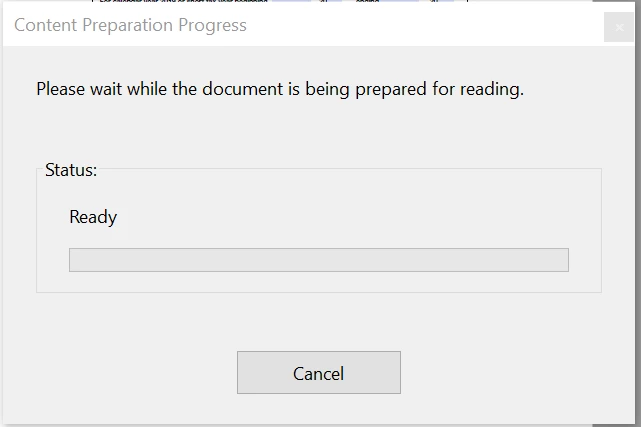
 

I do not want to disable content preperation, because then adobe can not find the fillable fields. 


Are there any workarounds to preven this from freezing? If not, is there any way to permanently save the content read settings to a specific pdf file so that this window does not nead to run every time I open it? 


Thanks!


This topic has been closed for replies.

1 reply

Amal.
Community Manager
Community Manager
October 20, 2020

Hi there


We are sorry for the trouble. As described yoiu are getting the error 'Content Preparation Progres'


When setting up documents for reflow this message may be displayed. Changing the preference within Reading allows Acrobat to process the current page only.


Please refer to the steps provided in the help page https://helpx.adobe.com/acrobat/kb/message-content-preparation-progress-opening.html and see if that works for you.


Let us know how it goes.


Regards

Amal

Participant
January 10, 2023

Tried this...nope. Its freaking INFURIATING! never had this issue before...so whatever the heck you did, you just destoyed my workflow, it freezes everytime & I work with pdfs all...day...long. 

Looks like i'm canceling & going to another pdf editor if this isnt fixed asap...


Amal.
Community Manager
Community Manager
January 23, 2023

Hi @mark27882485hrxy 


Hope you are doing well and sorry for the delayed response.


Have you started experiencing this issue with the recent update? What is the version of the Acrobat DC you are using ? To check the version go to Help > About Acrobat and make sure you have the recent version 22.3.20310 installed. Go to Help > Check for updates and reboot the computer once.


Go to Edit (Win), Adobe Acrobat > Preferences > Reading > Under Screen reader option , Page vs document Select 'Only read the currently visible page' > Click OK and check.

Also, try to repair the installation from the help menu (Win Only) and see if that works.

Please try to reset the Acrobat preferences as described here https://community.adobe.com/t5/acrobat-discussions/how-to-reset-acrobat-preference-settings-to-default/td-p/4792082

You may also try to create a new test user profile with full admin rights in Win or enable the root account in MAC and try using the application there and check.


Regards

Amal