

New Participant
July 1, 2021
Question

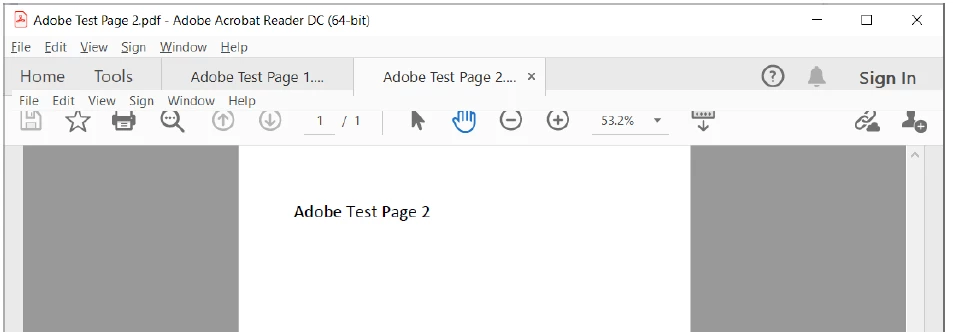
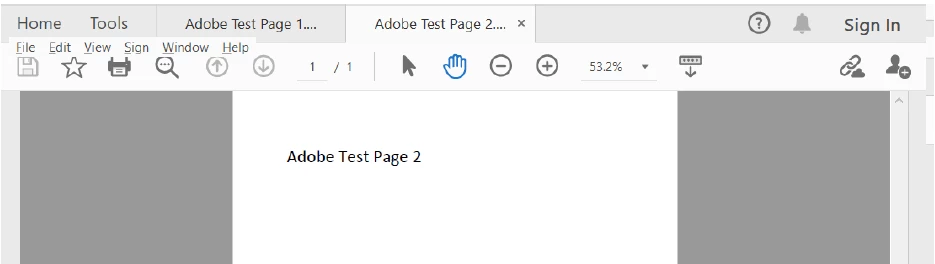
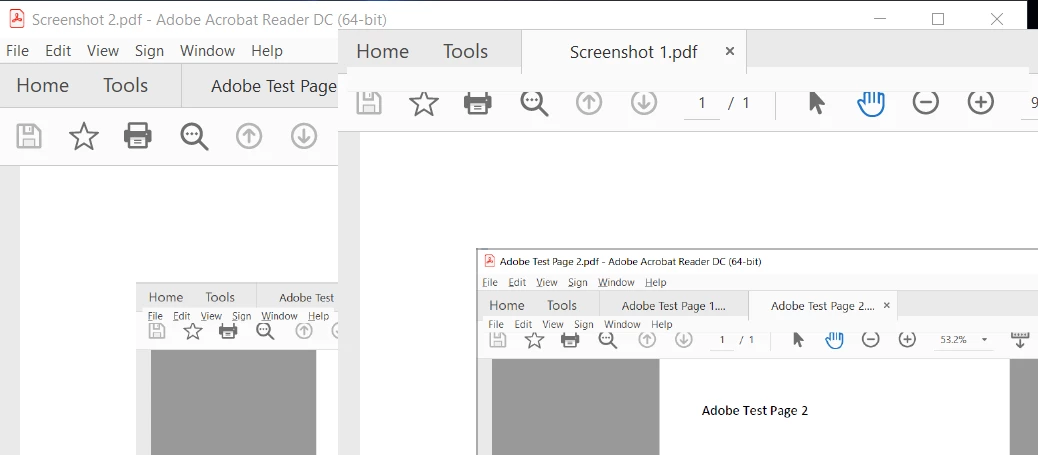
Drop-down Menu keeps hiding and when I click on a open tab it open is its own window.
  • July 1, 2021
  • 1 reply
  • 715 views

Drop-down Menu keeps hiding and when I click on a open tab it open is its own window.


This topic has been closed for replies.

1 reply

Amal.
Community Manager
Community Manager
July 2, 2021

Hi Lans


Hope you are doing well and sorry for the trouble. As described, drop-down Menu keeps hiding and when you click on a open tab it open is its own window.
 

Would you mind sharing the workflow/steps you are doing to open the tab, a small video depicting the issue would help us to better understand the issue.


What is the version of the Adobe Acrobat Reader DC you are using? To check the version go to Help > About Acrobat and make sure you have the application updated to version 21.05.20048. Go to Help > Check for updates and reboot the computer once.


You may also try to check/uncheck the option to open documents in same window and see if that helps. Go to Edit  (Win), Adobe Acrobat (Mac) > Preferences > General > Open documents as new tab in same Window. 


You may also try to reset the Acrobat preferences to default as described in the help page https://community.adobe.com/t5/acrobat/how-to-reset-acrobat-preference-settings-to-default/td-p/4792082


Regards

Amal

Ians5E0BAuthor
New Participant
July 16, 2021

I tried what was included in the link, removing the preferences in my user folder, but that made no difference.

I've also uninstalled Adobe and run the AdobeAcroCleaner_DC2015.exe.

Re-installed Adobe Acrobat to no avail.

I may just try Boxit.

Amal.
Community Manager
Community Manager
July 20, 2021

Hi there,


We are sorry to hear that. Please share a small video of the issue so that we can get a better understanding of the issue. Also you may try creating a new test user profile with full admin rights in Windows or enable the root account in Mac and try using the application there and check.


Regards

Amal
