


- Inicio
- Acrobat Reader
- Hilos de conversación
- Im getting this very problem, Adobe reader is the ...
- Im getting this very problem, Adobe reader is the ...

Copiar vínculo al Portapapeles
Copiado
Every other App is able to print. I've tried uninstalling and reinstalling both the application and print driver. Out of desperation, I updated the OS, and I still cannot print.
Right now, I'm still receiving the error. My environment:
MacOS: 10.13.1
Adobe Acrobat Reader DC Continuous Release
Version 2018.011.20036
Architecture: x86_64
Build: 18.11.20038.267465
AGM: 4.30.74
CoolType: 5.14.5
JP2K: 1.2.2.39492
Any thoughts? Are there logs I can look at or tracing I can enable to identify the point of failure?
Best,
-Pat


 1 respuesta correcta


HI All,
We're sorry for the delayed response and inconvenience caused, the issue was addressed with the latest patch release of Acrobat/Reader, please install the latest patch from help>check for updates, or manually from DC Release Notes — Release Notes for Acrobat DC Products
Reboot the machine after updating Adobe Reader and check.
Let us know how it goes and share your observation.
Thanks,
Anand Sri.

 86
réplicas
86
86
réplicas
86

Copiar vínculo al Portapapeles
Copiado
Hi Pat,
We apologize for the inconvenience caused, as per the description above, you are getting an error message while printing a PDF file on Mac machine "The document could not be printed. There were no pages selected to print.", Is that correct?
As you mentioned that you have tried uninstalling and reinstalling Adobe Reader, and have updated the printer driver and the operating system, but the issue still persists.
Please create a new user profile with full admin rights or enable the root account and try with Adobe Reader and see if this issue is reproducible.
You may also refer to Troubleshoot PDF printing in Acrobat and Reader
If the issue still persists, please share the following detail:
- Make and model of the printer.
- Share the finding after temporarily turning off Protected Mode/View under Edit > Preferences > Security.
Note: Please turn on Protected mode, as turning off is only for testing purpose.
Let us know how it goes.
Regards,
Anand Sri.
[edited response]
Copiar vínculo al Portapapeles
Copiado
I've tried the new admin account... same error. I've been through that troubleshooting page already.
It is a Canon Pixma MG3520.
** EDIT **
I also tried dropping the security. Taht also did not work.
Thanks again,
-Pat
Copiar vínculo al Portapapeles
Copiado
Also, to answer your question: YEs. That is the error I receive.
When I get to the Print screen and hit "Print" in the lower left corner....
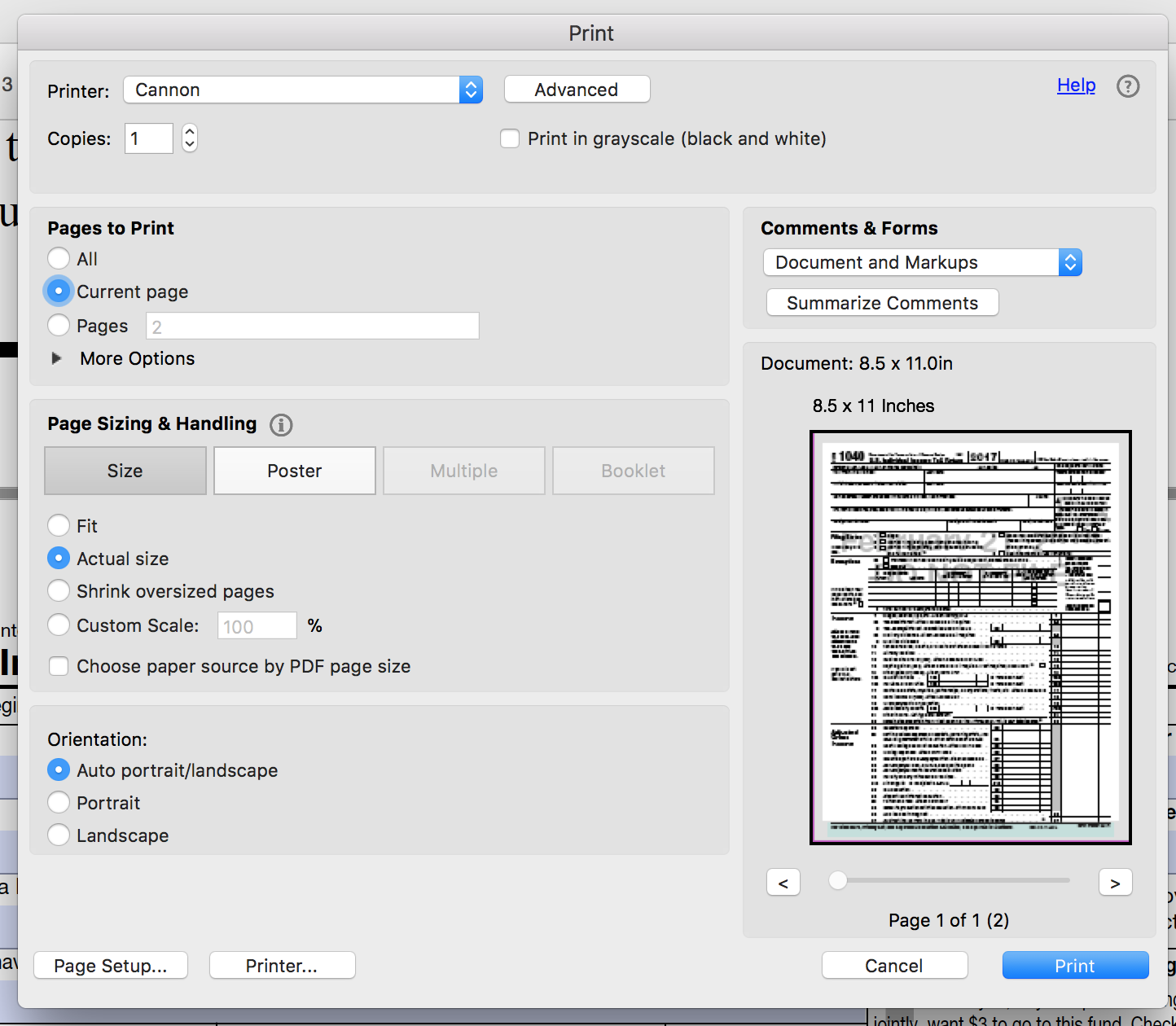
I immediately get this dialog...
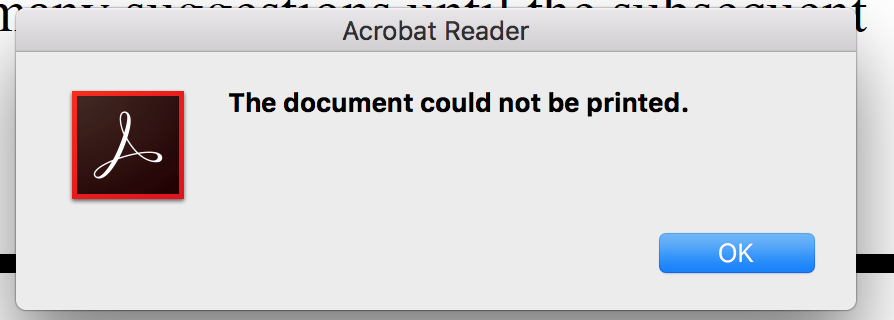
Then, when I click "OK" I get this dialog...
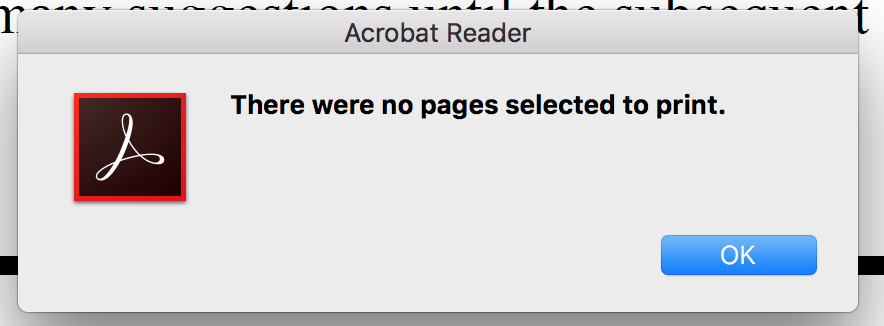
THanks again,
-P
Copiar vínculo al Portapapeles
Copiado
Hello Patrickw,
Thank you for the details and the log files for the machine. As per the conversation over the phone, will report the issue to the Engineering team and will share an update soon.
Thanks for your time and patience.
Regards,
Anand Sri.
Copiar vínculo al Portapapeles
Copiado
Did you receive an update from Engineering?
Best,
-Pat

Copiar vínculo al Portapapeles
Copiado
Hi Pat,
There have been some changes to the product and you shouldn't be getting this message at all if you are using the latest version of Adobe Acrobat/Reader.
If you have the latest version of Acrobat or Reader installed and you are getting the same error message. Please help us with the version installed and help us with the file using which you are able to reproduce the issue.
-Tariq Dar

Copiar vínculo al Portapapeles
Copiado
Hi,
It is Mar 21, 2021, and the problem still persists. I installed

and tried to print a document with no luck.


I tried to choose pages like Patrick and still have the same problem.

Copiar vínculo al Portapapeles
Copiado
Hi b5DEE,
have you tried updating or upgrading your Adobe Acrobat Reader DC? I had a similar problem on my Macbook Pro 16", I updated my Adobe Acrobat Reader DC and it solved it.
It works now.
Good luck in solving the problem everyone.
Goodbye.
Radka Hubatova

Copiar vínculo al Portapapeles
Copiado
Why is Acrobat so difficult to deal with lately? First the scroll bars were missing and now the printing problem surfaced last week. What will happen next?


Copiar vínculo al Portapapeles
Copiado
Hi Patrickw,
There have been a few times where I got that message from a PDF that I obtained from an unknown source (e.g., I did not make the PDF, I received it from another party).
I had tried to print that document from Acrobat to an HP laserwriter.
However, when I tried to print via Apple's Preview, it worked just fine. So please try to print from Preview and see if that works.
I was told by someone that if non-Adobe software creates shortcuts in programming, they (Acrobat) cannot guarantee printing because that means that Adobe would have to place "cheats" in Acrobat to work out all of the shortcuts that other applications use.
I can neither support nor contradict that theory but if Preview works, than go for it.

Copiar vínculo al Portapapeles
Copiado
Thanks so much, that worked like a charm, I did not feel like re-installing etc...
Thanks again

Copiar vínculo al Portapapeles
Copiado
Thanks so much for this! Adobe just an awful experience. Thankfully, using their apps less and less

Copiar vínculo al Portapapeles
Copiado
Does anyone have any suggestions for a non Adobe app that I could use to edit pdfs? That's mainly what I use Acrobat for (and signatures). If there was a free software out there that would be excellent to hear about and then I could cancel my subscription to Adobe. It's far too expensive if I can't print so thinking of cancelling anyway and asking for a refund for the unused months...
Any suggestions would be helpful!

Copiar vínculo al Portapapeles
Copiado
I have had the same problem with printing. My workaround is to save the pdf file to your computer, then use Preview to open the pdf. Preview prints with no problem and you have limited editing capabilities. My guess is Adobe is trying to nudge us into using only their subscription based products (as they ALL are, now).

Copiar vínculo al Portapapeles
Copiado
Nah... the issue has not been solved with the latest patch. I'm trying to PRINT from Acrobat in 2023 and I get the exact same error message these people are getting. I have to open it in either Illustrator or Apple Preview to be able to print. It's rather annoying. Especially when I open it in Illustrator sometimes it will move things and I have to double-check everything is where it should be. The error is as follows : "The document cannot be printed", "There were no pages selected to print".

Copiar vínculo al Portapapeles
Copiado
Problem still persists on macOs Mojave 10.14 and Adobe Acrobat Reader DC 2019.008.20017.
No printer works, security or print as image too.
Please help.

Copiar vínculo al Portapapeles
Copiado
Probably you can add some info to this thread:
Mac: The document could not be printed. There were no pages selected to print.
Copiar vínculo al Portapapeles
Copiado
HI All,
We're sorry for the delayed response and inconvenience caused, the issue was addressed with the latest patch release of Acrobat/Reader, please install the latest patch from help>check for updates, or manually from DC Release Notes — Release Notes for Acrobat DC Products
Reboot the machine after updating Adobe Reader and check.
Let us know how it goes and share your observation.
Thanks,
Anand Sri.

Copiar vínculo al Portapapeles
Copiado

Copiar vínculo al Portapapeles
Copiado

Copiar vínculo al Portapapeles
Copiado
Try opening PDF in google chrome and print from there

Copiar vínculo al Portapapeles
Copiado
Hi,
I ve got the same issue.
There is multiple post regarding this issue without any clear answer to solve it.
Regards,
D
Copiar vínculo al Portapapeles
Copiado
Hi Guys,
No more good news for this new year ?
not able to print
Thanks
Dom
Copiar vínculo al Portapapeles
Copiado
Hi Guys,
I found the solution:
- I reinstall WITHOUT Case sensitive APFS .... and TADAM !
- I spent a lot of time to solvie this issue, and I don't test all possibilities (printer name UPPERCASE/lowercase/ ... )
Like Microsoft product, Acrobat product seems to not handle properly case sensitive name.
Happy new year 2020 |
Print safely


Encuentra más inspiración, eventos y recursos en la nueva comunidad de Adobe
Explorar ahora
 AdChoices