


Participating Frequently
April 27, 2022
Question

Reader DC issue - Certificates - Cannot draw area to Digitally Sign

  • April 27, 2022
  • 3 replies
  • 5487 views

Hi,
When users try to Digitally Sign any pdf document in Acrobat Reader DC, he cannot draw the area and the following message is always received:
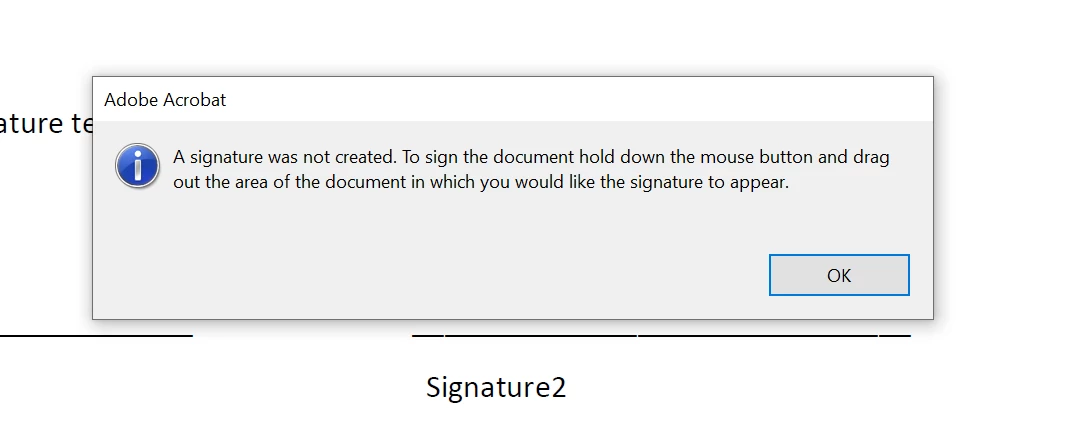
This is happening only on one laptop, and it doesn't matter which account is used for Windows login (admin or non admin). We tried with several different users.

Acrobat Reader DC Version: 2022.001.20117 - 64-bit

Same user doesn’t experience the issue on a different laptop.
Actions that we already tried:
- Unchecking: "Use modern user interface for signing and Digital ID configuration"

- Resetting Adobe Preference settings to default
- Reinstalling Acrobat Reader DC (uninstall/install), updating to the latest version
- Installing different versions of Acrobat Reader DC
- Running the Acrobat Reader as admin
- Removing the installation with Acrobat Cleaner Tool, restarting the laptop, installing new version

More screenshots attached for your reference.

Could you please advise?

Regards,
Milos

This topic has been closed for replies.

3 replies

Participating Frequently
April 28, 2022

Hi Amal,


Thank you for your answer. 


As described in my original post, I have issue with any pdf documents.

I have also Reset Adobe Preference settings to default.


None of the above solved the issue.


Regards,

Milos

Amal.
Community Manager
Community Manager
April 29, 2022

Hi Milos


Please try testing the Acrobat in the new test user profile with full admin rights or enable the root account in MAc and try using the application there and check.


Regards

Amal


Participating Frequently
April 29, 2022

Hi Amal, 


I have created a new user  (OS is Window 10) and added it to Administrators group. Unfortunatelly, I still cannot draw area. The message is the same.


Please advise.


Regards,

Milos


JR Boulay
Community Expert
April 28, 2022

MOVED TO THE ACROBAT READER FORUM

Acrobate du PDF, InDesigner et Photoshopographe
Amal.
Community Manager
Community Manager
April 28, 2022

Hi Milos


Hope you are doing well and sorry for the trouble.


Is this an issue with a particular PDF file or with all the PDFs? Please try with a different PDF file and check. If the file is stored on a shared network/drive please download it to your computer locally and then try to sign it again and check.


Also, please share a small video recording of the steps you are doing to sign the PDF and the issue you are getting, for a better understanding.


As you have tried most of the troubleshooting steps with no success. Please try to reset the acrobat preferences as described here https://community.adobe.com/t5/acrobat-discussions/how-to-reset-acrobat-preference-settings-to-default/td-p/4792082


You may also try to create a new test user profile with full admin rights in Win and try using the application there and check.


Regards

Amal