


New Participant
March 22, 2023
Answered

Turn off Other File Storage

  • March 22, 2023
  • 1 reply
  • 1660 views

How do I turn off Other File Storage? I don't want any actual or future UNC paths inside to be accessible to our end users.


We user Adobe Acrobat Reader DC version 2022.003.20322 64 bit/
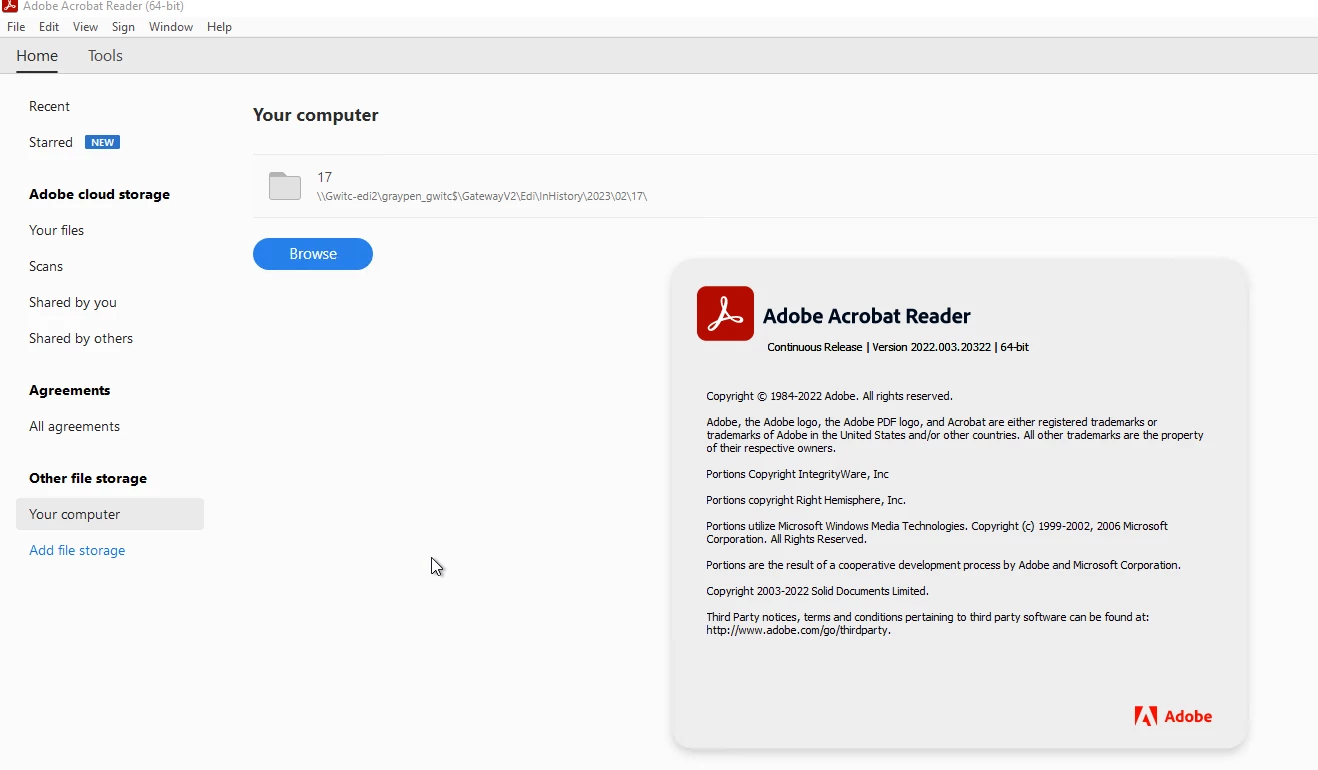
 

This app is available as a Remote App inside an Azure Virtual Desktop Workspace in our IT infra.


This topic has been closed for replies.
Correct answer S_S

@Floris29004972a86o Thank you for getting back!


If the solutions do work, please feel free to mark the solution as the correct answer. Marking a reply or response “Correct” will help future users with the same issue quickly identify the correct answer.


-Souvik

1 reply

S_S
Community Manager
Community Manager
March 24, 2023

Hi @Floris29004972a86o,


Hope you are doing well. Per the description, you want to disable Cloud Services on Acrobat Reader.


This feature is available using the Customization Wizard. Would you mind going through the steps shared in the post that has a question  similar to yours: Solved: Disable online services/features in Acrobat Reader


Hope this helps.


-Souvik.

New Participant
March 30, 2023

Hello, we will try the solutions inside the URL, thanks.

S_S
Community Manager
S_SCommunity ManagerCorrect answer
Community Manager
March 30, 2023

@Floris29004972a86o Thank you for getting back!


If the solutions do work, please feel free to mark the solution as the correct answer. Marking a reply or response “Correct” will help future users with the same issue quickly identify the correct answer.


-Souvik