


Adobe Reader Fill & Sign option on iPad
Hi, I have recently moved from Adobe Fill & Sign to Adobe Acrobat app on iPad. On the first day or 2, it was easy to use with by tapping the big blue edit bottom in bottom right corner and select Fill & Sign option.
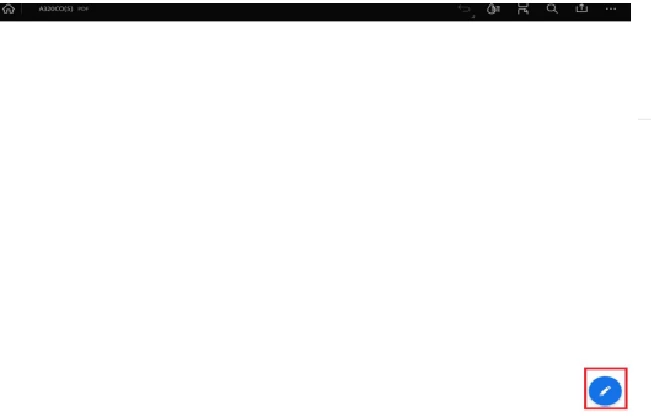
However, after a day or two, the menus/UI of the app has changed a little. Now I don't see blue edit button in the bottom right corner, and couldn't find Fill & Sign option any where in the app. The new tool menu appears in the left hand corner seems to be just a mark up tool. I use Fill & Sign option to add texts in the textbox, and draw a few lines on PDF, so that the text don't appear to be comments and the text fixtate in the area on PDF when read on a computer. I have tried uninstalling and reinstalling, and it seems to do the same change after 1 or 2 days.
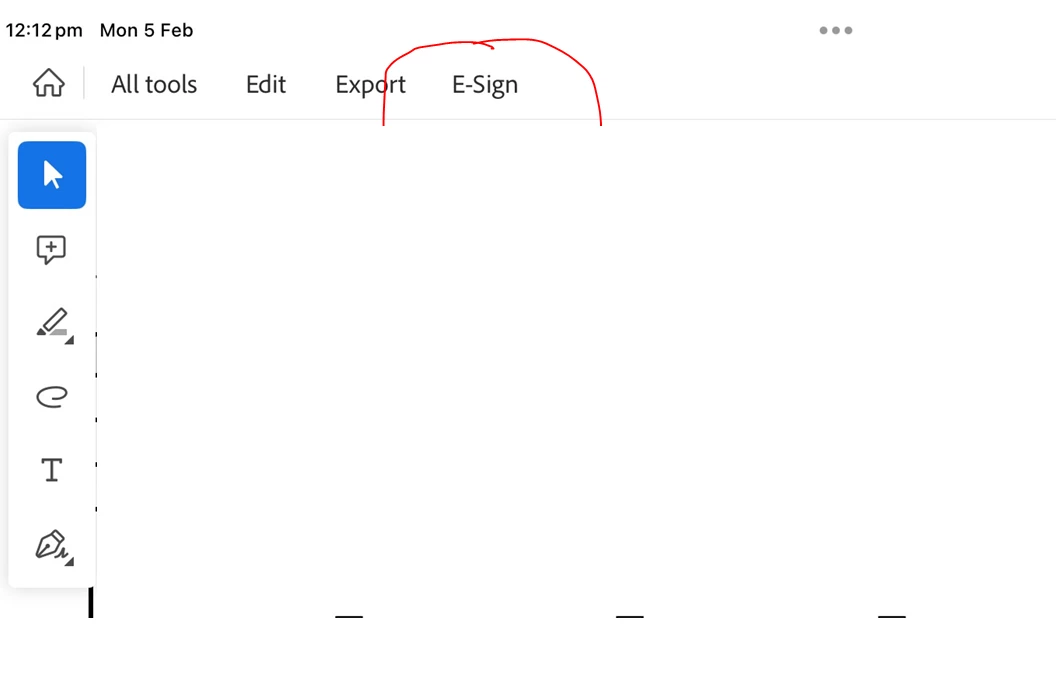
Is the Fill & Sign option only in free trial?
Is above the reason why UI would change?
How do I get Fill & Sign option back?
 AdChoices