Participating Frequently
August 13, 2021
Answered

Background and image colors different in different Adobe readers

  • August 13, 2021
  • 4 replies
  • 4531 views

When I create a PDF by exporting to PDF from a Microsoft PowerPoint:


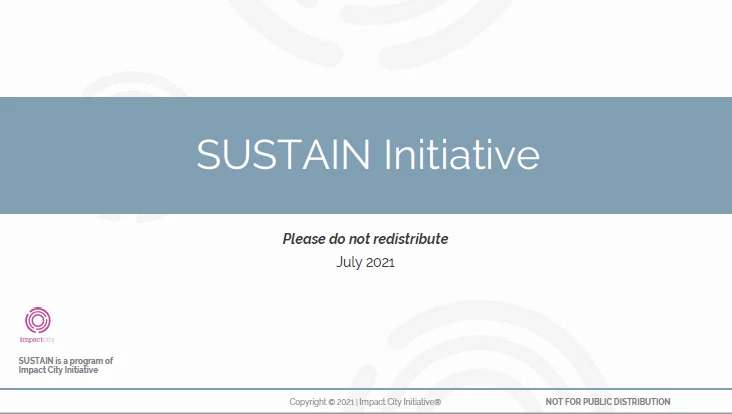
If I view the PDF on Adobe Reader on a PC, it has a white background with gray images.

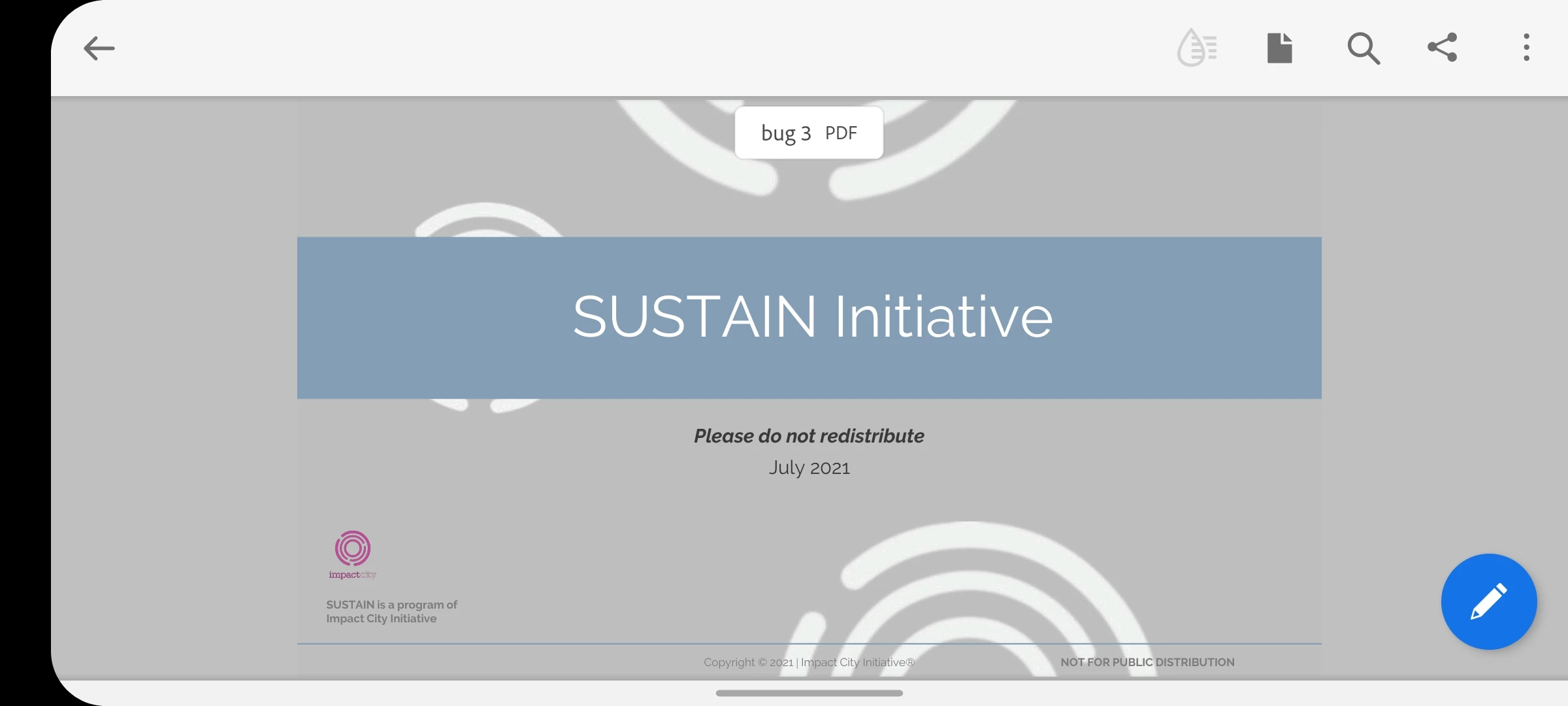
If I open it on Adobe Reader on my phone, it has a gray background with white images (looks terrible).

See screenshots below.


That can’t be right.


The Adobe people tell me it's Microsoft's fault, and the Microsoft people tell me it's Adobe's fault. 


Can someone please tell me what is wrong with the PDF that is causing it to appear differently on different readers?


This topic has been closed for replies.
Correct answer Brad @ Roaring Mouse

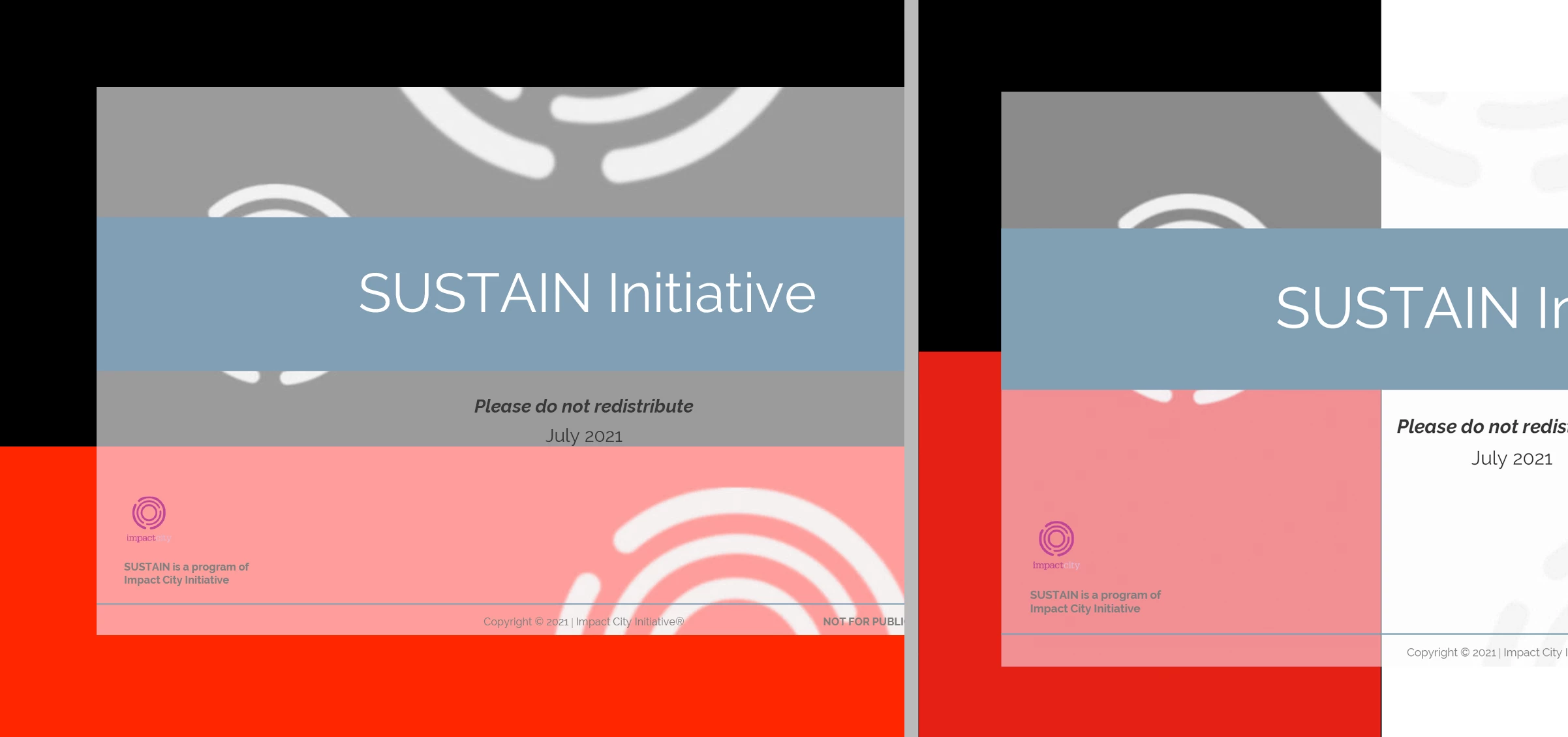
Okay. I've looked at your PDF, and it IS your background. It has a transparency of 50% White on it that's affecting what's behind it. PowerPoint doesn't write a "white page" background the way InDesign would, so your file is transparent.

This is your file opened into a Photoshop file (left) and Placed in InDesign (right) overtop of a black and red background.

The quick solution is to go back to your PP file and add a white background behind your background.

The other way (but you would have to do this in every PDF you've made), in Acrobat, is to Edit PDF > Edit Image (selecting the background) to open it in PhotoShop; flatten the image and close and save. The flattened imaged will replace the one in your PDF and all will be good!


4 replies

Brad @ Roaring Mouse
Brad @ Roaring MouseCorrect answer
Community Expert
August 14, 2021

Okay. I've looked at your PDF, and it IS your background. It has a transparency of 50% White on it that's affecting what's behind it. PowerPoint doesn't write a "white page" background the way InDesign would, so your file is transparent.

This is your file opened into a Photoshop file (left) and Placed in InDesign (right) overtop of a black and red background.

The quick solution is to go back to your PP file and add a white background behind your background.

The other way (but you would have to do this in every PDF you've made), in Acrobat, is to Edit PDF > Edit Image (selecting the background) to open it in PhotoShop; flatten the image and close and save. The flattened imaged will replace the one in your PDF and all will be good!


boukasaAuthor
Participating Frequently
August 15, 2021

Thanks very much for figuring that out. I appreciate it. I’ll take your advice and put a slide-sized white image at the back in every powerpoint template.


Do you have a though about why it shows up on white in some Adobe readers and on gray in others? Does Adobe put a default gray background in some readers and not in others?

boukasaAuthor
Participating Frequently
August 15, 2021

Or white in some and black in others I guess?

JR Boulay
Community Expert
August 14, 2021

MOVED TO THE ACROBAT READER MOBILE FORUM

Acrobate du PDF, InDesigner et Photoshopographe
boukasaAuthor
Participating Frequently
August 14, 2021

I'm really frustrated by Adobe support, which says this is a "feature" of the mobile reader and that the solution is to "recreate the PDF" which of course does nothing. 


"

Thanks for your mail. We also tested the files that you shared with us on the mobile application and it gives the same result and the file displays with a grey background instead of white background as per the actual document that opens fine on the desktop application. The pdf features varies to desktop and mobile version. Hence it does not give the same output on the mobile version. As confirmed earlier, recreating the document by printing to adobe pdf is the solution for this issue."

JR Boulay
Community Expert
August 14, 2021

Be sure that the "night mode" is not enabled.

Acrobate du PDF, InDesigner et Photoshopographe
boukasaAuthor
Participating Frequently
August 14, 2021

Adobe support says they get the same issue. I also gave a presentation out of town and sent the PDF in advance to the conference center. When they showed the PDF on their large screen - from a Mac - it also looked this way.

Brad @ Roaring Mouse
Community Expert
August 14, 2021

Can you upload one here?

Does your background image have any sort of effect applied?


boukasaAuthor
Participating Frequently
August 14, 2021

Yes, here is the PDF: https://documentcloud.adobe.com/link/review?uri=urn:aaid:scds:US:a5991f6a-c1a9-4f28-8cf7-75f428dd94d7


There's no special background - it's just the white default of a plain PowerPoint slide.

boukasaAuthor
Participating Frequently
August 14, 2021

Now that I uploaded the document to Adobe Document Cloud to share with you, when I open it there in a web browser, in the preview it has the gray background. But when you download it and open it with Reader, it looks correct with a white background. How is this possible? Surely this is not a "feature" as Adobe says - why would anyone want to have their documents show up randomly different at different times?