

Answered
Can’t Access OneDrive
Acrobat 18.11.01.
iOS 12.1. iPad Pro
Can’t seem to access my OneDrive.
Files/Locations just give me ‘Recently Deleted’.
How do I add OneDrive to my Files/Locations?
Thanks for any help or advice!

Acrobat 18.11.01.
iOS 12.1. iPad Pro
Can’t seem to access my OneDrive.
Files/Locations just give me ‘Recently Deleted’.
How do I add OneDrive to my Files/Locations?
Thanks for any help or advice!
Hi randyw57,
It sounds like your screen is stuck with "Recently Deleted".
Would you please tap the Back (<) button to go back to Locations?
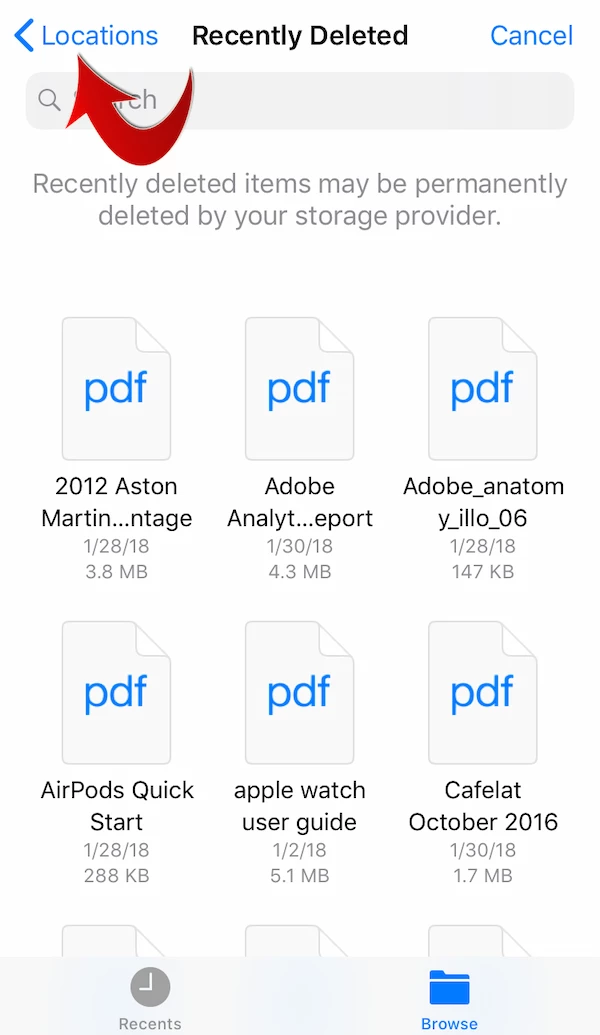
You should be able to select OneDrive in Browse > Locations screen.
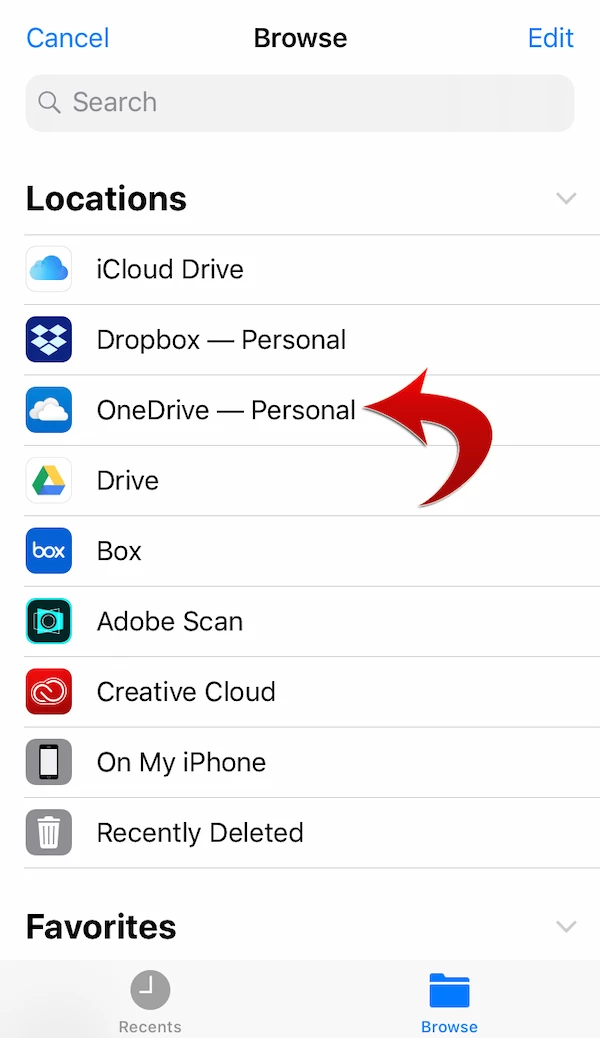
The locations (cloud storage apps) and the number of locations may vary depending on the apps you've installed on your iPad/iPhone.
Please make sure that the OneDrive app (that is available separately from the Apple App Store) is already installed on your iPad/iPhone.
If you have additional questions about Files > Locations > More Locations, please let us know.
Thank you for your inquiry.
Already have an account? Login
Enter your E-mail address. We'll send you an e-mail with instructions to reset your password.
 AdChoices