



gbirkin
New Participant
January 27, 2023
Question

Displaying the wrong font in Acrobat Reader for Android

  • January 27, 2023
  • 1 reply
  • 2072 views

Hi!

On my Android tablet I use Adobe Acrobat Reader (22.12.1.25269). While opening the document, I noticed strange things: the text font should be Times New Roman, but displayed a different font (similar to Minion Pro Condensed).
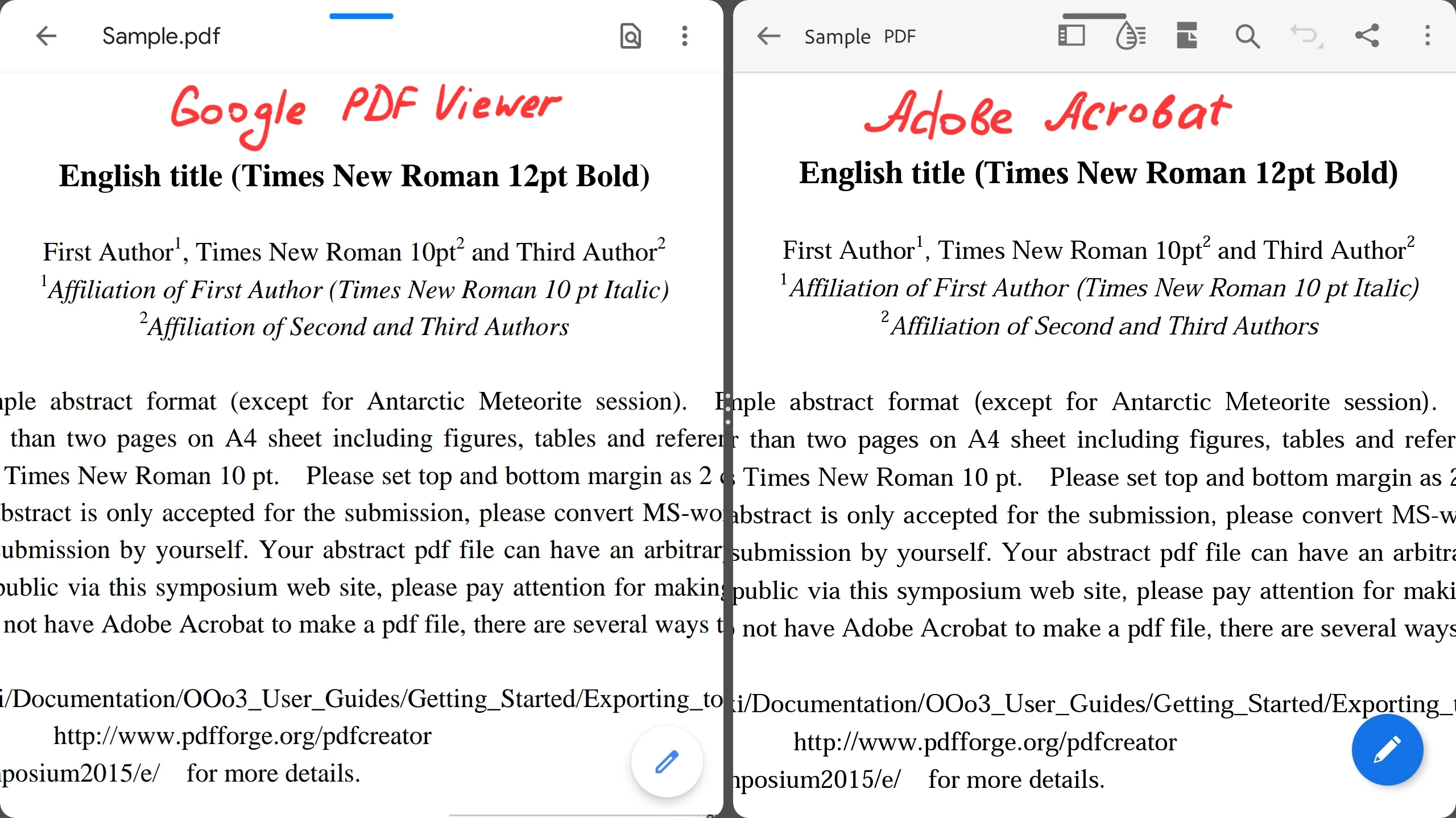
 

This problem persists with any document containing Times New Roman. When I open the pdf files in other app (Google PDF Viewer) they display correctly. So it seems to be an issue on Adobe's side.

I hope for a solution to this problem.

Thanks,

German.

This topic has been closed for replies.

1 reply

S_S
Community Manager
Community Manager
January 30, 2023

Hi @gbirkin,


Hope you are doing well. Sorry for your experience with Acrobat Reader Mobile.


If the issue is with every file having Times New Roman font, would you mind installing Creative Cloud and then checking if Times New Roman is installed and ready to be used for all Adobe applications?


If installed and you still experience the issue, please share the file to test so we can speed up the investigation process to get to a resolution.


Look forward to hearing from you.


-Souvik.

gbirkin
gbirkinAuthor
New Participant
January 30, 2023

Hi!

Thanks for your reply.

But installing Creative Cloud didn't help.

I attached the file where the font is displayed incorrectly on Adobe Acrobat Mobile.


P.S.  Do I need to have a subscription to display the correct font?


Thanks,

German.

gbirkin
gbirkinAuthor
New Participant
January 30, 2023

Other file with this problem.