


Participant
October 5, 2023
Question

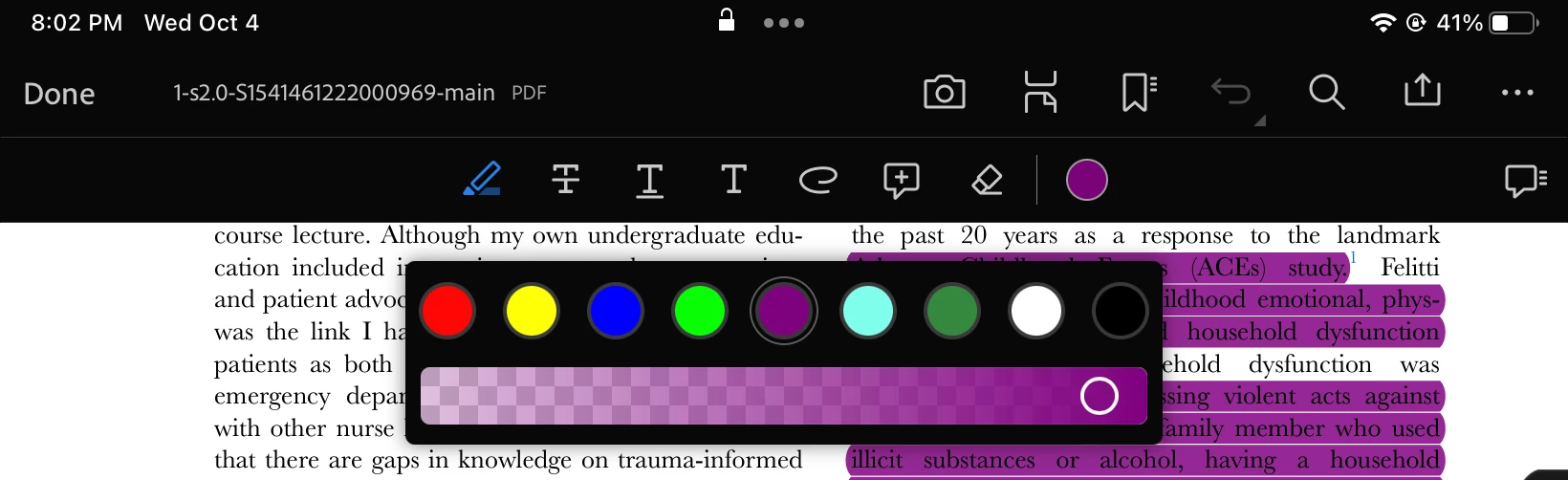
How do I change my default highlight colors in ipadOS

  • October 5, 2023
  • 2 replies
  • 2239 views

I cannot for the life of me figure out how to change my default highlight colors on adobe acrobat on my iPad. I'm updated to the newest version of the app. But the color selection tool is completely different then it is on my iPhone or MacBook. There is no drop down menu or properties button to be seen. I do not need a white or black highlighter color. I remember changing the colors before but that feature seems to have vanished. 
    This topic has been closed for replies.

    2 replies

    S_S
    Community Manager
    Community Manager
    October 31, 2023

    Hi @amanda32722616rdvq,


    Hope you are doing well. Thank you for writing in!


    The default highlight color is normally selected as the previous color that you might have used on the same document.


    The features present on the Mac will be different to those available on the mobile version of Acrobat Reader Mobile.


    Also, we would love to hear more. Please fill out the feedback form: https://acrobat.uservoice.com/. This ensures your feedback reaches our product team for review and future implementation.


    -Souvik

    kglad
    Community Expert
    Community Expert
    October 5, 2023

    in the future, to find the best place to post your message, use the list here, https://community.adobe.com/

    p.s. i don't think the adobe website, and forums in particular, are easy to navigate, so don't spend a lot of time searching that forum list. do your best and we'll move the post if it helps you get responses.


    <"moved from using the community">
    try67
    Community Expert
    Community Expert
    October 5, 2023

    (this actually belongs in the Acrobat Reader Mobile forum... Moving it there now)